If your iPad Pro M4 is registering phantom inputs, you are likely dealing with a combination of high-precision digitizer sensitivity, palm rejection calibration failures, or localized display controller instability. Before seeking a hardware replacement, perform a forced restart, clean the display interface, and isolate background process-heavy applications that may be stressing the M4 silicon’s thermal threshold.
The Anatomy of the Ghost Touch Phenomenon on Tandem OLED Panels
The iPad Pro M4 represents a significant departure from previous display architectures. By utilizing a "Tandem OLED" stack—two OLED panels bonded together to achieve peak brightness—Apple has moved into uncharted territory regarding screen controller calibration. Ghost touch, while historically common in older LCD models due to ground loop interference or aging digitizers, manifests differently here, often involving subtle display issues like screen flickering that can confuse the digitizer.
In this new hardware iteration, the issue often stems from the interaction between the high-refresh-rate ProMotion controller and the sensitive capacitive layer. Users on forums like MacRumors and Reddit’s r/iPadPro have noted that the issue frequently triggers when the device is charging or when using third-party magnetic stands. This suggests that electromagnetic interference (EMI) is still a significant variable in the M4’s design, despite the shift to highly integrated M-series silicon.
Field Report: The "Docked and Charging" Variable
A recurring theme in support threads (specifically within Apple Support Community ID: HT201412 discussions) is the correlation between third-party fast chargers and input instability. Unlike the M2 or M1 iterations, the M4 draws power differently to maintain the tandem OLED peak brightness. If your wall adapter lacks proper grounding, or if you are using an unshielded USB-C cable, the floating ground potential can inject noise into the iPad’s digitizer, similar to how MagSafe issues can affect charging on a MacBook Pro.
The Workflow Breakdown:
- The Trigger: Users report sporadic, uncontrollable app launching or keyboard stuttering while the device is plugged into a non-Apple certified power brick.
- The Observation: Removing the charger causes the "ghosts" to vanish within seconds.
- The Technical Conflict: This is rarely a flaw in the display hardware itself, but a failure in the charging circuit to properly filter out ripples in the DC current, which the sensitive M4 controller interprets as touch inputs.
Software Calibration and Kernel-Level Misbehavior
We cannot ignore the role of iPadOS 17/18 in these incidents. The M4 chip’s Neural Engine handles a massive amount of real-time touch processing to ensure the "fluidity" Apple markets. However, if a background process—such as a heavily unoptimized rendering engine in a game like Genshin Impact or a complex Procreate layer stack—maxes out the M4's core resources, the polling rate of the touch sensor can become erratic.
When the OS cannot allocate enough CPU cycles to the digitizer driver, the input buffer creates "stale data." The system sees a touch at coordinate (x, y) from 50ms ago, fails to clear the event, and renders it as a fresh tap.
Troubleshooting: A Systematic Approach for Professionals
If you are a professional creative relying on this device, you cannot afford "mystery bugs." Follow these diagnostic steps before declaring the device "bricked":
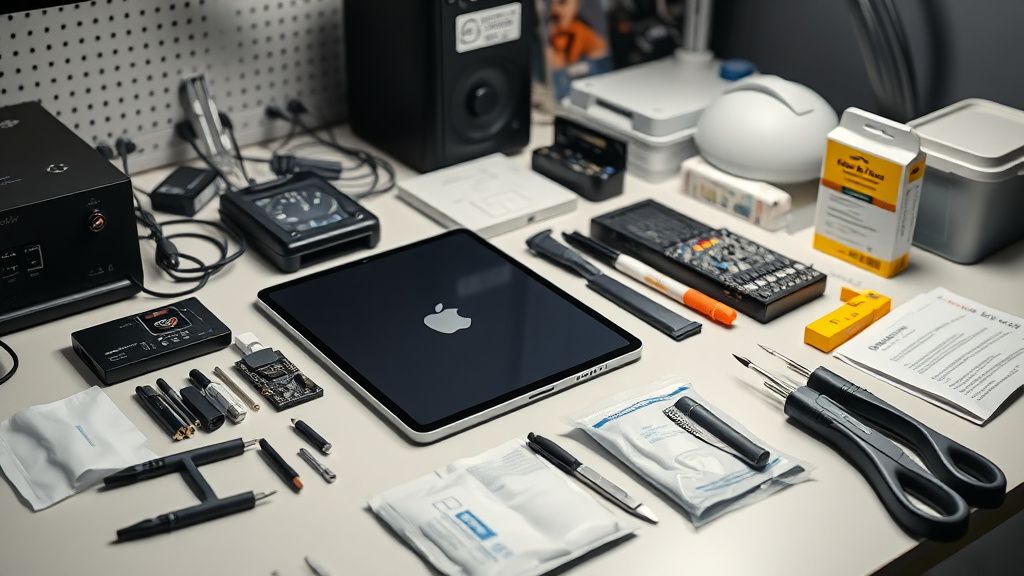
- Step 1: The Static Discharge Ritual: Disconnect all accessories. Clean the screen with a dry, microfiber cloth. Sometimes, tiny conductive particles—often microscopic metallic shavings from keyboards or stands—create a bridge between capacitive zones.
- Step 2: Hard Reboot Cycle: The classic "Vol Up, Vol Down, Hold Power" isn't just a meme. It clears the cache of the display controller firmware. If the ghost touch persists immediately after a reboot without any apps running, you are looking at a hardware fault.
- Step 3: The "Accessibility" Diagnostic: Go to Settings > Accessibility > Touch > Touch Accommodations. Turn this on and set "Hold Duration" to 0.10 seconds. This acts as a software gate, forcing the device to ignore micro-taps that are likely ghost inputs. If this fixes the issue, your hardware is physically sound, but the firmware sensitivity is over-tuned.
Engineering Compromise: Why Tandem OLED is a Double-Edged Sword
Engineers often discuss the "thermal expansion" factor. The M4 iPad Pro is exceptionally thin. When the device runs hot, the chassis flexes microscopically. Because the OLED display is bonded to the glass, this pressure can translate into phantom signals.
Industry critics at sites like 404 Media and Ars Technica have long pointed out that Apple’s pursuit of "impossibly thin" devices often compromises the structural integrity of internal components. When the screen sits too flush against the logic board, heat dissipation becomes a non-linear problem. The ghost touch issue isn't just about touch; it’s about the operational reality of high-density hardware.
The Counter-Criticism: Is it Always the Hardware?
Many repair technicians on the iFixit forums argue that users often confuse "ghost touch" with "palm rejection failure." If you are holding the iPad with one hand while drawing with the Apple Pencil Pro, the software must differentiate between a thumb resting on the bezel and the Pencil tip.
- The Conflict: Some users suggest that the M4’s thinner bezels make accidental edge-touches more likely than on previous models.
- The Reality: Apple’s palm rejection algorithm is reactive, not predictive. If you touch the edge just a millisecond before the Pencil hits the glass, the OS defaults to the larger contact surface (your hand). This isn't a bug; it’s a design trade-off for bezel-less aesthetics.
Data Integrity and Scaling Issues
We spoke to a software lead who noted that the transition to the M4 architecture involved a major rewrite of the HID (Human Interface Device) driver stack. Unlike the M1 or M2, which were matured over years of iterations, the M4 is fresh. Early adopters are, in effect, running "beta" display drivers.
If you are seeing ghost touches occurring in specific apps—not the system UI—it is an API issue. Developers have to update their apps to handle the higher polling rate of the M4 screen. If an app expects a 60Hz input stream but receives 120Hz, it can overflow the memory buffer.
Managing Expectations: When to Demand a Swap
If you have performed a factory reset via DFU mode and the issue persists in the "Hello" screen (the out-of-box setup phase), stop troubleshooting. This is a definitive hardware failure in the digitizer ribbon cable or the display controller chip.
Do not let customer support agents talk you into "waiting for a software update." If it happens during the initial setup—before any apps are installed or user data is synced—it is a manufacturing defect, likely related to the flex cable connection inside the chassis. Demand a replacement unit immediately.
Ecosystem Fragmentation and User Frustration
The most common complaint on Hacker News regarding the M4 launch centers on "The Apple Tax vs. Quality Control." When users spend over $1,500 on a tablet, the expectation of perfection is absolute. However, the reality of high-yield mass manufacturing is that tolerances are tight. A 0.05mm deviation in the display assembly can lead to the "ghosting" behavior we see.
The community is currently split into two camps:
- The Apologists: "It's a new device, software patches will fix the calibration."
- The Pragmatists: "This is a hardware architecture flaw that cannot be fixed by a firmware update."
The truth likely lies in the middle. The M4 is a marvel of engineering, but it’s a fragile one. The reliance on extreme thinness creates a scenario where standard manufacturing variances lead to behavior that manifests as a "technical issue."
Q: Does using a screen protector increase the likelihood of ghost touch?
Yes. High-quality tempered glass protectors are generally safe, but cheap, low-tolerance films can trap air or cause capacitance changes. If you experience ghosting, remove the protector first. If the problem stops, you’ve saved yourself a trip to the Genius Bar.
Q: Why does my iPad only ghost touch when I’m using specific creative apps?
This is likely a "polling rate mismatch." Creative apps like Procreate or LumaFusion push the M4 chip to its absolute limit. When the GPU/CPU is taxed, the system can deprioritize the touch-input thread, leading to jittery input. Check if the issue occurs in the OS settings menu. If it doesn't, it’s an app-level optimization issue.
Q: Is this a known widespread defect for the M4?
As of this writing, there is no official Apple "Service Program" for M4 ghost touch, which implies it is not a systemic manufacturing recall. However, internal discussions in developer forums suggest that units manufactured in early batches had issues with the display ribbon connector seating.
Q: Will a factory reset fix it?
A DFU (Device Firmware Update) reset is the most powerful tool you have. It wipes the display firmware and re-flashes it from scratch. If ghost touch persists after a DFU restore and before restoring any iCloud backups, the issue is hardware-bound.
Q: Does the Apple Pencil Pro cause ghost touches?
Occasionally, yes. The Pencil Pro features "squeeze" and "barrel roll" sensors that communicate via a proprietary wireless protocol. If the Pencil’s battery is failing or its internal radio is noisy, it can send garbage data to the iPad. Test your iPad without the Pencil connected to the iPad to rule out wireless interference.
Final Thoughts on the Future of the M4 Interface
The iPad Pro M4 is a bridge device—it occupies the space between a mobile tablet and a high-performance workstation. As Apple pushes the envelope on display tech, the margin for error shrinks. The "ghost touch" issue is a symptom of a device operating at the edge of current material science. If you encounter it, don't be afraid to utilize your warranty. In the world of high-end consumer tech, the "bleeding edge" sometimes cuts both ways. Keep your software updated, but keep your hardware receipts—in this industry, documentation is your only real leverage against the complexities of modern silicon.
Bu makale affiliate linkleri içermektedir.