CE-108255-1 in 30 seconds: PS5 error CE-108255-1 is a crash/application error that forces the console back to the home screen, typically caused by corrupted game data, unstable system software, hardware overheating, or faulty RAM. It is not a single-cause error — it is a symptom class. Most cases resolve through database rebuild, software reinstall, or storage checks. Hardware intervention is rarely the first answer, but it is sometimes the only one.
There is a particular kind of frustration that belongs only to CE-108255-1. It does not brick your console. It does not destroy your save files — at least not immediately. What it does is interrupt. A boss fight. A cutscene you have been waiting three hours to reach. An online ranked match. The console crashes, dumps you back to the dashboard, and offers you a politely worded error code that tells you almost nothing useful.
Sony's official support page describes CE-108255-1 as "an error has occurred in the following application." That is technically accurate and operationally useless. It is the digital equivalent of a doctor telling you that you are sick. The real question — the one that actually matters — is why, and that answer is rarely simple.
This guide exists because the simple answers often do not work. Because the Reddit thread telling you to "just rebuild the database" was written by someone who got lucky the first time and does not know what to do when that does not fix it. Because Sony's own support documentation is structured to protect Sony from liability, not to help you diagnose your specific hardware configuration. And because CE-108255-1, in practice, is at least four or five different problems wearing the same error code as a mask.
What CE-108255-1 Actually Represents: The Error Class Problem
CE-108255-1 is not a hardware fault code in the traditional sense. It does not correspond to a specific failing component the way, say, a memory address error might in a PC environment. It is a catch-all application crash error — a signal that a running process terminated unexpectedly and the system could not recover gracefully.
This matters enormously for diagnosis, because it means the error has multiple root causes that share identical surface presentation:
- Corrupted game data or incomplete installation — the most common cause, especially after power interruptions during download or update
- Unstable system firmware — particularly noticeable after major PS5 software updates (there is a pattern here, and we will get into it)
- Overheating — thermal throttling causes the CPU or GPU to drop below minimum operating thresholds mid-task
- Storage hardware degradation — both the internal SSD and any M.2 expansion drives can cause this
- RAM instability — less common, but documented in consoles with physical damage or manufacturing edge cases
- Game-specific bugs — certain titles, particularly at launch or post-patch, introduce crashes that trigger this error code independently of hardware state
The problem is that Sony's error reporting system does not differentiate between these causes at the user-visible level. You get CE-108255-1 whether your copy of a game is corrupted or your SSD is beginning to fail. The diagnostic path is therefore a process of elimination, not a lookup.
Field Reports: What Users Are Actually Experiencing
The community record on CE-108255-1 is sprawling and chaotic, which is itself diagnostic information. A search through Reddit's r/PS5 community, PlayStation forums, and community Discord servers reveals patterns that Sony's official documentation does not acknowledge.
The post-update surge pattern is the most consistent. Following significant PS5 firmware updates — versions in the 7.x and 8.x range particularly — there are documented spikes in CE-108255-1 reports that cluster within 48 to 72 hours of the update release. The reports are not random. They concentrate in users who have:
- M.2 expansion drives installed (particularly drives from brands that pushed firmware updates incompatible with new PS5 system software)
- Consoles in the disc edition with heavy usage histories
- Specific game titles that were not updated before the system software changed
A recurring thread type on the PlayStation subreddit goes something like: "Woke up to find my PS5 had auto-updated overnight. Now [game] crashes every time with CE-108255-1. Reinstalled twice. Nothing works." This is not an isolated report. It recurs, reliably, after major firmware pushes.
The thermal pattern is the second major cluster. Users in warmer climates, users with consoles in enclosed entertainment units, and users who run their consoles for 6+ hour sessions without interruption report a specific variant: the error appears consistently after approximately the same amount of gameplay time, regardless of which game is running. This is a thermal signature. The crash is not game-related — it is the console hitting a thermal threshold and terminating processes to protect the hardware.
"Mine was crashing after exactly like 2 hours every time no matter what I was playing. I thought it was the game. Then I moved the console out of the cabinet and it stopped completely. Three months and nothing. The cabinet was basically a slow cooker." — community forum post, PlayStation Community boards, paraphrased from public thread
The storage degradation pattern is less common but significantly more serious. Users who had installed M.2 SSDs — particularly during the early days of M.2 support when Sony's compatibility guidance was vague and community lists were the primary resource — occasionally report CE-108255-1 occurring specifically with games installed on the expansion drive while games on the internal drive run fine. This is a strong signal of either drive failure, compatibility issues, or inadequate cooling of the M.2 slot.
There is also a documented pattern that nobody talks about much: consoles purchased during the 2021-2022 supply shortage era, which were sometimes sold through grey market channels and may have been refurbished, demo units, or units with non-standard assembly, show higher rates of persistent CE-108255-1 that do not respond to software fixes. Nobody has clean data on this. It is community observation, not verified reporting.
The Diagnostic Hierarchy: Work from Software to Hardware
The correct approach to CE-108255-1 is structured, sequential, and patient. Skipping steps wastes time and sometimes makes diagnosis harder. Here is the operational reality of how to work through this.
Step 1: Isolate the Crash to a Specific Game or Application
Before doing anything else, determine whether the error occurs in:
- One specific game → likely corrupted data or game bug
- Multiple games but same genre (e.g., only GPU-intensive titles) → thermal or GPU stress issue
- All games and applications → systemic issue: firmware, storage, or hardware
Keep a mental log or actual note. "Crashed in X three times, Y never crashed, Z crashed once." This information is operationally useful. Do not skip it.
Step 2: Delete and Reinstall the Affected Game
If the crash is isolated to one title, a clean reinstall is the correct first move. The nuance here matters: do not just delete the game. Delete the game and its associated saved application data if the saves are already backed to cloud or a USB. Corrupted save data can cause persistent crashes even with a clean game installation.
Navigate to Settings → Saved Data and Game/App Settings → Saved Data (PS5) → and manually verify what is stored. Partially downloaded update files cached in the system can also survive a standard uninstall. The only way to be certain is to also clear the game's add-on data and related files from the storage menu.

Step 3: Check Storage Health — Internal and Expansion
This is where most guides get vague, because Sony does not provide a native storage health diagnostic tool. There is no SMART readout accessible to users through the PS5 interface. What you can do:
For internal SSD: Go to Settings → Storage → Console Storage. If the used/free space figures look inconsistent with what you have installed, or if the system takes abnormally long to load the storage screen, these are soft indicators of SSD stress.
For M.2 expansion drives: This is more complex. If you have an M.2 installed, test by temporarily uninstalling all games from the expansion drive and reinstalling them on internal storage. Run exclusively from internal for 48 hours. If crashes stop, the M.2 is the problem — whether the drive itself, the heatsink cooling, or a seating issue.
A significant but under-discussed edge case: some M.2 drives sold as "PS5 compatible" operate within spec under normal conditions but fail intermittently under sustained read/write loads. This is especially documented in certain QLC NAND drives (which are cheaper to manufacture and more common in consumer-grade M.2 SSDs). The failure mode is not constant — it shows up as periodic crashes under load, which maps exactly to CE-108255-1 behavior.
Step 4: Rebuild the PS5 Database
This is the step everyone recommends first, and they are wrong to do so — not because it does not work, but because doing it before isolating the problem means you cannot learn anything diagnostic from the results.
To access Safe Mode:
- Fully power off the PS5 (not rest mode — full shutdown)
- Hold the power button until you hear two beeps (approximately 7 seconds)
- Connect DualSense via USB cable (Bluetooth does not function in Safe Mode)
- Select Option 5: Rebuild Database
This process can take anywhere from 15 minutes to several hours depending on storage amount. It reorganizes the system's index of installed content. It does not delete data. It does not fix corrupted game files. What it does fix is situations where the system's internal catalogue of what exists on the drive has become inconsistent with what actually exists — which can cause crash-on-load behavior.
The realistic success rate here is genuinely good for a specific class of the problem. If your crashes started after a power outage, after the console crashed during an update, or after you added/removed a lot of content quickly, database rebuild often resolves it. If your crashes are thermal, storage hardware, or RAM-related, it will do nothing.
Step 5: Update or Reinstall System Software
If crashes persist across multiple titles and rebuilding the database did not help, the next move is system software intervention.
Update first: Go to Settings → System → System Software → System Software Update and Settings → Update System Software. Even if the system says it is up to date, force-check. There have been documented cases where consoles with disrupted update processes show as current but are running incomplete firmware installs.
If update does not resolve it, consider a full reinstall: Safe Mode → Option 7: Reset PS5 (Reinstall System Software)
This is a nuclear option for software. It downloads a fresh copy of the firmware and reinstalls the operating system. Your game data is deleted. Your settings are reset. Your locally stored saves are gone unless backed up. This is not a step to take lightly, but it is also the definitive test for whether your problem is software or hardware. If CE-108255-1 returns after a clean reinstall with a freshly downloaded game, you are dealing with hardware.
The Hardware Reality: When Software Fixes Stop Working
There is a conversation that happens constantly in PS5 support communities that almost always follows the same arc: person asks for help, gets software suggestions, tries them all, comes back two weeks later and says "still happening." At that point, the options narrow significantly.
Thermal intervention is the most accessible hardware-adjacent fix. If the internal fan is running louder than usual, if the console is hot to the touch at the back vents, or if crashes correlate with session length, thermal management is the issue. Options:
- Ensure the console has at least 10cm of clearance on all sides
- Do not place in enclosed furniture without active ventilation
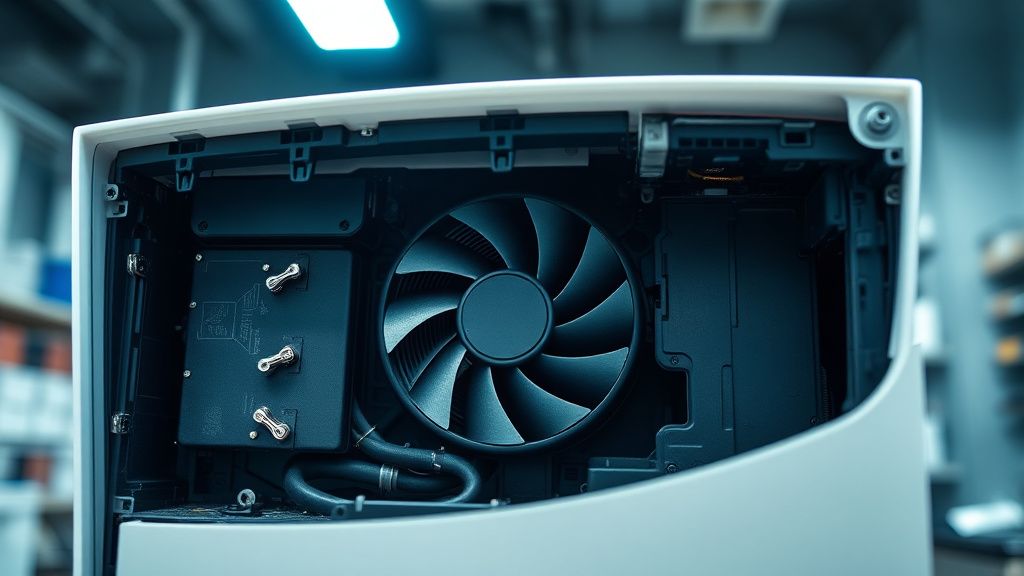
- If you have not cleaned the internal fan and heatsink in over 18 months of regular use, dust accumulation is a realistic culprit. This requires opening the console (which voids warranty if under warranty) or sending to a repair service
- Replace the thermal paste on the CPU — this is a documented community fix for older PS5 units showing persistent thermal throttling behavior. Sony uses a standard thermal interface material that degrades over time. The procedure is technically demanding and not recommended without prior experience.
SSD failure requires component replacement. If you have established through isolation testing that the internal SSD is failing — not just a corrupted file system that database rebuild addresses, but the drive itself producing read errors — the internal SSD is a proprietary Samsung component in most PS5 configurations and is not straightforwardly user-replaceable. Sony repair is the formal path. There is an aftermarket community with SSD replacement documentation, but this is technically demanding and carries data loss risk.
RAM instability is the rarest cause and the hardest to confirm without specialized equipment. It shows up as crashes that are fully random — different games, different loads, no thermal correlation, clean storage — and that survive every software intervention. If you are at this point, the console requires professional diagnosis.
Counter-Criticism and the Debate Around Sony's Error Reporting
There is a legitimate industry debate about whether Sony's approach to error codes — aggregating diverse failure modes under single broad codes — serves users or obscures accountability.
The argument in Sony's favor is pragmatic: consumer electronics troubleshooting needs to be simplified. Exposing low-level hardware diagnostic information to general users creates more confusion than it resolves. The stepped support process (try these software fixes, then contact us) is designed to resolve the majority of cases without requiring hardware intervention.
The argument against is that this design benefits Sony's support cost model at the expense of user time and data. When someone spends three weeks trying software fixes on a failing SSD because the error code gives no hardware indication, they are bearing a diagnostic cost that proper error reporting would have avoided. And by the time they get to Sony support or third-party repair, the warranty period may have elapsed.
Several repair technicians in communities like r/consolerepair and the Louis Rossmann community have noted a pattern: PS5 units coming in for CE-108255-1 that were returned from Sony's official repair service as "no fault found" but continue crashing after return. The explanation floated in those communities — though unverified — is that Sony's diagnostic process checks for firmware integrity and obvious hardware failure but does not stress-test storage or run extended thermal cycling. Intermittent failures that only appear under sustained load get missed.
This is not provable from public information. But the pattern of "came back from Sony, still broken" is common enough in community discussion to represent a real failure mode in the official support pipeline.
Game-Specific CE-108255-1: The Bug Variable
An entire category of these crashes has nothing to do with your hardware or firmware. Certain games, at specific patch versions, contain bugs that cause CE-108255-1 on specific hardware configurations. This has been documented extensively in community forums for multiple major titles at launch.
The signal to look for: if the error appears only in one game, only in one specific area or mode of that game, and community discussion for that game shows other users hitting the same crash, you are dealing with a game bug, not a console hardware problem. In this case:
- Check if a patch has been released
- Check the developer's known issues list
- Avoid the specific area/mode triggering the crash until a patch is available
- Contact the developer's support, not Sony's
The frustrating overlap is that corrupted game data can mimic this pattern. A game that crashes in one specific chapter or mode might be doing so because that chapter's data is corrupted on your drive specifically — not because of a software bug in the game itself. The way to differentiate: if a clean reinstall of the game resolves the crash, it was local data corruption. If the crash persists after reinstall, it is likely a game bug.
The 2026 Context: What Has Changed
The PS5 hardware platform is now several years into its lifecycle. This has practical implications for CE-108255-1 diagnosis in 2026:
Warranty coverage is effectively over for most units. PS5 launched in November 2020. Standard warranty periods have elapsed for the majority of original hardware. This shifts the economics of repair decisions. A console that previously would go to Sony under warranty now faces a repair cost calculation.
The thermal paste degradation timeline is real. Three to five years of regular use is the documented range at which factory-applied thermal paste on gaming consoles begins to lose efficiency. 2026 is squarely in that range for original launch units. Thermal-pattern CE-108255-1 in original PS5 hardware in 2026 has a realistic thermal paste component that did not exist as a factor in 2021.
Firmware stability has broadly improved. The PS5 firmware is significantly more mature than it was in 2021-2022. System-software-triggered CE-108255-1 is less common
Bu makale affiliate linkleri içermektedir.