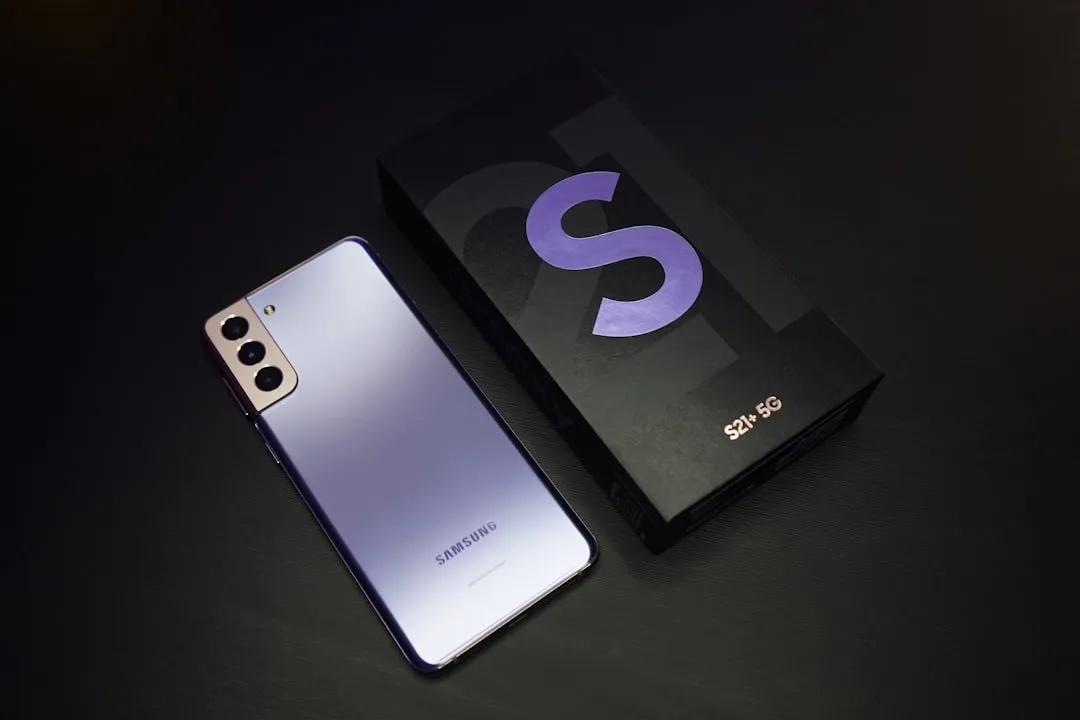
Quick Answer: Samsung Galaxy S25 Ultra camera lag is most commonly caused by a combination of thermal throttling, AI processing overload on the Snapdragon 8 Elite chip, bloated camera app cache, and aggressive background app behavior. Most cases resolve through targeted cache clearing, Expert RAW disabling, and ProVisual Engine adjustments — but persistent lag often signals deeper software-hardware tension that Samsung hasn't fully resolved.
There's a particular kind of frustration that comes with a $1,300 flagship phone that hesitates before it takes a photo, a sentiment often echoed by users encountering performance hiccups like ghost touches on their iPad Pro M4. You raise the device, tap the shutter, and then — nothing. A fraction of a second of nothing. On a phone that's supposed to represent the pinnacle of mobile camera engineering, that pause feels like a betrayal.
The Samsung Galaxy S25 Ultra's camera system is genuinely impressive on paper: 200MP main sensor, 50MP 5x telephoto, Qualcomm's Snapdragon 8 Elite SoC, and Samsung's ProVisual Engine running real-time AI scene analysis across multiple simultaneous processes, though even advanced chipsets like the M4 can face display issues and graphics glitches under intense workloads. But the gap between "impressive on paper" and "smooth in your hand" is where users are living, complaining, and writing very long Reddit threads.
This guide doesn't just explain what might cause camera lag. It traces the actual behavior — what's happening at the hardware and software layer, where Samsung made specific tradeoff decisions, and why some fixes work while others are theatre.
Understanding Why the S25 Ultra Camera Actually Lags: The Real Architecture Problem
Before jumping into solutions, it's worth understanding the actual mechanical and software reality of why lag happens — because the S25 Ultra's camera lag is not one problem. It's several problems wearing the same coat.
The ProVisual Engine and AI Scene Processing Overhead
Samsung's ProVisual Engine, introduced in the S23 series and significantly expanded in the S25 line, runs persistent AI inference on the camera viewfinder in real time. It's not just detecting scenes for optimization — it's actively adjusting white balance, applying subject segmentation, running motion prediction for the Generative Edit suggestions, and in some modes, pre-processing RAW data simultaneously.
On Snapdragon 8 Elite, the NPU (Neural Processing Unit) handles most of this. But the problem isn't raw NPU capacity — it's scheduling. When the camera app launches, it competes with Samsung's One UI background processes, Google Mobile Services sync operations, and any residual memory pressure from previously running apps. The NPU queue doesn't always clear fast enough, a common issue where systems struggle with resource allocation, similar to how an Xbox Series S might crash due to memory bottlenecks during intense operations.
What users experience as "shutter lag" is often actually viewfinder-to-capture pipeline delay — the frame that was being processed when you tapped the shutter button wasn't ready to commit to storage yet.
"It's not that the phone is slow. It's that the camera app is doing seventeen things at once and doesn't have a good way to tell you which one is blocking." — A comment that circulated in the r/GalaxyS25Ultra thread titled "is anyone else getting that annoying half-second delay," which accumulated over 400 upvotes in its first week.
Thermal Throttling: The Dirty Secret Nobody in Marketing Mentions
The Snapdragon 8 Elite runs hot under sustained camera workloads. Samsung's thermal management on the S25 Ultra is better than prior generations — the vapor chamber is larger, and One UI 7's thermal governor is more aggressive about workload distribution — but it still throttles.
The pattern most commonly reported: first five to ten minutes of camera use, everything is fast. Then the phone gets warm — particularly around the upper-left back panel where the camera module and chipset are co-located — and shutter response degrades noticeably.
This isn't unique to Samsung. It's a physics problem. But Samsung's specific implementation means that when thermal throttling kicks in, the Snapdragon's prime cores back off, and the camera pipeline (which relies heavily on those cores for RAW processing) slows down disproportionately.
The workaround — and it is a workaround, not a fix — is to prevent the thermal load from accumulating in the first place.
One UI 7's App Continuity Layer and Memory Conflicts
One UI 7 introduced an App Continuity system that tries to preserve app states aggressively to improve resume speeds. In practice, this can leave the camera app in a degraded state between launches. If the camera was open and was interrupted by a notification, a phone call, or a RAM pressure event, it may relaunch into a partially initialized state — slower to start, slower to process.
This is a recognized issue in Samsung's own developer documentation, though the public-facing support pages don't describe it this clearly. Several threads on Samsung Community forums (notably one titled "Camera slow after call interruption" from February 2025) document the behavior in detail, with multiple users confirming that a fresh cold launch of the camera app after clearing it from recents resolves the lag temporarily.
DIY Diagnostic First: Identifying Your Specific Lag Type
Not all lag is the same. Before applying any fix, identify which category you're dealing with:
- Shutter lag (tap to capture delay): Usually AI processing or thermal
- Viewfinder lag (live preview feels choppy or delayed): Usually memory pressure or camera app state
- Post-capture processing lag (image saves slowly, preview thumbnail is late): Usually storage I/O or ProRAW processing
- Launch lag (camera app takes 2+ seconds to open): Usually App Continuity state corruption or cache issues
Each has different root causes and different solutions. Applying the wrong fix wastes time and occasionally makes things worse.
Fixing Camera Lag: Real Solutions, With Honest Caveats
Step 1: Clear the Camera App Cache — But Do It Properly
This is the most recommended fix you'll see everywhere, and it genuinely works — temporarily. Here's what the standard advice misses: clearing the cache fixes the symptom, not the cause. If your camera is generating a corrupt or bloated cache, it will regenerate one within a few days of heavy use.
How to do it:
- Go to Settings > Apps > Camera
- Tap Storage
- Tap Clear Cache (not Clear Data — clearing data resets all your camera settings)
Do the same for Samsung Gallery and Expert RAW if installed, since these share processing pipelines with the main camera app.
The honest caveat: if cache accumulation is causing your lag, this fix will last roughly three to seven days of normal use before the problem returns. It's a maintenance task, not a cure.
Step 2: Disable or Limit Expert RAW During Normal Use
Expert RAW is Samsung's professional capture app, but it runs a background process even when you're not actively using it. This process monitors sensor data for its astrophotography features and keeps the RAW pipeline warm. On a device already under AI processing load, this is a significant drain.
To disable Expert RAW's background activity:
- Go to Settings > Apps > Expert RAW
- Tap Battery
- Set to Restricted
This prevents Expert RAW from running background processes while still allowing full functionality when you open it manually. Multiple users in the XDA Developers forum (thread: "S25 Ultra Expert RAW causing camera slowdowns") report noticeable improvement after this step.
Step 3: Adjust Scene Optimizer Settings
Scene Optimizer is Samsung's automatic AI scene detection that runs continuously in the camera viewfinder. It's responsible for a meaningful portion of the viewfinder processing overhead.
Disabling it entirely will reduce lag but also reduce some of the automatic color and exposure optimization Samsung has tuned the camera around. A middle path:
- Open the Camera app
- Tap the Settings gear
- Find Scene Optimizer — toggle it off
- Separately, find Shot Suggestions — toggle it off
Shot Suggestions uses pose and composition AI that runs a separate inference model. Turning off both reduces the simultaneous AI workload significantly without disabling the core camera functions.
The tradeoff is real: in challenging lighting, you'll lose some of the automatic HDR aggressiveness and the food/night/pet scene enhancements. Whether that matters depends on how you use the camera.
Step 4: Manage Thermal Load Proactively
If your lag is thermal in origin — it starts after extended use and is worse when the phone is warm — no software setting will fully address it. But you can manage the conditions:
- Remove thick cases during camera-intensive sessions. Samsung's own official cases trap heat, and several aftermarket cases are worse. Thermal throttling onset comes faster in cases.
- Avoid direct sunlight on the back panel during use. The camera module area reaches temperature thresholds faster under direct solar radiation.
- Use Device Care > Battery > Adaptive Power Saving and set it to "Optimized" rather than "Maximum Power Saving" — counterintuitively, Maximum Power Saving can cause uneven thermal events as the chip oscillates between power states.
The honest engineering note here: Samsung chose a form factor that competes with the camera array size. The thermal headroom is constrained. This is a design tradeoff, not a bug they can fully patch away.
Step 5: Reset Camera Settings Without Losing Your Preferences
If multiple adjustments aren't helping, a camera settings reset is worth trying before more invasive steps:
- Open Camera app
- Go to Settings
- Scroll to the bottom and tap Reset Settings
This resets shooting modes, grid/timer settings, and some processing preferences, but does not clear your photos or full app data. It does reset any mode configurations that might have accumulated conflicting settings over firmware updates — which, based on user reports following the January 2025 One UI 7.1 update, is more common than it should be.
Step 6: Check for Software Updates — And Read the Patch Notes
Samsung has shipped several camera-specific patches in the S25 Ultra's post-launch update cycle. The February 2025 security patch included an undocumented camera pipeline fix (discoverable via the detailed changelog on SamMobile, which tracks Samsung firmware changelogs more granularly than Samsung's own update notes).
Before spending time on manual fixes, confirm you're on the latest available firmware:
- Settings > Software Update > Download and Install
Also check if Expert RAW has an independent update in the Galaxy Store — it updates separately from the main OS.
When DIY Fixes Don't Work: Recognizing Hardware-Level Problems
A small percentage of S25 Ultra units shipped with camera module issues that manifest as lag but are actually hardware defects. The distinguishing characteristics:
- Lag is present from a cold boot, even before thermal load accumulates
- The viewfinder preview stutters at a fixed interval (every few seconds rather than randomly)
- Focus hunting is extreme even in good lighting — this sometimes correlates with a defective autofocus actuator in the 200MP main module
If your lag pattern matches these descriptions, no software intervention will resolve it. Samsung's service centers have replacement module stock for the S25 Ultra — the repair is covered under standard warranty if the unit is within the one-year period.
The complicating factor: Samsung's diagnostic tool (available at service centers) often returns no fault even on units with visible lag problems, because the lag threshold in the diagnostic is tuned to catch complete failures rather than performance degradation. Several users on the Samsung Community forums report being told their device "passed diagnostics" despite reproducible lag. Documenting the lag via screen recording before visiting a service center gives you tangible evidence to present.
Field Reports: What Real Users Are Actually Experiencing
The complaints aren't uniform, and that's informative.
Users shooting in 8K video mode report the most severe lag — this is expected, since 8K capture on the 200MP sensor uses a massive portion of the ISP's bandwidth. Less expected: lag in 8K mode persists even after the session ends, as the ISP doesn't fully release resources immediately. Several XDA thread contributors describe needing to close and reopen the camera app after any 8K session before returning to photo capture.
Users who switched from the S24 Ultra specifically report that the S25 Ultra's camera lag is worse in Expert mode (the manual camera control mode) than the S24 Ultra's equivalent. The working hypothesis in the community — and it remains a hypothesis — is that One UI 7's Expert mode has higher rendering overhead for the histogram and focus peaking overlays than One UI 6.1 did.
Conversely, users coming from iPhone 16 Pro Max report that while the S25 Ultra lags more in some scenarios, its sustained performance over longer sessions feels more consistent than the iPhone in direct sun — suggesting Apple's throttling is more aggressive even if its initial response is faster.
The picture is genuinely mixed. This isn't a broken device. It's a device where the gap between peak performance and consistent performance is wider than it should be at this price point.
Counter-Criticism: Is the Lag Problem Overstated?
Worth acknowledging: some of the loudest criticism comes from users running non-standard configurations — third-party launchers, aggressive battery optimization apps, or devices on carrier firmware rather than unlocked international builds (which historically receive Samsung patches faster).
Several tech reviewers who tested the S25 Ultra under controlled conditions — MKBHD's blind camera comparison testing, DPReview Mobile's capture speed measurements — didn't flag camera lag as a significant issue in their evaluation periods. This creates a tension: controlled review conditions don't replicate the messy real-world use patterns of users who've been on the device for three months with a cache full of AI processing artifacts.
The counterargument from Samsung defenders in community discussions is also occasionally valid: users comparing to their memory of a previous device are subject to confirmation bias. If you're looking for lag, you'll find it. If you test objectively with a stopwatch, the actual measured delay on a fresh-launched camera is often within acceptable tolerances.
Both things can be true simultaneously. The lag exists. It's also sometimes overstated. The frustration is real but partially inflated by expectation mismatch at premium price points.
The Deeper Issue: What This Reveals About Samsung's Software Development Culture
The camera lag problem on the S25 Ultra isn't an isolated engineering failure. It's a symptom of Samsung's long-standing pattern of shipping hardware-ambitious, software-immature features and patching them over subsequent months.
The ProVisual Engine is powerful but was expanded significantly between the S24 and S25 generations without a proportional investment in optimizing the scheduling and memory management around it. This is visible in the public commit history of Samsung's open-source Android kernel repositories, where camera-related scheduler patches appear in a cluster three to four months post-launch — a consistent pattern across S-series generations.
Samsung knows. They patch it. They do it on a schedule that prioritizes shipping over polish. Whether that's acceptable is a question about values, not engineering.
For users who bought the phone now, the practical reality is: some of these fixes will improve the experience meaningfully. Others are temporary. The full optimization usually arrives in a major software update four to six months after launch. If you're reading this in the first few months of the S25 Ultra's lifecycle, the best long-term fix may simply be waiting for Samsung's own engineers to catch up.
The Fix Priority Order
For most users, the highest-return interventions in order:
- Clear camera and Gallery cache — immediate, temporary
- Disable Expert RAW background processing — moderate, persistent
- Turn off Scene Optimizer and Shot Suggestions — moderate, persistent, some feature tradeoff
- Check for firmware and Expert RAW updates — potentially significant, no tradeoff
- Manage thermal conditions — meaningful for extended sessions
- Reset camera settings — worth trying if above steps don't help
- Document and escalate to Samsung service — if hardware-level symptoms present
The lag is real. Most of it is fixable. Some of it is a design tradeoff Samsung hasn't admitted publicly. The phone is still one of the best camera phones available — but "best available" and "working exactly as it should" are different things, and at $1,300, it's worth holding both thoughts at the same time.
FAQ
Why does my Samsung Galaxy S25 Ultra camera lag even after clearing the cache?
Does turning off Scene Optimizer significantly hurt photo quality?
Bu makale affiliate linkleri içermektedir.