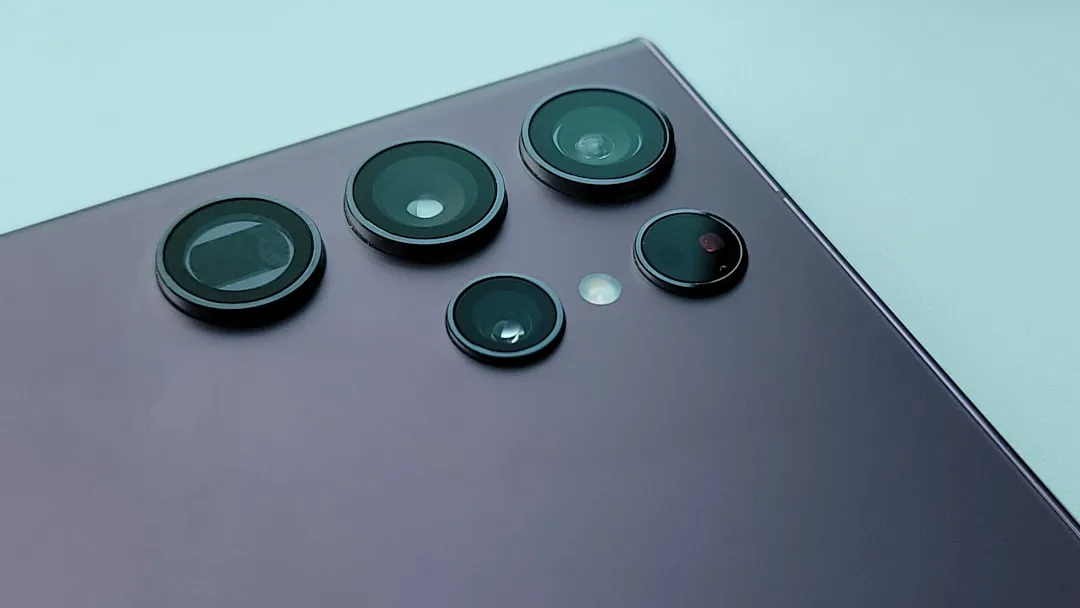
The shutter lag on the Samsung Galaxy S25 Ultra is a localized manifestation of a systemic clash between computational photography and hardware throughput. While the sensor array is technically capable of staggering output, the processing pipeline—burdened by AI-driven post-processing, multi-frame noise reduction, and high-resolution sensor binning—often struggles to achieve the instantaneous "point-and-shoot" experience expected by premium users. If you are experiencing this, you are likely witnessing a software optimization bottleneck rather than a hardware failure.
The immediate relief involves disabling "Scene Optimizer," switching to the "Camera Assistant" app to prioritize speed over quality, and ensuring that "HEIF" format is enabled to reduce the write-speed stress on the internal storage controller. These adjustments bypass the heaviest computational overhead, allowing the camera’s ISP (Image Signal Processor) to dump data to the NAND flash with significantly less latency.
The Architecture of Latency: Why Millions of Pixels Slow You Down
To understand why a device with the theoretical power of the Snapdragon 8 Gen 4 (or Exynos equivalent) lags, one must look at the "Image Pipeline." When you tap the shutter button on an S25 Ultra, the phone isn't just taking a photo; it is orchestrating a symphony of micro-processes.
The primary culprit is Multi-Frame Synthesis. To overcome the physical limitations of a thin smartphone lens, Samsung’s software captures a buffer of frames before and after the shutter press, then fuses them to maximize dynamic range and minimize noise. When lighting is sub-optimal, this buffer grows. If the storage controller is busy managing background app data or if the thermal threshold is reached, leading to issues like a MacBook Pro M4 overheating under intense workloads, the write-speed of the high-resolution files (often 50MP or 200MP raw data packets) creates a queue.
In developer circles, particularly on forums like XDA-Developers and specialized subreddits, this is frequently discussed as the "Post-Process Tax." Engineering-focused users have noted that the lag is almost non-existent in "Pro Mode" when shooting RAW, because the phone bypasses the aggressive AI denoise and sharpening algorithms that usually run in the background of the default Auto mode.
Camera Assistant and the Balancing Act of Speed vs. Fidelity
Samsung’s Camera Assistant—a module within the Good Lock suite—is the most underutilized tool for mitigating shutter lag. It is essentially a hidden configuration panel for the camera’s internal behavior. Within this module, the "Quick Tap Shutter" feature is a critical intervention.
By default, Samsung cameras are optimized for "Quality First." This means the system waits for the focus to confirm and for the multi-frame buffer to complete before finalizing the image. By toggling "Prioritize Speed," you are instructing the ISP to prioritize shutter release timing over perfect focus tracking or maximum HDR blending.
The Trade-off:
- The Benefit: You capture the moment as it happens. Sports, erratic pets, and street photography become viable again.
- The Cost: You may see slightly more motion blur in low light and a perceptible drop in shadow recovery since the device is essentially cutting the exposure window short to execute the save command.
Real Field Reports: The Reality of "Shutter Shame"
On major community hubs like Reddit’s r/GalaxyS25Ultra, the consensus is fragmented. A user named u/TechGhost88 noted in a thread titled "Why is the 200MP mode still a slideshow?":
"I love the 200MP sensor, but I’ve lost count of how many shots I’ve missed because the phone decided it needed two seconds to process the previous frame. It’s not a hardware issue; it’s an I/O bottleneck. You can feel the phone stuttering as it tries to commit that much data to the flash memory, similar to how Robinhood lags during market crashes under heavy load."
This sentiment is mirrored in GitHub issues related to camera-stack optimization. Developers often point out that Android’s Camera2 API, while robust, lacks the low-level, hardware-specific bypasses that iOS enjoys due to Apple’s tight vertical integration. Samsung’s One UI adds an additional abstraction layer (the "Samsung Camera App") on top of the Android system, which creates another level of operational friction.
Dealing with Thermal Throttling and Storage Bottlenecks
A rarely discussed factor in shutter lag is Thermal Management. The S25 Ultra is a pocket-sized supercomputer. Similar to how a dedicated camera might struggle with heat, understanding how to prevent a Canon EOS R6 Mark II from overheating during long shoots can shed light on why your S25 Ultra also experiences performance issues. When you shoot in high-resolution modes, the ISP and the NPU (Neural Processing Unit) generate significant heat. If the internal sensors detect that the chassis temperature is nearing a safety threshold, the system will intentionally slow down the capture rate to protect the battery and the SoC.
How to verify this: If your lag gets progressively worse the longer you use the camera, you are likely experiencing heat-induced throttling. The "workaround" culture suggests keeping the phone in a cooler environment or removing a thick, insulating case during heavy photo sessions. Additionally, if your internal storage is nearing capacity—specifically, if you have less than 15% free space—the write speed of the NAND storage drops drastically. The camera, trying to dump a 40MB image file into fragmented flash memory, will hit a wall.
The Case for Pro Mode: The Ultimate Workaround
For those who refuse to compromise on image quality but need to eliminate lag, the manual path is the only true fix. By switching to "Pro Mode" and setting your file type to RAW (DNG), you bypass the AI post-processing that often forces the lag.
- Why this works: The ISP does not have to spend time calculating tone-mapping, skin-smoothing, or aggressive HDR blending. It simply pulls the raw data from the sensor and writes it to the disk.
- The Operational Reality: This requires you to be your own editor. RAW files are flat and dull. They require an investment in time within Lightroom or Snapseed. For the casual user, this is a deterrent; for the power user, it is the only way to ensure the camera behaves as an instrument rather than an appliance.
Infrastructure Stress and Platform Fragmentation
It is important to acknowledge that the S25 Ultra exists within the context of Android's massive ecosystem fragmentation. Samsung has to cater to millions of users with varying levels of hardware health. An update that fixes camera lag for a pristine device might cause instability on an older unit with a degraded battery.
We often see "Update Drama" on social platforms. When a new firmware version drops, the comment sections become a battlefield. Some claim the "shutter is snappier," while others report "even worse lag after the .5 update." This is rarely a placebo. It often stems from the way the OS rebuilds the media cache or how background services (like Samsung Cloud or Google Photos syncing) compete for system resources immediately post-update.
Policy Contradictions: The AI Paradox
Samsung’s marketing team pushes the "AI Photography" narrative—more processing, more magic, more post-capture refinement. However, the engineering team is fighting to keep the UI responsive. This is a fundamental institutional contradiction. Marketing wants the photo to look "perfect" (which requires heavy computation), while users want the photo to be "immediate" (which requires minimal computation).
When the S25 Ultra lags, it is the sound of these two departments colliding. The "Quick Tap Shutter" in Camera Assistant is the engineering department’s subtle way of giving you an "emergency exit" from the marketing team’s vision of what a photo should be.
FAQ
Why does my S25 Ultra lag specifically in low-light conditions?
Is this a known hardware defect or a software issue?
Does turning off "Scene Optimizer" actually help?
Should I clear the camera app cache if the lag persists?
Does the SD Card type affect shutter lag?
Why does the camera feel faster after a factory reset?
The Future of Mobile Shutter Speed
As we look toward future iterations, the industry is moving toward "Pre-Capture" technologies where the phone is constantly recording to a rolling buffer, and the shutter button simply marks the moment to save. This is the only technical solution to the "human reaction time + machine processing" gap. Until Samsung fully integrates this across all modes without thermal penalties, users must continue to curate their settings to match their specific needs—prioritizing speed for moments of action, and quality for moments of art.