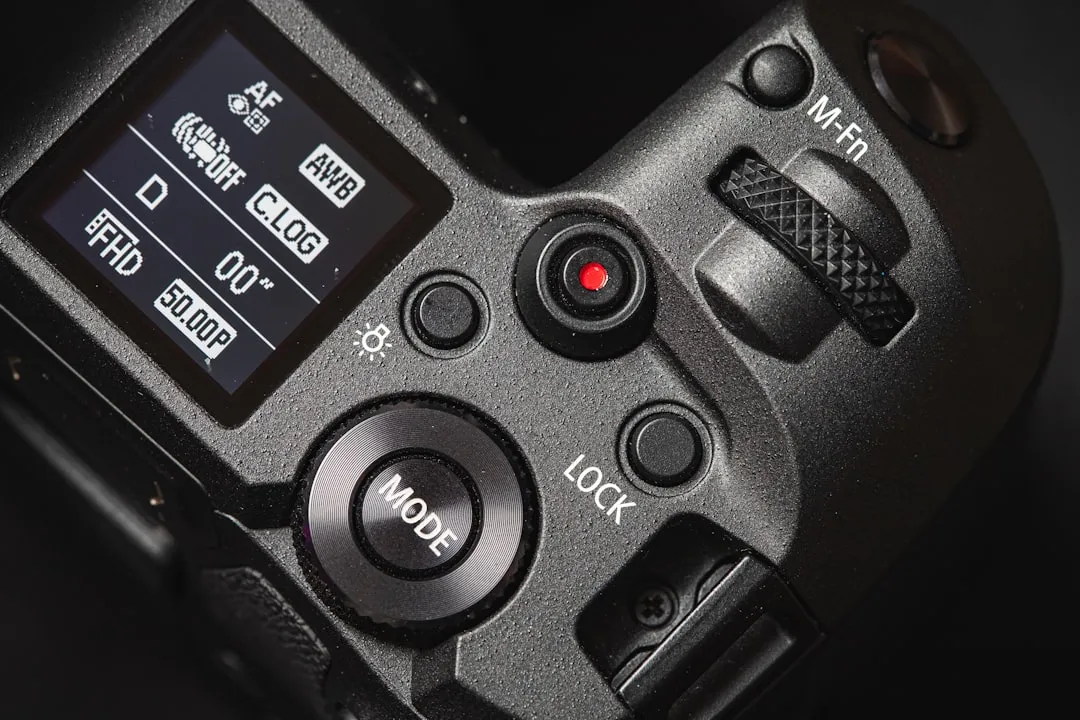
The Canon EOS R6 Mark II is a powerhouse of hybrid photography, yet its thermal footprint remains a point of contention for videographers pushing its 4K 60p capabilities. While not a "flawed" camera, it operates on a tight thermal envelope where environmental conditions, recording codecs, and card speed intersect, often resulting in premature shutdowns during high-bitrate acquisition.
The Physics of Thermal Management in Mirrorless Camera Bodies
To understand why the R6 Mark II triggers an overheating warning, one must look past the "Canon firmware" narrative and into the constraints of compact, weather-sealed magnesium-alloy chassis design. Unlike the EOS R3 or the Cinema EOS line, which utilize active cooling paths and significantly more mass for heat dissipation, the R6 Mark II relies on passive thermal transfer. The heat generated by the DIGIC X processor—especially when oversampling 6K to 4K—has nowhere to go but the chassis.
When you record in high-quality modes, the camera is essentially operating a high-performance computer inside a closed box. If the ambient temperature is already 30°C (86°F), the thermal delta required to move heat from the internal board to the outer skin is narrow. Once that ambient heat threshold is crossed, the safety protocols trigger to protect the sensor and the soldered components from permanent degradation.
Operational Realities: Understanding Sensor Heat Maps and Codec Strain
It is not just the resolution that triggers the thermal shutdown; it is the data throughput. When shooting 4K 60p (oversampled from 6K), the R6 Mark II reads out the entire sensor, which is computationally expensive. This task keeps the DIGIC X processor at a constant peak load, a situation analogous to when a Pixel 9 Pro camera starts freezing due to intensive processing demands.
- ALL-I vs. IPB: Many users assume that ALL-I (Intra-frame) is "easier" for the camera because it requires less compression. In reality, ALL-I requires the processor to write significantly more data per second to the SD card. If your SD card is struggling, the camera's internal buffer management systems work harder, generating more heat, much like an EGO Power+ Blower keeps stalling when its motor is overworked.
- The LCD "Brighten" Factor: This is an edge-case often ignored. Operating the back LCD at "Brightness 5" consumes more power and generates heat in the display panel assembly. In high-stakes environments, dropping your screen brightness can actually extend your recording time by several minutes.
Real Field Reports: The Reality of "Overheating" in Professional Workflows
In discussions on platforms like the DPReview forums or the Canon EOS R subreddit, a recurring theme appears: the "overheating" issue is rarely a binary "working vs. broken" state; it is a "management vs. neglect" state.
A user report from a documentary shooter in Dubai mentioned: "I was recording long-form interviews in an unconditioned warehouse. The camera hit the warning sign at 22 minutes. I realized I had left the IBIS (In-Body Image Stabilization) on while on a tripod. Once I turned off IBIS and opened the rear screen to allow for heat dissipation, I squeezed another 15 minutes out of it."
This anecdote highlights a critical, often overlooked reality: IBIS is a thermal culprit. The voice coil motors that move the sensor to counteract shake generate their own micro-heat. If you are on a tripod, keeping IBIS active is essentially forcing your camera to do work it doesn't need to do, accelerating the thermal load, similar to how a Bosch 18V Hammer Drill clutch keeps slipping when its mechanical components are overstressed unnecessarily.
Advanced Configuration: Customizing Your Thermal Footprint
If you find yourself hitting the "thermometer icon" regularly, you need to adjust your workflow at the systemic level rather than blaming the hardware.
1. Optimize the SD Card Workflow
Use V60 or V90 rated cards. A slow SD card forces the camera to keep data in the internal cache longer, keeping the processor’s "Wait" cycles active. A faster card allows the camera to offload data to the non-volatile storage faster, letting the processor go into a lower-power state.
2. The "Remote" Strategy
If you are recording in a stationary environment, use the Canon Camera Connect app or an external monitor via HDMI. If you close the rear LCD screen against the body, you are trapping heat against the rear chassis. Keeping the screen flipped out and away from the camera body improves airflow across the surface area of the camera.
Counter-Criticism: Is Canon’s Policy Misleading?
There is a valid, ongoing industry controversy regarding Canon’s marketing of "unlimited recording." The fine print often hides the conditions under which these records are possible. Critics, including many tech reviewers on YouTube, argue that while the R6 Mark II is "technically" capable of long takes, it is not "practically" capable of them in real-world, non-lab conditions.
- The "Hype vs. Utility" Gap: Marketing teams emphasize the removal of the 30-minute record limit that plagued older DSLRs. However, they rarely emphasize the 30°C temperature ceiling.
- The User Perspective: Many professionals feel that by the time you add a cage, an external monitor, and a dummy battery to bypass these limits, you have effectively turned a lightweight hybrid camera into a cumbersome rig, defeating the purpose of buying an R6 Mark II in the first place.
Engineering Compromises: Why Firmware Updates Can Only Do So Much
A common refrain in community threads is: "Why doesn't Canon just release a firmware update to unlock the temp threshold?"
The answer lies in the hardware's safety margin. Electronic components have a "Junction Temperature" (Tj). If the silicon inside the DIGIC X processor exceeds 105°C, the risk of permanent "electromigration" increases. Firmware can optimize the efficiency of the code, but it cannot override the fundamental thermodynamic reality of a sealed box. The "overheating" limit is not a software bug; it is a hardware protection fuse.
The Role of External Power (Dummy Batteries)
Using a DC coupler (dummy battery) instead of an internal LP-E6NH battery can actually help. Internal batteries generate significant heat during discharge. By moving the power source outside of the chassis via a dummy battery, you reduce the internal thermal mass, allowing the camera to run cooler for longer durations.
Mitigation Checklist for Professional Shooters
To ensure your R6 Mark II doesn't fail during a critical event, follow this professional mitigation checklist:
- Pre-event testing: Test your exact codec (4K 60p vs 4K 30p) in the same ambient temperature as your upcoming shoot.
- Disable Unnecessary Features: Turn off IBIS on a tripod. Turn off "Continuous AF" if you can pull focus manually. Reduce LCD brightness.
- The Cage Factor: Use a high-quality aluminum camera cage. It acts as a passive heat sink. It draws heat away from the camera body and disperses it into the surrounding air through the increased surface area of the metal frame.
- External Recording: If you record to an external recorder (like an Atomos Ninja), the camera often processes less data internally, which can significantly lower the thermal load.
Navigating the "Broken Promise" Narrative
It is important to address the frustration found on platforms like Hacker News or specialized photography boards. Many users feel "betrayed" by the promise of the R6 Mark II. The consensus among repair technicians is that the camera performs exactly as designed—it is a hybrid camera, not a dedicated cinema camera.
The frustration stems from the expectation that "Mirrorless" should be a 1:1 replacement for traditional broadcast camcorders. The industry is currently in a transition period where silicon power has outpaced passive cooling technology. Until we see active fan cooling integrated into sub-$3,000 hybrid bodies (similar to the Panasonic Lumix S5IIX), thermal management will remain a core skill for the professional photographer.
FAQ
Is it safe to continue recording after the warning icon appears?
Does a camera cage actually help with overheating or is it a placebo?
Does 10-bit color depth (C-Log3) cause more heat than 8-bit?
Is the R6 Mark II worse at overheating than the original R6?
What is the best ambient temperature for long-form recording?
Final Synthesis: The Reality of Modern Gear
The Canon EOS R6 Mark II represents a specific point in time: the peak of what can be achieved with passive cooling and compact design. The users who master this camera are the ones who treat it as a finely tuned instrument rather than a "set and forget" appliance. If you understand that the camera is a high-performance computer struggling with its own success, you can build a workflow that mitigates these risks.
The "overheating" problem is, ultimately, a friction point between the limitless ambition of creators and the physical reality of thermodynamics. The photographers who succeed are not the ones who fight these limitations, but the ones who architect their shoots around them.