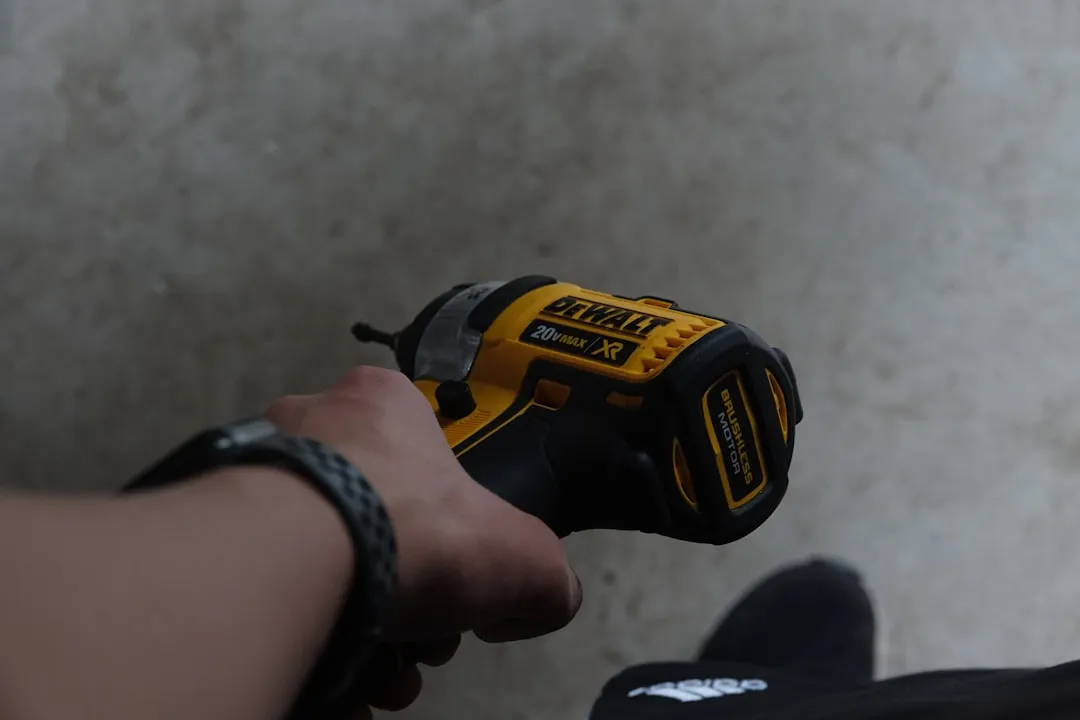
If your DeWalt 20V Max battery refuses to charge, the culprit is often a tripped internal BMS (Battery Management System) rather than total cell failure. Begin by checking for terminal oxidation, ensuring the charger’s cooling fan is functional, and performing a "jump-start" if the voltage has dropped below the low-voltage cutoff threshold.
The Anatomy of a Power Tool Failure: Understanding the DeWalt 20V Max Ecosystem
The DeWalt 20V Max (XR and standard) lineup represents the pinnacle of prosumer cordless engineering, but it is not immune to issues, whether related to chemical energy storage or mechanical failures like a stuck trigger. When you see that blinking red light on your DCB115 or DCB118 charger, you aren't just looking at a "broken" object; you are looking at a complex safety protocol designed to prevent lithium-ion fires.
The 20V Max platform utilizes 18650 or 21700 lithium-ion cells in a series-parallel configuration. At its heart lies the BMS—a small, often temperamental circuit board that monitors individual cell voltages, temperatures, and current draw. When users encounter a "not charging" error, or if their power tool won't start at all, they often assume the cells are dead. In reality, the BMS frequently enters a "sleep" or "lockout" state because one or more cells have dipped below the critical 2.5V threshold due to self-discharge or parasitic drain.
Diagnosing Terminal Corrosion and Contact Resistance
Before performing surgery on the pack, look at the physical interface. The DeWalt slide-pack design is prone to accumulation of conductive dust, especially on job sites involving masonry or drywall.
- The "Dirty Contact" Phenomenon: If your battery hasn't been used in months, a thin layer of oxidation or debris can increase contact resistance. The charger’s handshake protocol relies on precise voltage sensing through these pins. If the resistance is too high, the charger ignores the battery entirely.
- Cleaning Protocol: Use a high-quality electrical contact cleaner (avoid WD-40, which leaves a conductive residue) and a stiff nylon brush. A common mistake is using metallic wire brushes, which can cause micro-shorts between the positive and negative terminals.
The "Jump-Start" Method: Risky Business or Essential Workaround?
If the battery is completely "dead" (the charger doesn't recognize it at all), the voltage is likely too low for the BMS to initiate a charge cycle. This is a common point of contention on forums like r/Tools and GarageJournal.
"I’ve seen dozens of users try to bypass the BMS by hooking a 12V battery directly to the terminals. While it works to wake up the board, you are bypassing the only thing keeping that lithium from turning into a firecracker if a cell is internally shorted. Always use a current-limited power supply, never just jumper cables." — Anonymous Electrical Engineer on a major tool enthusiast forum.
If you possess a variable DC power supply, you can attempt to "trick" the BMS by applying a low current (0.5A) directly to the terminals for a few minutes. This nudges the cell voltage back into a range where the charger's logic controller deems it "safe" to begin the fast-charge process.
Why Your Charger Fan Matters More Than You Think
The DCB118 "Fast Charger" is a marvel of efficiency, but it is notoriously sensitive to thermal management. The fan isn't just for the charger's longevity; it’s for the battery. If the fan is clogged with sawdust, the charger will throttle the current or cut off entirely to prevent heat damage to the cells.
Check the intake vents. If you hear a grinding noise or silence when the battery is plugged in, the charger is likely overheating, causing it to reject the battery. This is an operational failure point that users consistently overlook, blaming the battery for a charger-side thermal trip.
Decoding the LED Blink Patterns
DeWalt chargers are surprisingly communicative, yet their language is often misinterpreted.
- Rapid Red Flash: Typically indicates a cold/hot pack delay. If your workshop is below 40°F (4°C) or above 105°F (40°C), the chemistry won't accept a charge safely.
- Constant Red: The pack is charging.
- Red/Yellow Alternating: The most dreaded signal. It usually points to a bad battery, specifically an imbalance between cell groups.
Real Field Reports: The Reality of "Bad Cells"
In the construction industry, "battery rot" is a common term for packs that lose capacity or fail to charge after two years of heavy use, similar to how other power tool batteries can fail and prevent starting. On GitHub and various DIY/Fix-it forums, users report that individual cell failure is rarely the issue; rather, it’s the spot-welds connecting the nickel strips to the cells.
One case study from an electrical contractor showed that the vibration caused by an oscillating multi-tool actually fractured the nickel spot-welds on the end-cap of the pack. The battery had 19.5V, but one series group was disconnected, causing the BMS to flag a "Fatal Error." This is a classic example of an "operational failure" where the battery is physically sound but electrically broken.
The Counter-Criticism: Proprietary Lockouts
There is a growing sentiment among hardware hackers that DeWalt’s BMS software is intentionally aggressive to force upgrades. While there is no definitive proof of planned obsolescence, the fact remains that once a DeWalt BMS hits a "hard fault," it is nearly impossible to reset without specialized flashing tools.
Critics argue that companies should provide a way to recondition packs, but the legal and safety liability of house-fire risks keeps manufacturers leaning toward "replace, don't repair" policies.
Step-by-Step Recovery Protocol
- Hard Reset: Take the battery off the charger. Hold the "Test" button for 30 seconds to drain any residual charge in the capacitors on the BMS board.
- Voltage Check: Use a multimeter. If it reads 0.00V, the internal fuse may be blown or the BMS has locked out the output. If it reads 12V-15V, it’s likely a BMS sleep state.
- The Temperature Test: Let the battery sit in a room-temperature environment (approx 70°F) for 24 hours. Lithium-ion chemistry is highly reactive to thermal extremes.
- Charger Swap: If possible, test your battery on a different charger. Borrow one from a colleague. This immediately isolates whether the issue is the pack or the charger's internal logic.
Scaling Issues and Reliability
When you are managing a fleet of 50+ DeWalt batteries, these individual failures aren't just "annoyances"—they are a massive logistical overhead. Warehouse managers often find that the "failure rate" correlates strongly with the specific charger model used. The DCB107 (slow charger) seems to treat batteries more gently than the high-speed DCB118, which pushes more current and heat. This is a classic engineering tradeoff: speed versus longevity.
Why does my DeWalt battery blink red and yellow?
This indicates a fault condition. It could be a short circuit, a defective cell group, or the BMS detecting an imbalance that it cannot correct. Try letting it sit for a day, but if the light persists, the internal pack architecture has likely sustained permanent damage.
Can I replace individual 18650 cells in my 20V battery?
Technically, yes, but it is highly discouraged. Unless you have a spot welder, soldering directly to lithium cells creates excessive heat, which can damage the chemistry and lead to thermal runaway. Furthermore, mixing new cells with old, degraded cells creates an imbalance that will confuse the BMS and likely trigger a new failure.
Is the "jump-start" method safe?
The jump-start method, which involves connecting a healthy battery to a dead one briefly to wake the BMS, is a common workaround but carries significant risks. If the battery is dead because of a shorted cell, adding voltage could cause the cell to vent or catch fire. Proceed only if you understand the risks of lithium-ion chemistry.
Does the DeWalt warranty cover a battery that won't charge?
Yes, DeWalt generally offers a 3-year limited warranty on batteries. If you haven't opened the casing, the warranty remains valid. If you have "hacked" or opened the pack, the warranty is void. Always contact DeWalt support before attempting DIY repairs on a battery still under warranty.
Why does my charger fan make a rattling sound?
The internal cooling fan is a common failure point. Dust and fine concrete powder can seize the bearings. If the fan isn't spinning, the charger will stop charging to protect the battery from overheating. You can often clean or replace the fan if you are comfortable with basic electronics repair, but only if the charger is unplugged.
Concluding Thoughts on Battery Stewardship
The frustration of a dead battery is a symptom of our reliance on high-density energy storage. While the tech is advancing, we are currently in an era where the electronics (the BMS) are more fragile than the chemical cells themselves. By understanding that your battery isn't just a "box of power" but a managed computer, you can move from "frustrated user" to "informed maintainer." Avoid extreme heat, clean your contacts, and when a battery finally dies, recycle it—never throw it in the trash, as it remains a fire hazard even when empty.