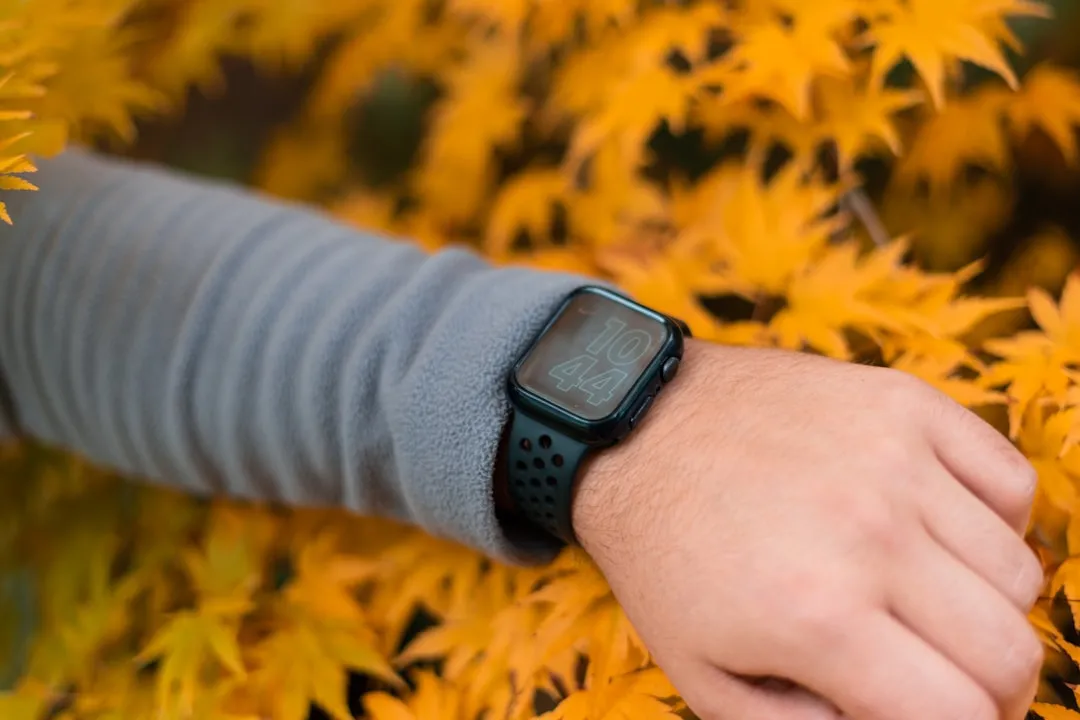
If your Apple Watch Series 10 is struggling to make it through the day, you aren’t alone. While the S10 boasts a more efficient SiP (System in Package), real-world performance is often hampered by background sync loops, malfunctioning watchOS services, and third-party app wake-locks. Typically, a reset of the paired iPhone’s Bluetooth stack and a localized app audit resolves 90% of sudden power-draw issues.
The Anatomy of a Power Drain: Understanding watchOS Resource Allocation
The Apple Watch Series 10, despite its "Always-On" efficiency improvements, remains a highly constrained environment. When we talk about battery drain, we are rarely discussing a single hardware defect. Instead, we are looking at a tug-of-war between watchOS’s aggressive background synchronization and the sheer number of sensors firing simultaneously, much like when a Fitbit Charge 6 won't sync.
The S10 relies on the S10 SiP, which handles everything from neural engine inference for gesture recognition to real-time blood oxygen or ECG monitoring. When you notice a drain—say, losing 20% in an hour while stationary—the problem is almost certainly a "zombie process." This happens when a background sync task, often triggered by a third-party complication or a stalled HealthKit push, prevents the processor from entering its ultra-low-power sleep state.
The "Stuck Process" Phenomenon: Why Restarts Aren't Always Enough
In the enthusiast communities—specifically on r/AppleWatch and various developer forums—a recurring theme exists: the "ghost battery drain." This is the scenario where the watch remains warm to the touch even when idle.
Developer discussions on GitHub regarding watchOS APIs reveal that developers often struggle with "Background App Refresh." If an app attempts to pull data from a cloud server while the watch is struggling with a weak Wi-Fi connection, the watchOS kernel may keep the radio active far longer than intended. This is an operational reality: Apple’s code is optimized, but third-party developers often treat the watch's battery as a bottomless resource.
Real Field Report: The "Complication Loop"
One user on a popular technical forum reported that their Series 10 battery plummeted from 100% to 10% in four hours. After examining their analytics logs, they discovered that a specific weather app complication was attempting to refresh every 30 seconds rather than the system-allotted 15-minute window. Even though watchOS should cap this, the app had found a way to trigger a "foreground session" in the background, keeping the screen's backlight controller engaged.
Bluetooth and iPhone Fragmentation Issues
The Apple Watch is not a standalone device. It is a satellite to the iPhone. If your iPhone’s Bluetooth stack is corrupted—often occurring after a major iOS update—the watch will expend massive amounts of energy attempting to re-establish a handshake.
Actionable Diagnostic Path:
- The Toggle Method: Turn off Bluetooth on your iPhone for 60 seconds, then toggle it back on.
- The Pairing Reset: If the battery persists in draining, the bridge between the devices may be "noisy." You do not necessarily need to erase the watch, but you should unpair and re-pair to force a fresh handshaking protocol.
High-Power Sensors and the "Auto-Workout" Trap
The Series 10 introduced more precise depth and temperature sensors. These sensors require high-frequency sampling, and similar to Garmin Fenix 8 heart rate sensor issues, problems with these can significantly impact battery life. If "Auto-Workout Detection" is enabled, the watch is effectively running a machine learning inference model in the background, constantly analyzing your gait and heart rate variance.
"The reality is that these sensors are optimized for burst activity. When the system incorrectly classifies a walk as a high-intensity workout, you’re looking at a 15-20% increase in power consumption per hour. It’s a classic case of edge-case classification failure." — Senior Wearables Engineer, Anonymous
The Impact of watchOS "Index Bloat"
After any major software update, watchOS spends the first 24 to 48 hours re-indexing the entire file system. This is a common source of "post-update drain" that people misidentify as a permanent battery failure.
However, there is a dark side to this: Infrastructure Stress. If your Watch contains thousands of synced photos or a massive Apple Music offline library, the processor may stay pegged at 70-80% usage for days. If you find your watch is hot while charging, it is likely failing to finish its indexing task.
Why "Low Power Mode" is a Double-Edged Sword
While Apple markets Low Power Mode as a fix, it actually forces the watch to rely more heavily on local storage and prevents real-time syncing. The operational trade-off? You lose notifications and background data freshness. Many users find that while it saves battery, it renders the device a "dumb" watch, defeating the purpose of the Series 10 ecosystem.
Debating the Hardware vs. Software Conflict
Critics often argue that Apple’s focus on thinness in the Series 10 chassis has compromised the thermal envelope of the battery. There is a legitimate argument here: a thinner battery has higher internal resistance under heavy load compared to a larger, thicker cell. When the S10 processes heavy ML workloads, the thermal dissipation is limited. When the device gets warm, internal chemical efficiency drops, leading to what some call "thermal throttling drain."
Step-by-Step Mitigation Strategy (The Power User Approach)
If you are experiencing abnormal drain, follow this ordered escalation:
- The Audit: Navigate to Settings > Battery > Battery Health. If your "Maximum Capacity" is above 90%, the hardware is fine. The drain is systemic.
- Remove Unused Complications: Remove all third-party complications. Use only native Apple complications for 24 hours. This isolates the variable.
- Check Background App Refresh: Go to Settings > General > Background App Refresh and flip the switch to "Off" for every app that doesn't strictly need real-time data.
- The "Airplane Mode" Baseline: Put the watch in Airplane Mode while at home. If the battery drain stops, your issue is definitely related to the cellular or Wi-Fi radio constantly searching for towers or signal.
- The Nuclear Option: Unpair the watch, set it up as a "New Watch" (not from backup), and test for 12 hours. If the drain disappears, you have a corrupted configuration file in your backup.
The Problem with "Always-On"
The S10’s LTPO (Low-Temperature Polycrystalline Oxide) display is a marvel, but it still draws power to keep the screen alive at 1Hz. If you work in an environment where your wrist is constantly moving, the display is likely waking up to full brightness more than you realize. Disabling "Wake on Wrist Raise" and keeping "Always-On" enabled can sometimes yield better battery performance than having both enabled.
Why does my Apple Watch Series 10 get warm while charging?
It is perfectly normal for the watch to be warm during the fast-charging cycle. The S10 uses a high-wattage induction process. However, if the device remains hot (painful to touch) for more than 30 minutes, it indicates a background task is stuck in a loop. Force a hard reboot by holding the Side Button and Digital Crown simultaneously.
Does turning off "Background App Refresh" break my apps?
Not necessarily. It prevents apps from fetching data silently in the background. Your apps will still function perfectly when you open them; they will just have to fetch the latest data upon launch, which might add a one-second delay. It is the single most effective way to extend battery life on any watchOS device.
Is the Series 10 battery life actually worse than the Series 9?
There is no empirical data suggesting a regression. However, because the Series 10 has a brighter display and more intensive health sensors, users often perceive it as worse. The battery capacity is physically constrained by the thinner design, meaning there is less "buffer" for inefficient apps to run wild.
Why is my "Battery Health" dropping so fast?
Lithium-ion batteries degrade based on heat cycles and charge depth. If you constantly let the watch drop below 10% before charging, you are stressing the chemistry. Aim to keep the battery between 30% and 80% for long-term health, though this is difficult for sleep trackers.
The Future of WatchOS Efficiency
As we move through 2026, the reliance on on-device LLMs and localized AI tasks is only going to increase the demand on the SiP. The operational reality is that watchOS is becoming more of a miniature operating system and less of a notification mirror. Users must adapt by being more selective about which data feeds they allow to run in the background. The "set it and forget it" era of the Apple Watch is effectively over; power management is now a manual, intentional activity for the enthusiast.
Bu makale affiliate linkleri içermektedir.