
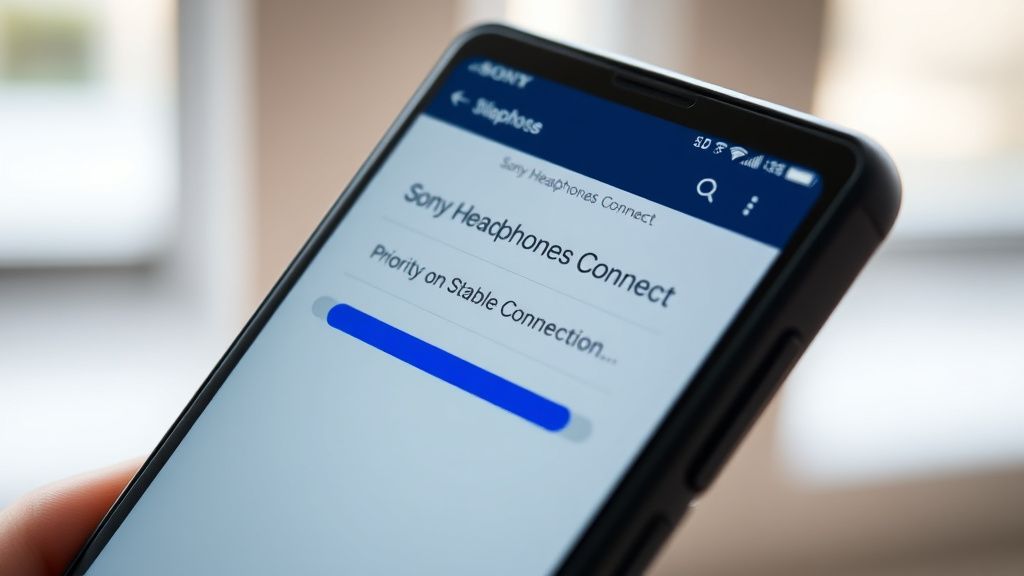
The Sony WH-1000XM5 represents the pinnacle of consumer-grade ANC (Active Noise Cancellation) technology, yet its sophisticated wireless architecture is plagued by intermittent Bluetooth dropouts that have frustrated audiophiles and commuters alike since its 2022 launch (for further troubleshooting, explore how to fix when your Sony WH-1000XM5 Keeps Disconnecting). If you are experiencing audio stuttering, the primary fix is to toggle the "Priority on Stable Connection" setting within the Sony Headphones Connect app. This forces the headset from the higher-bitrate LDAC or AAC codecs to a more robust SBC stream, effectively bypassing bandwidth congestion in crowded RF environments.
The WH-1000XM5’s dropouts are rarely the result of a single catastrophic hardware failure; rather, they are a symptomatic manifestation of the chaotic interplay between advanced signal processing, aggressive power management, and the congested 2.4GHz spectrum, a common challenge observed in other smart devices such as when the Withings Body Scan experiences sync issues and keeps disconnecting. When you pull these headphones out of the box, you are interacting with a piece of hardware that is desperately trying to balance high-fidelity audio delivery with the physical limitations of Bluetooth 5.2.
The Physics of the 2.4GHz Bottleneck and Signal Interference
To understand why your expensive headphones are "stuttering" in a coffee shop but working perfectly in your home office, we must look at the overcrowded 2.4GHz ISM band. Bluetooth, Wi-Fi, microwave ovens, and even some medical equipment share this frequency. When the WH-1000XM5 attempts to maintain a high-bitrate LDAC connection—which requires significant data throughput—it leaves almost no margin for error.
In a typical subway car or a busy airport terminal, the signal-to-noise ratio drops. Because the headphones are prioritizing audio quality (bitrate), the adaptive frequency hopping (AFH) algorithm often fails to "jump" to a cleaner channel fast enough, resulting in the dreaded millisecond-long audio cutouts that users frequent on r/SonyHeadphones describe as "micro-stutters."
Analyzing the "Priority on Stable Connection" Trade-off
Sony’s software solution—swapping to "Stable Connection" mode—is essentially a manual downshift. By forcing the headset to prioritize SBC (a legacy, lower-bandwidth codec) over AAC or LDAC, you are drastically reducing the "payload" of every wireless packet sent from your smartphone to your headset.
- LDAC (Up to 990kbps): Beautiful for critical listening, but highly sensitive to interference.
- AAC (Up to 256kbps): Standard for iOS, but prone to sync issues depending on the source's Bluetooth controller.
- SBC (Variable, usually lower): The "bulletproof" mode. It is the lowest common denominator, but it is remarkably resilient against interference.
The critique here is simple: why should a $400 product require the user to downgrade their listening experience to get a baseline stable connection? The reality is that the Bluetooth protocol stack in current mobile devices (especially older Android phones or specific Windows laptops) often struggles to maintain the timing requirements for high-resolution streaming.
The Role of Multipoint Connection and Hardware Stress
One of the most common complaints found on GitHub issue trackers and tech forums involves the "Multipoint Connection" feature. When connected to two devices simultaneously (e.g., a MacBook and an iPhone), the WH-1000XM5 must constantly negotiate handshakes with two separate Bluetooth controllers.
Many users report that when a notification ping occurs on the secondary device, the audio stream on the primary device drops entirely or stutters for a second while the onboard SoC (System on a Chip) switches the active audio focus. This is an engineering compromise: Sony prioritized the convenience of multi-device usage over the absolute latency and stability of the audio stream.
Operational Reality: When Software Patches Fail
There is a segment of the user base that experiences dropouts even in "Stable Connection" mode, a frustrating scenario akin to when a Fitbit Charge 6 won't sync despite various attempts at resolution. In these edge cases, the issue often shifts from RF interference to firmware instability. Sony’s "Headphones Connect" app acts as a bridge, but it is notorious for having a buggy implementation of the BLE (Bluetooth Low Energy) connection used for app-based controls, which sometimes conflicts with the primary A2DP (Advanced Audio Distribution Profile) stream.
If you are a power user experiencing these "unfixable" drops, consider the "hard reset" protocol:
- Turn off the headphones.
- Press and hold the Power and NC/Ambient buttons simultaneously for seven seconds.
- Delete the "WH-1000XM5" entry from your device's Bluetooth history.
- Perform a clean re-pairing.
This isn't just "turning it off and on again"—it wipes the internal pairing table on the headphone's firmware, which can get corrupted over months of frequent device switching.

The "Windows 11 Bluetooth Driver" Trap
While we focus on the hardware, the source is often the culprit. Windows 11’s handling of Bluetooth is notoriously fragmented. Depending on whether your laptop uses an Intel AX200 series card or a Realtek module, the stability of your audio will fluctuate. Many users on the Hacker News forums have pointed out that Windows "Hands-Free" mode—which attempts to facilitate phone calls—will force the headphones into a low-fidelity mono state, causing a "dropout" sensation as the codec renegotiates the profile.
To mitigate this, disable the "Hands-Free Telephony" service in your Windows Control Panel:
- Open Devices and Printers.
- Right-click the WH-1000XM5.
- Go to Services and uncheck "Hands-Free Telephony."
- Apply and restart.
This effectively turns the headphones into a dedicated output device, preventing Windows from trying to use the built-in microphone, which triggers the unstable profile switch.
Real Field Reports: The Community Backlash
The sentiment across platforms like Discord and Reddit is one of "exhausted resignation." Users who spent hundreds of dollars on a "premium" experience are often forced to treat their headphones like a vintage car—fine-tuning settings, managing interference, and accepting that "perfect" isn't an option.
One notable thread on a dedicated audio-tech forum (r/Headphones) discussed the "hidden costs" of the XM5's auto-optimization features. Sony’s "Speak-to-Chat" and "Adaptive Sound Control" use the same onboard processing power as the noise cancellation and wireless stream management. When a user is in a noisy environment, the XM5’s DSP (Digital Signal Processor) is working overtime to interpret environmental noise. Some field reports suggest that during intense noise reduction events, the CPU prioritization shifts, leaving the Bluetooth stack slightly less resource, which contributes to those micro-stutters.
"I love the sound, but the fact that I have to turn off every single 'smart' feature, force SBC codec, and disable Multipoint just to walk to the train station without a stutter is frankly insulting for the price point." — Anonymous user via Reddit
The Fragility of Modern Firmware Updates
Sony’s approach to firmware updates is another layer of the mess. Unlike an OS update on a PC, a failed or interrupted firmware flash on a set of headphones can brick the device or lead to "ghosting" issues where the firmware reports success but the Bluetooth module behaves erratically.
Always ensure that you are near a stable Wi-Fi connection and the headphones are above 50% battery before initiating a firmware update via the Sony app. Never put the phone in your pocket while the update is "pushing" to the headphones; keep the devices within a few inches of each other to maintain the integrity of the BLE transport layer during the transfer.
The Future of Wireless Stability: Is Bluetooth the Problem?
The irony of the WH-1000XM5 is that the hardware is arguably "too smart." The XM5 contains a multi-mic array for beamforming that is genuinely impressive, yet this adds complexity to the internal bus architecture. As we look toward future iterations (like the hypothetical XM6), the industry is moving toward LE Audio and the LC3 codec. These are designed to be more efficient than the legacy SBC/AAC implementation.
However, until every smartphone on the market adopts LE Audio universally, we are stuck in a transition period where high-performance headphones are trying to speak a language that is decades old. The dropouts aren't a bug in the code as much as they are a conflict between legacy standards and modern hardware capabilities.
Counter-Criticism: Why the XM5 Isn't "Broken"
It is necessary to acknowledge that the vast majority of consumers who use the WH-1000XM5 in home or office environments never experience these issues. The "dropout" problem is largely an edge-case scenario involving high-density RF environments and multi-device workflows. For the average user, the ANC is industry-leading, and the comfort is unmatched.
When you read through support threads, it is easy to assume the device is fundamentally flawed. But consider the selection bias: people rarely go to a support forum to post, "My headphones worked exactly as expected today." The critical discourse is skewed by the vocal minority who have high-frequency usage in challenging environments.
Final Troubleshooting Checklist
If you are currently struggling, walk through this systematic teardown of your setup:
- Environment Audit: Are you near a high-power Wi-Fi router or a microwave? Move away.
- App Configuration: Set to "Stable Connection" (mandatory for urban users).
- Codec Lock: Use developer settings on Android to force AAC if SBC sounds too thin, but keep in mind that LDAC is a "fair-weather" codec.
- Multipoint Management: If you don't need two devices connected, turn it off. This is the single biggest performance killer for the Bluetooth controller.
- Firmware Sanity: Check if you are on the latest version. If you are, and the issue started after an update, there is no official "downgrade" path—you must contact Sony support for a warranty assessment.
- Physical Obstruction: The Bluetooth antenna is embedded in the headband. Wearing a thick hat or having a metal plate (like a heavy phone case) between your device and the headband can actually attenuate the signal.
FAQ
Why do my XM5s stutter only when I'm in public?
Does turning off "Adaptive Sound Control" help with dropouts?
Is the WH-1000XM5 hardware defective if it drops out?
Does LDAC always cause dropouts?
Can a firmware update fix my dropout issues permanently?
Will the XM5 work better with an iPhone or an Android?
Bu makale affiliate linkleri içermektedir.