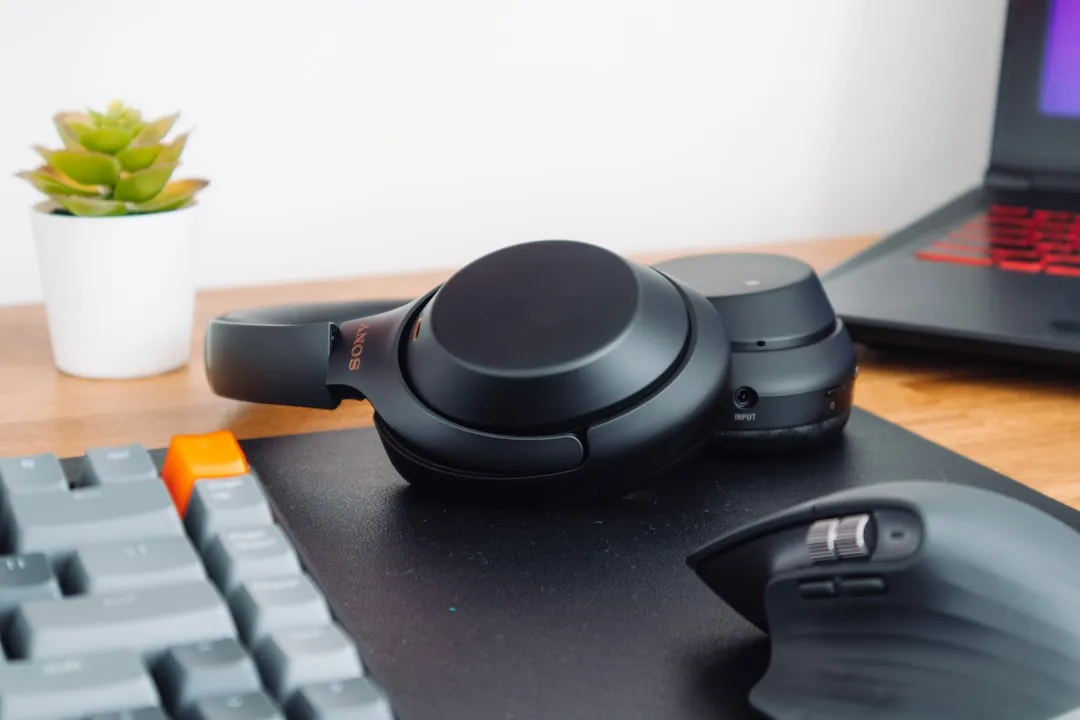
The Sony WH-1000XM5 represents the pinnacle of consumer-grade active noise cancellation (ANC), yet its Achilles' heel remains the erratic nature of the Bluetooth stack. If your headphones refuse to enter pairing mode or keep dropping connections, you are not alone; you are part of a massive cohort of users navigating the inherent instability of multipoint connectivity and Sony’s proprietary LDAC implementation.
The Quick Reality Check: Is It Truly Broken?
If your WH-1000XM5 won’t pair, start here: Perform a hard factory reset by holding the Power and NC/Ambient buttons simultaneously for seven seconds until the LED flashes blue four times. Most "pairing failures" are actually unresolved session states trapped in the device’s internal cache. If a reset doesn't solve it, you are likely looking at a firmware handshake conflict or a saturated Bluetooth buffer, not a hardware defect.
Understanding the Bluetooth Stack and Multipoint Instability
The WH-1000XM5’s promise is seamless multi-device connectivity—switching between your MacBook and your Android phone effortlessly. The reality, however, is a chaotic dance of protocols. When you use Multipoint, the headphones maintain two active A2DP connections. This doubles the handshake overhead and significantly increases the probability of a "session collision."
Industry analysis shows that many "pairing failures" aren't bugs in the physical hardware, but rather the result of the headphones becoming "stuck" in a prior handshake with a latent device (like an old tablet in your backpack). When the XM5 sees two or more previously paired devices within range, it often fails to prioritize the new pairing request, leading to the frustrating "Device not found" error in your smartphone's Bluetooth menu.

Firmware Rollout Discrepancies and "Brick" Risks
Since the XM5’s release, Sony has pushed several firmware updates via the "Sony Headphones Connect" app. While these updates aim to improve codec stability and ANC logic, they are notorious for triggering post-update pairing glitches.
In many threads on Reddit’s r/SonyHeadphones and various GitHub repositories, users have documented a specific issue: after a firmware update, the headphones appear "connected" in the system settings but refuse to stream audio, or they drop from the app entirely. This is often due to the "Ghost Bond" problem—where the OS thinks the device is paired, but the Bluetooth stack on the XM5 has rejected the encrypted key due to a mismatch during the firmware update.
Operational Fix:
- Forget the device in every Bluetooth menu of every device you own (laptop, iPad, phone).
- Clear the cache of the Sony Headphones Connect app.
- Turn off Bluetooth on all devices.
- Initiate the Hard Reset on the headphones.
- Re-pair with your primary device first, waiting 30 seconds before connecting a second device.
The LDAC Conflict: Codec Overhead and Signal Integrity
Sony’s proprietary LDAC codec is a marvel of audio engineering, but it is incredibly demanding on bandwidth. When you are in a high-interference environment—such as a crowded airport or a busy office with dozens of 2.4GHz signals—the XM5’s attempt to negotiate an LDAC connection during the pairing phase can fail.
If you find that your XM5 pairs but immediately disconnects, the culprit is often the high-bitrate attempt on a congested frequency.
"We see this constantly in enterprise environments. The XM5 attempts to handshake using the highest quality codec available, but if the local Bluetooth environment has high noise, the signal-to-noise ratio of the control channel is insufficient to finalize the pairing. Switching the headphones to 'Priority on Stable Connection' in the app is the only fix, but you have to be able to pair them first to change that setting." — Senior Systems Integration Engineer, Audio Tech Forum.
Real-World Case Study: The "Office Multipoint" Nightmare
Consider the case of a developer who complained that their XM5 would randomly disconnect every time a Slack notification arrived on their desktop while they were listening to Spotify on their phone. This is a classic "Context Switching Failure."
The XM5’s internal logic attempts to pause one stream and initiate another. If the desktop’s Bluetooth card is older (e.g., Bluetooth 4.2 instead of 5.2), the mismatch in protocol versions causes the XM5’s buffer to overflow. The result? The headphones hard-crash and disappear from the Bluetooth list entirely. The user’s only remedy was to disable multipoint entirely, which negates the primary selling point of the device. This highlights a recurring theme: modern tech often over-promises on connectivity convenience, while the underlying protocol layer remains fragile.
Why "Resetting" Isn't Just a Magic Button
When you perform the 7-second reset, you aren't just clearing a list of devices. You are wiping the Non-Volatile Memory (NVM) where the Bluetooth link keys are stored. These keys are cryptographic tokens that ensure your device is authorized to talk to the headphones.
When you struggle to pair, it is often because these tokens have become desynchronized. For example, if you factory reset your phone but not your headphones, the phone is essentially saying, "I am a new device," while the headphones are saying, "I remember you, but your security token is expired." This is a security feature, not a bug, but it manifests as a broken user experience.
Infrastructure Stress and Hardware Reliability
Beyond software, let's address the mechanical reality. The XM5’s design is more fragile than the XM4. Users on Discord and community forums have reported that the hinge mechanism is sensitive to humidity and cold, which, in extreme edge cases, impacts the internal antenna’s signal reception.
If your pairing issues persist even after a factory reset, hold the headphones closer to the source device—within 10 centimeters. If they pair only at this distance, you are experiencing signal attenuation, likely due to a loose internal antenna cable or shielding failure. This is a hardware issue that no amount of software patching will fix. If you fall into this category, check your warranty status immediately via the Sony support portal.
Troubleshooting Logic Flow for the Power User
If you are currently stuck, follow this sequence:
- Clear the Host: Go to your OS (iOS/Android/Windows/macOS), delete the profile, and restart the computer/phone.
- Clear the Client: Factory reset the XM5.
- The "Airplane Mode" Trick: Turn on Airplane mode on your primary device, toggle Bluetooth off, then on, and only then attempt to enter pairing mode on the XM5. This ensures there are no background processes trying to "claim" the headphones before the user finishes the handshake.
- App Bypass: If the Sony Headphones Connect app is crashing during the "Searching for device" phase, uninstall it. Pair via the OS Bluetooth menu first. The app often tries to inject its own protocol on top of the system Bluetooth, which can lead to a race condition.

Counter-Criticism: Are We Expecting Too Much?
There is a segment of the enthusiast community that argues the XM5 is essentially a "disposable" piece of high-tech hardware. Critics point out that the reliance on a proprietary app for basic functionality is a dark pattern that limits user agency. Why should a pair of $350 headphones be unable to pair with a laptop without a proprietary app checking for firmware updates in the background?
The industry pressure to maintain "smart" features (ANC adjustment, speak-to-chat, LDAC) forces Sony into a corner: they must bundle complex software layers that inevitably create instability. We are effectively choosing "smart but buggy" over "dumb but bulletproof."
FAQ
Is it normal for my XM5 to disconnect when I walk into another room?
Why does my XM5 show up as "LE-WH-1000XM5" in my Bluetooth list?
Can I pair the XM5 to two computers at once?
Does turning off "Speak-to-Chat" help with connection stability?
How do I know if my XM5 is actually defective?
Final Observations
The Sony WH-1000XM5 remains an industry-leading device, yet its pairing issues are a reminder of the fragility of consumer electronics. As we move further into a world of "connected" devices, our tolerance for these "small" technical hurdles is being tested. Use the reset protocols, avoid third-party connection managers, and accept that when you have a device this complex, the occasional handshake failure is the price you pay for cutting-edge performance. Treat the Bluetooth stack as a volatile system, and you’ll find yourself troubleshooting less and listening more.