
Quick Answer: Just like with other fitness trackers, such as when your Whoop 4.0 is stuck with persistent syncing and pairing issues, Withings Body Scan sync failures typically stem from Bluetooth connection drops, outdated firmware, corrupted Health Mate app cache, or Wi-Fi credential mismatches. The fastest fix: force-close the Health Mate app, toggle Bluetooth off and re-on, place the scale within 3 feet of your phone, and attempt a fresh sync. Full step-by-step diagnosis below.
There's a particular kind of frustration that comes with owning premium health hardware, such as when your Peloton Heart Rate monitor experiences sync issues or drops connection. You've spent north of $200 on a device that promises to measure body composition, nerve activity, electrocardiogram readings, and visceral fat — and then it just… doesn't sync. The app spins. The data disappears, creating data gaps and Bluetooth issues similar to those experienced with the Oura Ring Gen 4. Or worse, it syncs but shows yesterday's measurement stamped with today's timestamp, quietly corrupting the longitudinal health data you've been building for months.
The Withings Body Scan is, by most accounts, a genuinely sophisticated piece of consumer health technology. It's not a toy. The segmental body composition analysis and the ECG capability built into a bathroom scale are legitimately impressive from an engineering standpoint. But the sync infrastructure that ties the hardware to the Health Mate app — and from there to Apple Health, Google Fit, or Withings' own dashboard — is where the operational reality diverges sharply from the marketing.
This is a guide for people whose scale is working but whose data isn't going anywhere useful. It's also an honest look at why these problems exist in the first place, what Withings has and hasn't done to fix them, and when you should just accept that you're dealing with a software architecture problem, not a user error.
Understanding Why Withings Body Scan Sync Actually Fails: The Architecture Problem Nobody Explains
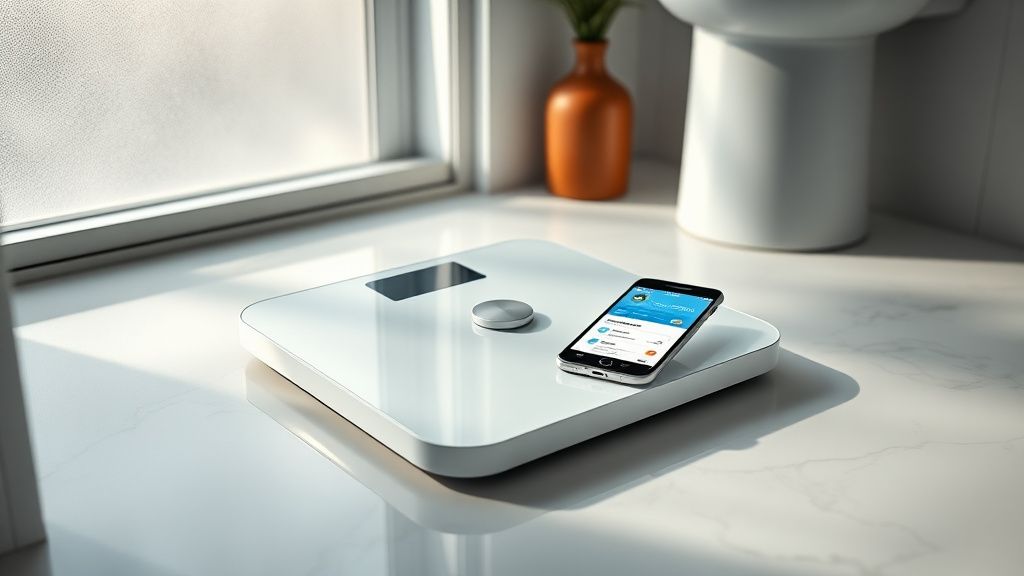
Before troubleshooting, it helps to understand what you're actually troubleshooting. The Body Scan doesn't have a simple one-hop connection to your phone. The sync pathway is multi-layered:
- The scale stores measurement data internally (it has onboard memory for multiple users and historical readings)
- It attempts to push data via Wi-Fi first, directly to Withings' cloud servers
- If Wi-Fi fails, it falls back to Bluetooth LE — but only when the Health Mate app is open and in the foreground on a paired device
- The cloud then pushes data down to the app, which means even if your phone received the data over Bluetooth, a cloud outage will make the sync appear incomplete
This architecture creates at least four independent failure points. Most troubleshooting guides treat this as a single-step problem ("turn Bluetooth off and on again") but the reality is more fragmented. A user on the Withings community forum described it well in a thread titled "Body Scan syncs but data shows up 45 minutes late or not at all":
"I stood on the scale, saw the measurements on the scale display, watched the Bluetooth icon on the scale light up, saw the Health Mate app acknowledge a sync, and still my dashboard showed nothing. Turns out the cloud endpoint was having issues that day. Nothing in the app told me that. It just looked like the sync worked and didn't."
This is a recurring theme. The app's feedback loop is poor. It will tell you a sync succeeded when technically the local Bluetooth transfer completed, but the cloud ingestion failed silently. This is a design failure, not a connectivity failure — and it matters because it sends users chasing Bluetooth settings for a problem that lives entirely in Withings' backend.
Step 1: Establish Which Layer Is Actually Broken
Before touching any settings, do a quick triage:
Check Withings Cloud Status
Withings does not maintain a public, real-time status page in the way that, say, GitHub or Cloudflare does. This is a legitimate operational criticism. Your best options for detecting a cloud-side issue:
- Check the Withings Community Forum — outages typically generate multiple posts within 30 minutes
- Search Twitter/X for "Withings sync" filtered to recent posts
- Check Downdetector's Withings page, which aggregates user-reported issues
If multiple users are reporting identical symptoms simultaneously, you're dealing with a platform issue and no amount of local troubleshooting will fix it. Wait it out.
Check Your Wi-Fi Connection on the Scale
On the scale display itself (navigating through the settings menu via the touch-sensitive strip on the side), you can verify:
- Whether the scale sees your Wi-Fi network
- Whether it shows a connected or disconnected status
A scale that thinks it's connected to Wi-Fi but whose credentials are stale — because you changed your router password three months ago — will silently fail every sync attempt without showing an obvious error. This is one of the most common undiagnosed causes of persistent sync failures.
Check Health Mate App Version
Go to the App Store or Google Play and verify you're running the current version. Withings pushes Health Mate updates regularly, and there have been documented instances where older app versions stop communicating properly with updated backend APIs. This isn't theoretical: Hacker News and Reddit's r/Withings have periodic threads specifically about "everything broke after the Health Mate update" that often reveal the inverse is also true — not updating after a backend change breaks things equally.
Step 2: The Wi-Fi Re-Pairing Process (The Fix That Actually Works Most Often)
For the majority of persistent sync failures, the underlying cause is Wi-Fi credential drift. Here's the full process:
Removing and Re-Adding Wi-Fi in Health Mate
- Open Health Mate → tap your profile icon → My Devices
- Select Body Scan
- Tap Wi-Fi Settings
- If your network is listed, tap it and select Remove Network
- Tap Add a Wi-Fi Network and follow the pairing flow
Critical detail most guides skip: The Body Scan only supports 2.4GHz Wi-Fi networks. If your router broadcasts a combined SSID that auto-selects between 2.4GHz and 5GHz (common on modern mesh routers like Eero, Google Nest WiFi, and some Orbi configurations), the scale may have originally paired to a 2.4GHz band but your router may now be preferentially handing it a 5GHz handshake it can't accept.
The fix: either enable a separate 2.4GHz-only SSID on your router and pair to that, or check your router's settings to ensure backward compatibility. This is an edge case that causes enormous user confusion because nothing about the scale's error state indicates a frequency mismatch — it just doesn't sync.
From a Reddit thread in r/Withings (posted by u/QuantifiedSelfSuffers): "Spent three weeks thinking my scale was defective. Support sent me a replacement. New scale had the same problem. Finally figured out my Eero had stopped broadcasting 2.4GHz separately after a firmware update. Both scales were fine."
Step 3: Bluetooth Sync Reset — The Right Way
If Wi-Fi is confirmed working and sync still fails, you need to reset the Bluetooth pairing — not just toggle Bluetooth off and on.
Full Bluetooth Reset Procedure
- In Health Mate → My Devices → Body Scan → Remove this device
- On the scale itself, perform a factory reset: hold the button on the underside of the scale for approximately 10 seconds until the display resets (consult your specific hardware version's manual, as button placement varied between early production units and later revisions)
- On your phone, go to Bluetooth Settings and find the Withings Body Scan in the paired devices list — forget it here as well
- Force-close Health Mate completely
- Restart your phone
- Reopen Health Mate and add the Body Scan as a new device
This full sequence is more disruptive than the "toggle Bluetooth" advice, but it clears state from three separate layers: the app's device registry, the phone's Bluetooth pairing table, and the scale's own pairing memory. Doing only one or two of these steps often leaves phantom pairing data that causes intermittent reconnection failures.
A note on iOS vs. Android behavior: There is an observed asymmetry in how Health Mate handles Bluetooth on iOS versus Android that the company has never formally documented. On iOS, the app requests Bluetooth permissions explicitly and tends to maintain persistent background connections more reliably. On Android, aggressive battery optimization on brands like Samsung (with their proprietary Doze-equivalent), Xiaomi, and OnePlus frequently kills the Health Mate background process, breaking the fallback Bluetooth sync channel entirely.
The Android-specific fix: go to Settings → Apps → Health Mate → Battery and set it to Unrestricted or disable battery optimization for the app. On Samsung devices specifically, also check Device Care → Battery → Background usage limits and ensure Health Mate is not restricted there.
Step 4: Firmware Update Failures and the Scale Getting Stuck Mid-Update
This is a particularly nasty failure mode that affects a non-trivial subset of Body Scan users. Firmware updates are delivered over Wi-Fi, and if the connection drops partway through an update, the scale can be left in a partially updated state that causes it to become unresponsive to normal pairing attempts.
Symptoms: scale powers on, shows minimal information on the display, refuses to pair, or pairs but fails to transmit any measurements.
Recovery process:
- Leave the scale plugged in to power (it must be connected to its USB-C power adapter, not just running on battery)
- Keep the scale within 10 feet of your Wi-Fi router
- Force a re-sync from Health Mate's device settings — the app should detect the incomplete firmware state and reinitiate the update
- If this fails, Withings' support process involves a manual firmware recovery mode that requires contacting support to receive a specific key sequence
The firmware recovery path is not publicly documented in user-accessible support articles as of this writing. This is a policy decision that makes sense from a support-ticket reduction standpoint (fewer people attempting recovery and bricking devices) but is genuinely frustrating for technically capable users who simply want to fix their own hardware.
Step 5: Multi-User Profiles and the Sync Attribution Problem
The Body Scan supports up to 8 user profiles. In households with multiple registered users, sync failures are sometimes not actually sync failures — they're attribution failures. The scale is correctly pushing data to the cloud, but assigning measurements to the wrong profile.
This happens when:
- Two users have very similar body metrics (weight within ~5 lbs, similar height)
- A user steps on the scale while the "wrong" Health Mate account is the active session on the nearby phone
- The scale's automatic user recognition algorithm — which identifies users based on weight and impedance history — makes an incorrect match
The result: your data goes somewhere, but not to you. Checking the other users' Health Mate accounts will typically reveal the misattributed measurements. Reassigning historical measurements to the correct profile requires contacting Withings support; there is no in-app tool for this, which is an ongoing user complaint with multiple threads in the community forum dating back to 2022.
Real Field Reports: When the Troubleshooting Doesn't Work
It would be dishonest to present this as a clean "follow these steps and everything works" situation. There are documented failure patterns that persist even after exhaustive troubleshooting.
The Persistent ECG Data Loss Bug
Multiple users on the Withings community forum and in a GitHub-adjacent discussion thread tracking Health Mate API behavior have reported that ECG measurements taken on the Body Scan occasionally fail to sync while body composition data syncs successfully. This selective sync failure points to a data-type-specific pipeline issue on the backend, not a general connectivity problem.
Withings acknowledged this in a support response in early 2023 but the fix timeline was vague. Users who rely on the ECG feature for cardiovascular monitoring — which is arguably the most medically relevant feature of the device — have found this particularly frustrating given that the ECG data is not redundantly stored anywhere accessible to the user directly.
The "Ghost Measurement" Problem
Some users report that measurements appear to sync successfully (the app shows updated timestamp, the dashboard refreshes) but the underlying data is incorrect — showing values from a previous measurement or showing obviously impossible values like a 0% body fat reading. This appears to be a cache collision issue where the app renders locally cached data while the cloud sync is still in progress, and if the cloud data arrives after the user has already seen the cached display, the UI may not refresh.
The workaround: force-close and reopen Health Mate after every measurement rather than reading values directly from the app immediately after stepping off the scale. This is genuinely a bad user experience design that forces users to develop compensatory behavior.
The Apple Health Double-Write Problem
Users who sync Withings data to Apple Health have reported duplicate entries — the same measurement appearing twice, sometimes with slightly different timestamps. This occurs because some users have both automatic Wi-Fi sync (which pushes to cloud, which pushes to Apple Health via HealthKit integration) and a Health Mate background process (which also writes to HealthKit directly). The two pipelines sometimes both complete successfully, writing the same measurement twice.
The fix is counterintuitive: in Apple Health → Sources, you may need to disable Withings' direct HealthKit write permissions and let only the cloud pipeline populate Apple Health. But this creates a new problem — now your data has a latency dependency on Withings' cloud infrastructure rather than being written locally.
Counter-Criticism and the Debate Around Withings' Sync Architecture
Not everyone agrees that Withings is the problem here. There's a reasonable counterargument that the sync failures users experience are substantially caused by the increasingly hostile environment that iOS and Android have created for background processes.
Apple's aggressive background app refresh restrictions, introduced progressively from iOS 13 onward, have made maintaining persistent background Bluetooth connections genuinely difficult for third-party apps. Google's Doze mode and the fragmented OEM battery optimization layers on Android create an even more complex landscape. Withings is not uniquely bad at navigating this — Fitbit, Oura, and other health device makers have faced identical complaints in the same timeframe.
The counter-counterargument: Withings has chosen an architecture that is more dependent on background processes than necessary. The Wi-Fi primary sync path should theoretically sidestep the Bluetooth background process problem entirely. If the scale can reach the cloud directly over Wi-Fi, the phone shouldn't need to be involved at all. The fact that Wi-Fi sync failures are so common suggests that the Wi-Fi implementation on the scale hardware itself has reliability issues — whether firmware-related or antenna-related — that force users onto the less reliable Bluetooth fallback more often than the design intends.
This is a fair architectural criticism. The scale is expensive. The Wi-Fi sync path should be robust enough to be the primary and reliable channel, not a feature that requires careful network configuration to function consistently.
When to Contact Withings Support (And What to Expect)
Withings support operates primarily through email and an in-app ticket system. Response times have varied considerably based on user reports — some report same-day responses, others report week-long waits during product launch periods.
Before contacting support, gather:
- Your scale's serial number (on the underside label)
- Your Health Mate account email
- A description of the sync failure with approximate dates
- Screenshots of the device settings screen showing firmware version
- Your router model and whether you're using 2.4GHz or 5GHz
What support can actually do that you cannot:
- Push a forced firmware re-flash to your device
- Reassign misattributed measurements to the correct user profile
- Escalate persistent issues to engineering with device-specific diagnostic logs
- Issue replacements under warranty for hardware-confirmed failures
What support cannot do:
- Fix cloud backend outages any faster by your having reported them
- Recover ECG data that was lost before syncing to the cloud
- Modify the underlying sync architecture
The support team is generally responsive and technically knowledgeable based on community reports, but they're working within the constraints of the same architecture everyone else is frustrated by.
The Broader Withings Ecosystem Trust Problem
It would be incomplete to discuss Body Scan sync issues without acknowledging the broader context of Withings' corporate history. In 2016, Nokia acquired Withings. In 2018, Nokia sold the Withings brand back to its founder, Éric Carreel, after the Nokia Health experiment failed to deliver expected synergies. The Nokia period was characterized by product neglect, app deterioration, and an exodus of original Withings engineering talent.
The company has rebuilt considerably since 2018, and the Body Scan represents a genuine return to sophisticated product development. But the institutional memory loss from
Bu makale affiliate linkleri içermektedir.