
If your Theragun PRO Gen 5 fails to power on, the most reliable fix is a hard system reset: hold the center power button for 15 seconds while ensuring the OLED screen is not obstructed, followed by checking for debris in the battery bay contacts or a depleted battery voltage threshold that requires an extended, dedicated charging cycle.
The Theragun PRO Gen 5 is marketed as the pinnacle of percussive therapy, yet its engineering reality reveals a device prone to "soft-brick" states—a phenomenon familiar to anyone who spends time on Reddit’s r/Theragun or various hardware maintenance forums. When a $600 device suddenly refuses to register a power input, the psychological toll on the user is immediate. You transition from a "wellness-focused professional" to a frustrated hardware technician in a matter of seconds.
The issue rarely stems from a catastrophic failure of the brushless motor. Instead, it is usually an intersection of firmware logic, lithium-ion battery management systems (BMS), and connector oxidation.
Diagnostic Realities: The Power Management System and OLED Logic
Unlike the earlier Gen 3 or Prime models, the Gen 5 features an OLED screen that acts as an interface between the user and the firmware. When the device "won't turn on," it is often not that the battery is dead, but that the bootloader has hung during the power-up sequence. This often occurs after an OTA (over-the-air) update via the Therabody app or after the device has sat idle for weeks, causing the internal controller to enter a low-power protection state.
Why the Hard Reset Fails to Trigger
Many users report that "holding the button" does nothing. This is almost always due to a failure to understand the difference between a soft power-off and a hardware-level interrupt. If your firmware is stuck, a momentary press is ignored by the MCU (Microcontroller Unit). You must hold the button for exactly 15 to 20 seconds. If the unit remains cold, the issue shifts to the physical interface: the battery-to-handle connection.
Investigating Battery Bay Connectivity and Pin Oxidation
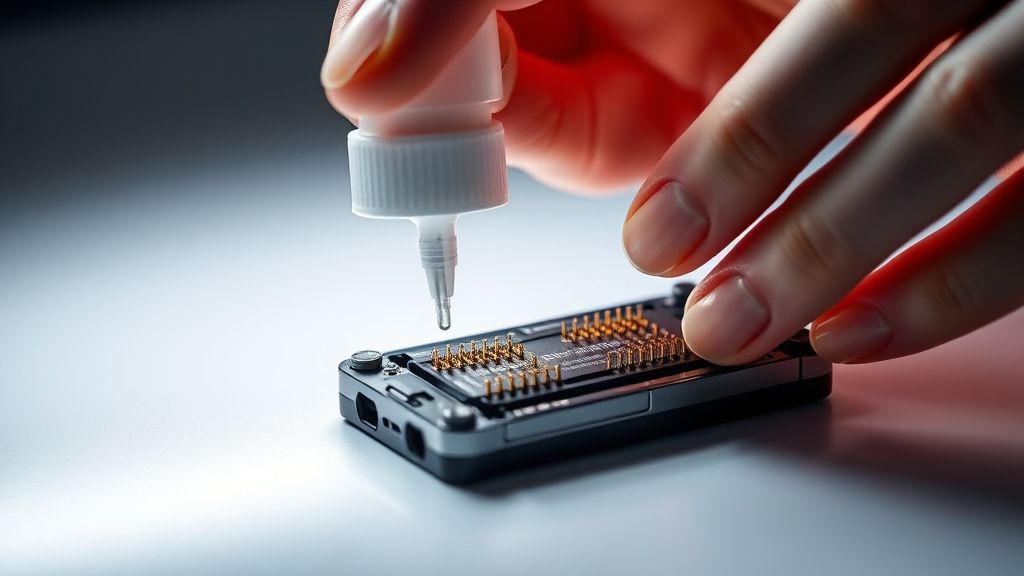
The Theragun PRO Gen 5 utilizes a swappable battery system, a significant design choice intended for longevity, yet it introduces a primary failure point: the gold-plated contact pins. In humid environments—gym bags, locker rooms, or bathrooms—these pins can develop a microscopic layer of oxidation.
- The Problem: The resistance across these pins increases. When you press the power button, the surge of current required to wake the motor controller causes a voltage drop that the internal sensor interprets as a "short circuit" or "empty battery," leading the device to shut down immediately.
- The Workaround: Use an electronic-grade contact cleaner (like DeoxIT) and a soft, non-abrasive microfiber cloth. Do not use metal tools to scrape these pins; if you strip the gold plating, the corrosion will accelerate, leading to permanent connection failure.
Field Reports: The "Ghost" Battery Drain and Firmware Hangups
Across community forums like GitHub's issue trackers for health-tech hardware and various enthusiast subreddits, users frequently report the "Ghost Drain" phenomenon. A device placed in a carry case can occasionally trigger the touch-sensitive interface or the button if the case is tight, forcing the motor to cycle intermittently. When you try to use it later, the device is in a "thermal protection" lockout.
"I thought my Gen 5 was bricked after a firmware update. It wouldn't turn on, wouldn't charge. I left it on the charger for 24 hours, even though the light stayed red. After about 18 hours, it suddenly flickered to life. It seems the BMS (Battery Management System) was recalibrating its capacity threshold." — User post from r/Therabody
This user’s experience highlights the operational friction inherent in modern "smart" hardware. When the device enters a deep sleep mode, the standard charging logic may not suffice. The device requires a trickle-charge window that can exceed the standard 2-3 hour expectation set by marketing materials.
Navigating the Engineering Trade-offs
The industry criticism leveled at Therabody, often discussed in circles like The Information or Wired, centers on the move toward over-complicating a simple percussive device. By integrating Bluetooth, OLED screens, and App connectivity, they have introduced a "surface area for failure" that didn't exist in early, analog models.
Does the Bluetooth module cause power drain?
Yes. The Bluetooth Low Energy (BLE) module remains active even when the device is "off," listening for a pairing signal from your smartphone. If the internal battery drops below a critical voltage (typically below 5% for long periods), the BLE module may consume enough power to keep the battery from ever reaching the "jump-start" voltage required to spin the motor.
Troubleshooting Protocol: A Step-by-Step Recovery
If you find yourself stuck, follow this sequence. This is not the "standard" manual advice, but the reality-tested method for bypassing common firmware hangups.
- The Cold Hard Reset: Remove the battery. Hold the power button on the handle down for 30 seconds while the battery is out. This discharges the capacitors on the main logic board.
- The Pin Reset: Inspect the pins on both the battery and the base of the handle. Look for "pitting" or black discoloration. If found, use high-percentage Isopropyl alcohol (90%+) and a Q-tip.
- The "Slow Charge" Trick: Place the battery into the charging cradle and leave it alone for a minimum of 12 hours. Do not attempt to turn it on during this period. The controller is attempting to handshake with the charging circuitry; interrupting this can trigger a security lockout.
- The Force-Wakeup: After the 12-hour window, insert the battery. If the OLED remains blank, hold the power button for 30 seconds while the unit is plugged into the charging dock. This forces a direct power path to the MCU.
Counter-Criticism: Why Modern Devices Fail Us
There is an ongoing debate regarding the "right to repair" and the "planned obsolescence" of high-end wellness tech. When a $600 device fails, the average user is forced into an expensive service loop.
- The Institutional View: Companies argue that these complexities are necessary for safety—monitoring pressure, heat, and stall force to prevent injury.
- The Engineering Reality: The more sensors and firmware loops you add, the more "edge cases" exist. An edge case—such as a specific combination of battery voltage and ambient temperature—can render the device inert.
Industry analysts often point out that the Theragun PRO Gen 5 is essentially a computer that happens to move a rod. When it stops moving, you are dealing with a software OS issue, not a mechanical one. If the internal storage for the firmware is corrupted, no amount of button-holding will fix it. This is where user trust erodes, and platforms like Twitter become a sounding board for failed customer support experiences.
The Role of Ambient Conditions in Hardware Longevity
Many users fail to account for how temperature affects battery impedance. If your device is kept in a cold garage or a hot car trunk, the lithium chemistry struggles to output the high current required to initiate the motor.
Why Cold-Soak is a Silent Killer
If the battery is "cold-soaked," the internal resistance spikes. The Gen 5, being a smart device, will detect this high resistance during the power-on self-test (POST) and refuse to engage the motor to protect the battery from damage. If your device won't turn on, and it has been in a cold environment, bring it into a room-temperature space for at least three hours before attempting a reset.
FAQ
Why does my Theragun PRO Gen 5 power light blink red but the unit doesn't turn on?
Can I use a third-party charger if my original charger is lost?
How do I know if the motor is actually broken or just the firmware?
Does the warranty cover "software bricking" after an update?
Is it possible to bypass the OLED screen if it’s dead?
Final Observations: The Fragility of Modern Wellness
The Theragun PRO Gen 5 represents the "smartification" of the fitness world. While it offers superior feedback and control compared to manual rollers or basic massagers, it trades simplicity for complexity. When you buy into this ecosystem, you are buying into a product that requires a baseline of maintenance—clean contacts, stable firmware, and temperature management—that most consumers aren't warned about.
The "broken" device you are holding is likely just a device that has lost its way in a complex software loop. By treating it like a piece of high-end consumer electronics rather than a simple hammer, you gain the agency to bring it back to life, provided the physical integrity of the battery and motor has not been compromised. If these steps fail, you are likely looking at a hardware fault that sits outside the scope of user-repair, a sobering reality of modern, digitized home-health hardware.