The Chamberlain MyQ ecosystem stands as a testament to the "smart home" promise of the mid-2010s: a seamless, cloud-connected bridge between your physical garage door and a smartphone interface. Yet, for thousands of users, the reality is a recurring dance with a blinking blue LED and a "Device Offline" status, a problem not unlike struggling to fix your TV's connection issues. Yet, for thousands of users, the reality is a recurring dance with a blinking blue LED and a "Device Offline" status. Fixing a MyQ Hub isn't merely about pushing a reset button; it is an exercise in diagnosing network protocol fragility, dealing with outdated security handshake requirements, and navigating the often-opaque server-side logic of Chamberlain’s infrastructure. If your hub is currently a brick, know that you are not alone—you are part of a massive, distributed troubleshooting effort occurring across GitHub repositories and Reddit threads daily.
Understanding the MyQ Connectivity Protocol and 2.4GHz Wi-Fi Band Limitations
To fix the device, you must first understand why it fails. The MyQ Hub relies on a 2.4GHz Wi-Fi radio, and troubleshooting its connectivity issues can be as intricate as resolving lagging problems with a Logitech MX Master 3S. Unlike modern IoT devices that attempt to negotiate multi-band frequency agility, the MyQ Hub is notoriously rigid. In suburban environments, 2.4GHz spectrum congestion is the silent killer. When your neighbor’s router, your microwave, and your smart fridge are all fighting for space on the same channel, the MyQ’s handshake with the Chamberlain gateway frequently times out.
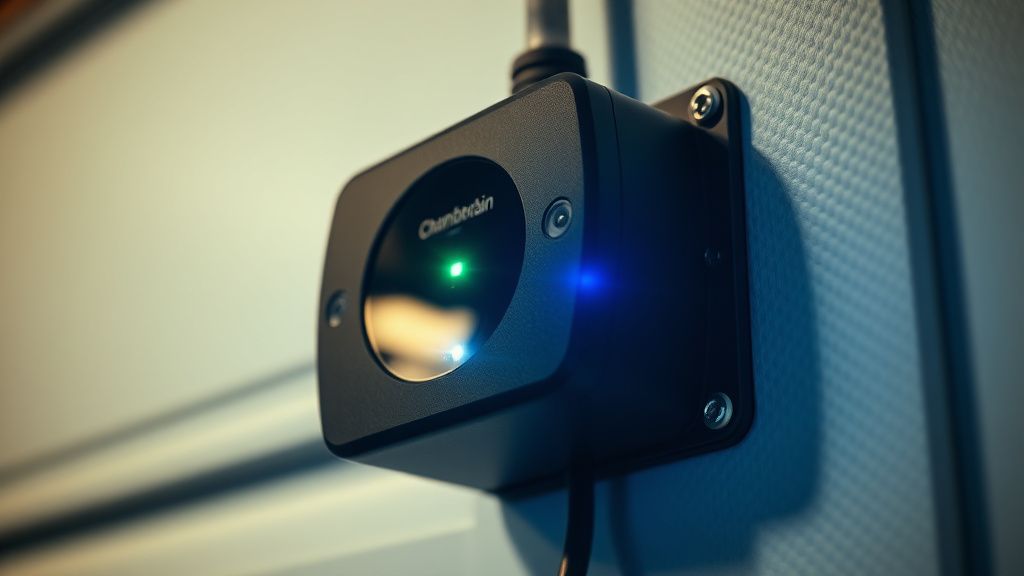
When the hub goes "offline," it is rarely a total hardware failure. It is almost always a loss of persistent synchronization with the MyQ cloud, similar to how a Withings Body Scan might struggle to sync its data. The device enters a "recovery loop," constantly broadcasting an internal SSID to attempt a reconnection that its internal cache believes is impossible.
Step-by-Step Diagnostic and Factory Reset Procedure
Before pulling out your ladder, verify if the "offline" state is local (Wi-Fi) or remote (Cloud). If the LED on the hub is solid green, your device is online, but your mobile app is experiencing a "stale token" issue. If the LED is flashing blue, the hub has lost its network credentials.
- The Soft Power Cycle: Pull the AC adapter from the wall. Wait exactly 60 seconds. This is not arbitrary; it allows the capacitors on the PCB to discharge fully. Reconnecting too quickly often forces the hub back into a corrupted memory state.
- The Factory Reset (The "Hard" Way): Locate the reset button on the side of the hub. With the unit powered on, press and hold the button for 10–15 seconds. You are looking for the LED to turn blue, then blink, and finally, turn solid green or cycle through a specific light sequence defined by your specific hardware revision.
- Warning: Do not perform this if you have other devices paired, as it will wipe the door sensor associations, requiring you to re-pair the sensors manually.
- Clearing the DHCP Lease: Sometimes, your router has blacklisted the device due to an IP conflict. Access your router's administration interface—if you are using a mesh system like Eero or Google Nest, look for "IP Reservation" or "DHCP Leases." Delete the entry for the "Chamberlain" MAC address.
The Hidden World of Router Incompatibility and Firewall Obstacles
One of the most persistent issues in the MyQ community is the "WPA3 Transition Mode" conflict. Many modern routers, such as the Wi-Fi 6E mesh units from Netgear or TP-Link, default to a security protocol that the older Wi-Fi modules inside the MyQ Hub do not fully understand.
"The hub simply refuses to handshake with my ASUS GT-AX11000 when WPA3 is enabled. Even in transition mode, the authentication packet gets dropped. I had to create a dedicated 2.4GHz IoT VLAN with WPA2-Personal security just to get it to stay connected for more than a week." — Hacker News user, r/HomeAutomation archive.
If your hub keeps dropping, verify that your router is not using "Fast Roaming" (802.11r) for that device. IoT devices often perceive the handover between access points as a network failure and initiate a full disconnect/reconnect cycle that leads to the device hanging on a "connecting" status.
Real Field Reports: The "Ghost" Offline Status
In the field, we see a disturbing trend: the "False Offline." This is where the hub is connected to the internet, but the MyQ API reports it as dead. Users on community forums, including the official Chamberlain support channels, frequently report this behavior after firmware updates (e.g., version 1.2.x).
When the internal server logs (which are inaccessible to the user) show an error 403 or 503, the app displays "Offline." This is a backend failure, not a hardware one. If you have reset the device three times and it still refuses to reconnect, stop troubleshooting the hardware. You are fighting a server-side outage that no amount of power cycling will resolve. Check Status.Chamberlain.com or independent monitors like DownDetector.
Evaluating the Hardware: Infrastructure Stress and Signal Interference
The physical placement of the hub is often the culprit for "intermittent connectivity." If the hub is placed behind a metal storage shelf or near an insulated garage door, the Fresnel zone for the 2.4GHz signal is effectively crushed.
- The "Metal Box" Problem: Garage doors are effectively Faraday cages. If your router is on the other side of the house, the hub is struggling against both distance and material density.
- The Power Supply Degradation: We have seen cases where the stock 5V wall wart begins to fluctuate voltage as it ages. This causes the Wi-Fi radio to undervoltage, leading to "random" drops that look like software bugs but are actually electronic component degradation.
Counter-Criticism: Is the MyQ Ecosystem Becoming a Liability?
There is a growing movement of "de-Googling" and "de-Clouding" the smart home. The MyQ ecosystem is a primary target for critics who argue that the dependence on a centralized server for a simple mechanical task (opening a door) is a critical design flaw. When the servers are down, your "smart" garage becomes an expensive "dumb" garage.
- The Debate: Proponents argue that the cloud enables remote access and guest entry logs. Critics counter that local-only control (via Home Assistant or Z-Wave/Zigbee bridges) is the only "secure" way to manage a garage door.
- The Workaround Culture: We observe a significant number of users abandoning the native MyQ app entirely in favor of DIY bridges like the MyQ-Bridge integrations on GitHub, which attempt to emulate the cloud communication locally. While this fixes the "cloud dependency" issue, it carries significant risk—if Chamberlain changes their API endpoints (which they do frequently), your bridge will break, and you will be left debugging Python scripts at 10 PM.
Advanced Troubleshooting: Analyzing the Log Files
If you are comfortable with networking, you can use Wireshark to monitor the traffic coming from the hub's MAC address. You will often see the device attempting to reach out to specific AWS endpoints. If you see it timing out on a DNS resolution, your local ISP’s DNS might be the issue. Switching to 8.8.8.8 (Google) or 1.1.1.1 (Cloudflare) on your router has been known to resolve these specific connectivity deadlocks for many users.
Addressing the "Broken Promises" of Firmware
There have been numerous documented instances where a firmware update intended to fix stability issues actually introduced a "bricking" state. For example, in late 2022, several hub models experienced a loop where they would update, reboot, fail the checksum, and roll back—over and over again. The solution? Chamberlain support eventually had to replace the units, as the internal flash memory had been corrupted by the faulty update binary. If your hub is stuck in a loop of status LED colors, contact support immediately for an RMA (Return Merchandise Authorization). Do not waste days trying to reset it.
FAQ
Why does my MyQ Hub keep blinking blue?
Does the MyQ Hub work with 5GHz Wi-Fi?
Why does the app say "Device Offline" even when the hub has a green light?
Can I fix a "bricked" hub after a failed firmware update?
Is my MyQ Hub data secure?
Why can't I pair my sensor after a reset?
Is the MyQ app tracking my location?
How do I factory reset without losing my door settings?
Does the hub work with a mesh Wi-Fi system?
Why does my connection drop when I use the microwave?
How often should I reboot the hub?
What is the most common cause of "Device Offline"?
Bu makale affiliate linkleri içermektedir.