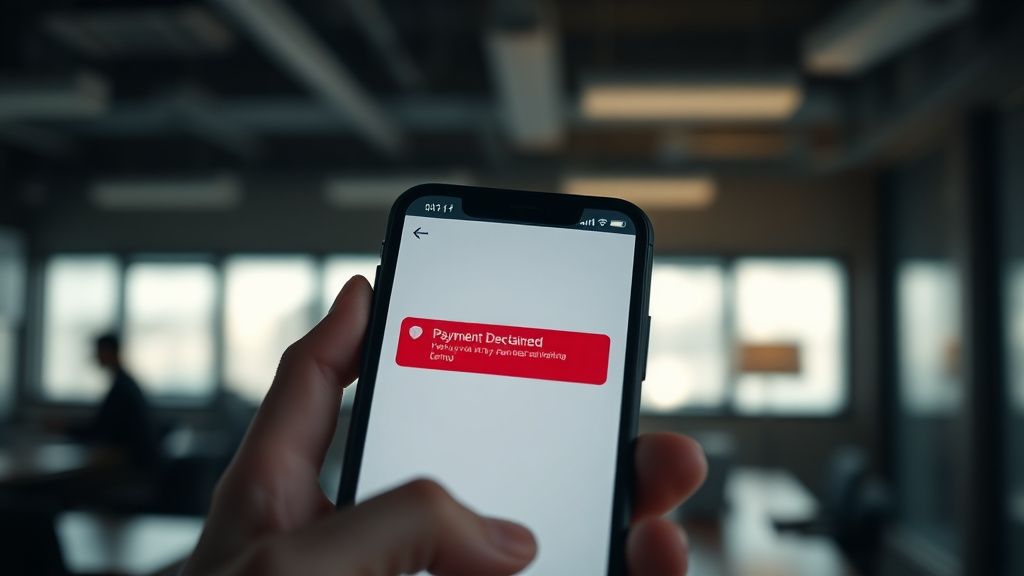
If you are staring at a "Payment Declined" notification in your Venmo feed, you are likely part of a silent, frustrated cohort of users caught in the friction between legacy banking infrastructure and the aggressive, heuristic-based security protocols of modern fintech. Most users treat Venmo like a casual social utility, but behind the UI lies a highly sensitive risk engine designed to flag anything that deviates from an established "pattern of life."
When Venmo declines a transaction, it is rarely because you lack funds. It is almost always a diagnostic byproduct of the platform’s anti-fraud algorithmic architecture. Whether it is a flagged IP address, a temporary discrepancy in your bank account linkage, or a trigger-happy risk threshold on the server side, the error is a symptom of a system prioritizing risk mitigation over user convenience.
The Anatomy of a Declined Payment: Why Heuristics Fail Users
Venmo—and its parent company, PayPal—utilize a sophisticated Fraud Detection System (FDS). This is not a static list of "bad" users; it is a dynamic, machine-learning-driven entity that evaluates hundreds of variables in milliseconds. When a transaction enters the pipe, the system checks:
- Geospatial Consistency: Are you logging in from a city you have never visited, or perhaps through a VPN that is being flagged as a known exit node for malicious activity?
- Velocity Checks: Are you sending multiple payments to different users in rapid succession? This is a classic hallmark of "carding" attacks, where thieves test stolen credentials.
- Account Aging and History: Is this a new, unverified account attempting a high-dollar transfer?
The technical reality is that these systems are prone to false positives. A perfectly legitimate user moving money while traveling or during an unusually active weekend (e.g., a music festival or a major holiday) can trigger the same flags as a botnet. The irony is that the more "secure" the platform becomes, the more brittle the experience feels for the power user.
Troubleshooting the Core Technical Infrastructure and Payment Methods
Before escalating a ticket to support, you must perform a surgical audit of your payment environment. In many cases, the "Declined" error is not a bug, but a misalignment between your bank's security policy and Venmo’s API request.
Analyzing Bank-Side Transaction Blocking and ACH Friction
Many users mistakenly assume their bank is "fine" with the transaction. However, ACH (Automated Clearing House) transfers are subject to bank-side fraud triggers, often leading to issues similar to failed wire transfers if your bank detects an unconventional outbound push to a P2P service and preemptively freezes the transaction.
Pro-Tip: Check your bank’s mobile app for "Transaction Alerts." Often, your bank sends a push notification asking if you authorized the payment. If you missed that notification, the bank effectively locked the transaction at the gate, and Venmo returned a generic "Declined" error because it received a hard "No" from the gateway.
The Problem with Prepaid Cards and Virtual Credit Cards (VCCs)
Venmo’s risk engine is notoriously biased against prepaid debit cards and VCCs. Because these cards are often used to bypass traditional verification steps, they carry a high "risk score." If you are attempting to fund your wallet using a non-traditional card, the system is hardcoded to reject it to prevent money laundering and chargeback fraud.

Operational Realities: Navigating the "Shadow Ban" and Account Throttling
There exists a phenomenon in the community often referred to as a "Shadow Limit." While Venmo publishes standard transaction limits, there is a secondary, undocumented layer of dynamic throttling.
If you frequent forums like Reddit’s r/venmo or Hacker News, you will find consistent anecdotal evidence that users who engage in high-frequency trading of "Goods and Services" payments often hit a wall. When the volume of transactions exceeds a certain, non-disclosed threshold, the account enters a "pending review" state, a situation akin to a Robinhood account locked. During this time, every outgoing payment is automatically declined by the system.
The Workaround Culture
Users often try to "game" the system by:
- Lowering the transaction frequency: Waiting 24-48 hours without attempting a payment.
- Verifying Identity (KYC): Ensuring their Social Security Number and legal ID match exactly what the bank has on file.
- Switching Networks: Moving from a cellular connection to a stable, residential Wi-Fi to avoid IP reputation blacklists.
Field Report: The "Traveler’s Paradox"
I spoke with a software developer who recently dealt with a classic edge-case failure:
"I was in Berlin for a conference. I tried to pay a friend for a dinner bill. Every single attempt was flagged. I spent an hour on the phone with support, and they told me my 'risk score' spiked because I was using a local SIM card, which changed my network provider’s ASN (Autonomous System Number). They literally blocked me because my internet access looked like it was 'foreign traffic'—which, of course, it was, but the algorithm didn't distinguish between a traveler and a malicious proxy."
This highlights the institutional blindness of the platform. The system is designed to protect capital, not to facilitate a seamless user experience for the globally mobile user.
Deep Dive: The Disconnect Between Customer Support and System Logic
The most frustrating aspect of a declined Venmo payment is the Customer Service Gap. If you contact support, you are rarely talking to an engineer. You are talking to a tier-one agent following a flowchart.
When the agent says, "There is no issue on our end," they are telling the truth from their interface. They cannot see the Risk Engine's internal weighting. They can only see if the account is "Frozen" or "Active." If the account is "Active," they assume the error is on your bank's side. This creates a circular blame game where the user is trapped in the middle, forced to manually reconcile their bank's fraud department with Venmo's security team.
Counter-Criticism: Why the Security Overreach is Necessary
It is easy to paint Venmo’s security as a villain, but we must acknowledge the economic pressures. Venmo is a massive target for bad actors. If they loosen their heuristics, they face millions in losses from unauthorized transactions and chargeback claims. The company is stuck in a trade-off: Aggressive Fraud Prevention vs. Frictionless Payments.
For the average user, the system feels broken. For the compliance department, the system is performing exactly as intended. The "Declined" error is a safeguard against the nightmare scenario of an account drain—a sacrifice of individual convenience for platform-wide stability.
Troubleshooting Checklist for Persistent Declined Transactions
If you are currently facing a "Declined" error that won't go away, work through this sequence:
- The Hard Refresh: Log out of the app entirely, clear your cache, and reinstall the application. Ensure you are on the latest version of the app to avoid issues with legacy API handshake protocols.
- Verify the Payment Method: Does your bank account have a "Pending" charge that is blocking available balance? Sometimes banks place a hold on funds that the user hasn't accounted for in the app.
- The "Slow Drip" Method: If you have been flagged for high volume, do not spam the "Retry" button. Every retry is logged by the risk engine as suspicious behavior. Stop for 24 hours.
- Audit the Recipient: If you are paying a business or a new contact, verify if they have been flagged. If the recipient’s account is under review, your payment to them will be declined automatically to prevent potential fund loss.