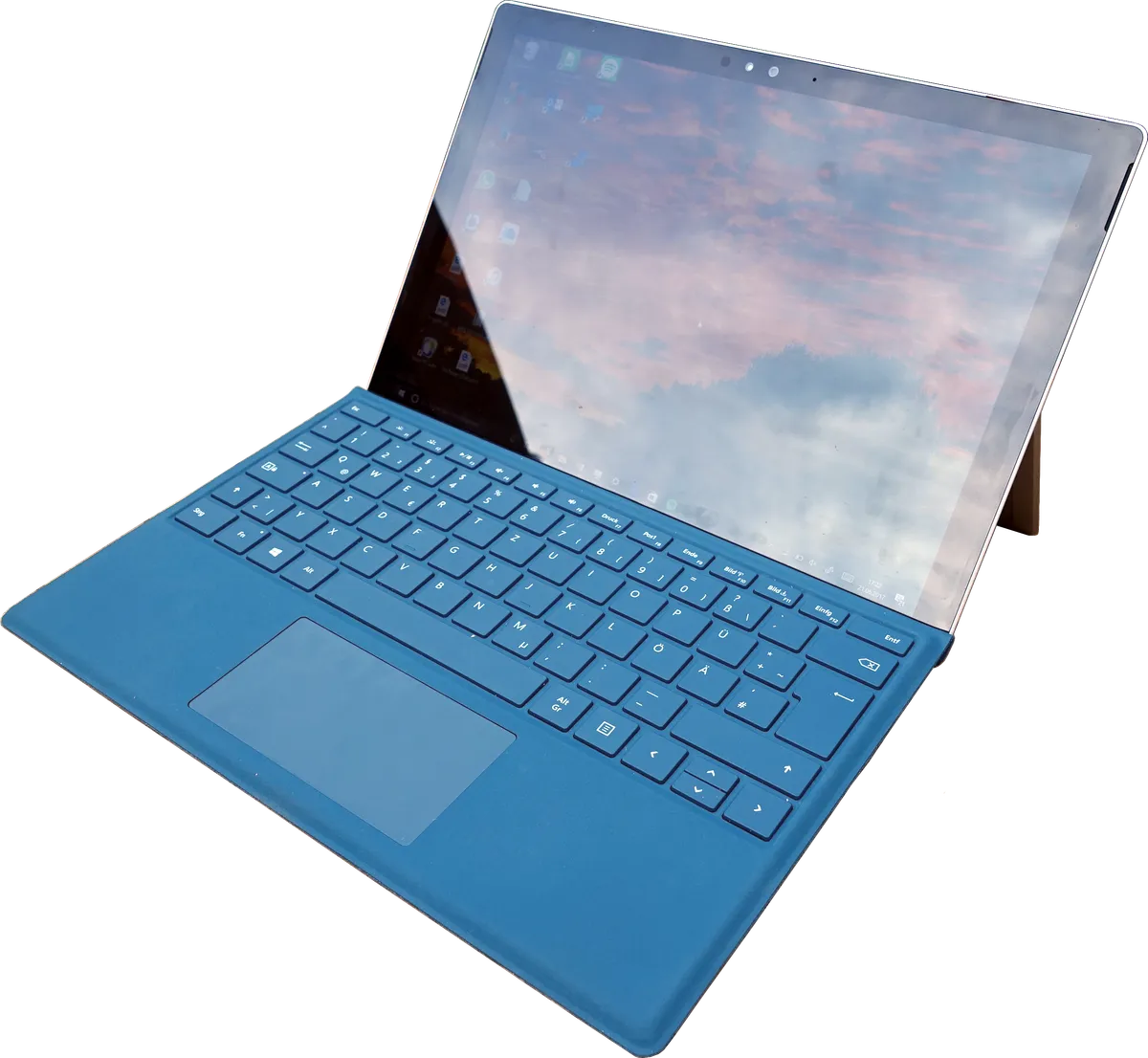
Quick Answer: If your Surface Pro 11 keyboard has stopped responding, the fastest fix is to open Device Manager, uninstall the Surface Type Cover Filter Device driver, then force a full shutdown (hold power for 10 seconds), reattach the keyboard, and let Windows reinstall the driver automatically. Most users are back typing within four minutes.
There's a particular kind of frustration that comes with a Surface Pro keyboard failure. It's not the raw anger of a catastrophic hardware death. It's quieter, more insidious — the kind where the device looks fine, the keyboard feels attached, the screen is on, and yet nothing happens when you type. The cursor sits there, blinking, indifferent.
This happens more often than Microsoft's support documentation suggests. The Surface Pro 11, built around the Snapdragon X Elite and Snapdragon X Plus platforms, introduces a new driver architecture tied to Qualcomm's ARM ecosystem, which can sometimes lead to issues reminiscent of Surface Laptop 7 screen flickering. That architecture is more capable in some ways, genuinely more efficient, but it also introduces new failure surfaces — particularly around the magnetic Type Cover connector and the HID (Human Interface Device) driver stack that manages it. When something in that chain breaks, the keyboard silently disappears from the system.
What makes this especially messy is that the failure modes are not consistent. Some users wake their Surface Pro 11 from sleep and the keyboard is gone. Others trigger it after a Windows Update. Some see it after disconnecting and reconnecting the Type Cover too quickly. A few have never had it work properly since unboxing. The root cause varies, and Microsoft's official guidance — which largely hasn't caught up to the ARM-native quirks of the Pro 11 — sometimes sends people in completely the wrong direction.
This guide does not pretend every case is the same. It maps the actual failure terrain, explains what is happening at the driver and firmware layer, documents the workarounds that real users have found to actually work, and is honest about the cases where software fixes are not enough.

Why the Surface Pro 11 Keyboard Fails: The Real Architecture Behind the Problem
The Type Cover Connection Is Not What Most People Think
Most people assume the Surface keyboard connects like a USB peripheral — plug in, device appears, driver loads, done. The reality is considerably messier.
The Surface Type Cover uses a proprietary magnetic connector that carries both power and a data bus. On the software side, Windows manages it through a layered driver stack: the Surface Type Cover Filter Device, the HID-compliant device, and a firmware-level protocol that communicates with the keyboard's embedded controller. On Intel-based Surface Pro generations, this stack was mature. On the Snapdragon X-based Pro 11, it's been rebuilt for ARM64 — and that rebuilding process has introduced instability that still hasn't been fully resolved.
The Surface Pro 11 also uses a different power management model than its predecessors. Qualcomm's platform has tighter integration between the ARM SoC and Windows' Modern Standby (also called S0 Low Power Idle). When the device wakes from Modern Standby, the keyboard driver has to re-enumerate — re-identify the connected device — and occasionally that re-enumeration fails silently. The system thinks the keyboard is there. The keyboard firmware is running. But the HID translation layer never fully initialized.
No error message. No notification. Just silence, similar to when an iPad Pro M4 experiences ghost touches.
What Windows Update Actually Breaks
The more cynical reading of the situation — and one that's increasingly hard to argue against based on community reports — is that Windows Update has repeatedly shipped driver updates for the Surface Type Cover that introduced regressions on the Pro 11.
On Reddit's r/Surface, threads like "KB5034441 broke my Type Cover again" and "Surface Pro 11 keyboard dead after November cumulative update" accumulated hundreds of upvotes through late 2024 and into 2025. The pattern is recognizable: update ships, keyboard dies for a subset of users, Microsoft acknowledges in a KB article weeks later (if at all), optional driver rollback becomes available but is buried in the Windows Update history interface where most users will never find it.
The Hacker News thread on Surface Pro 11 ARM driver quality (archived, mid-2024) had several developers pointing out that the transition to new ARM architectures, much like challenges that might arise with MacBook Pro M4 display issues, can introduce complex driver-related problems. ARM64 native drivers had compressed testing cycles, and that the Type Cover stack specifically had regression test coverage that was "optimistic at best." This matches what you'd expect from a platform transition: the hardware team ships, the driver team catches up, and early adopters absorb the instability.
What's less forgivable is how long the catching-up takes.
Step-by-Step: The Driver Reinstall Fix That Actually Works
This is the core fix. It works in the majority of cases where the keyboard stopped working after an update, after sleep, or after reconnection.
Prerequisites
Before starting, confirm the physical situation:
- The Type Cover is fully seated on the magnetic connector (you should feel and hear a definite click)
- The keyboard is not physically damaged (keys not responsive to any input, including Fn + volume keys)
- The Surface is not in tablet mode (swipe from the right edge, check Quick Settings — tablet mode would disable the keyboard by design)
If all three are confirmed and the keyboard is still dead, you're almost certainly dealing with a driver issue.
The Core Fix: Device Manager Driver Reinstall
Step 1: Access Device Manager without your keyboard
Since the keyboard isn't working, you'll need to use the touchscreen or an external USB/Bluetooth mouse. Open Device Manager by right-clicking the Start button on the taskbar (or long-pressing on touchscreen) and selecting Device Manager.
Step 2: Locate the Type Cover driver
Expand the Human Interface Devices section. Look for Surface Type Cover Filter Device. It may have a yellow warning triangle — or it may look completely normal, which is part of what makes this failure mode deceptive.
Step 3: Uninstall the driver
Right-click Surface Type Cover Filter Device → Uninstall device. In the dialog that appears, check the box that says "Delete the driver software for this device" if it's available. Click Uninstall.
Step 4: Full shutdown — not restart, not sleep
This step is where most guides go wrong. A standard restart is not sufficient. You need a full power cycle that clears the firmware state.
Hold the physical Power button for 10 full seconds until the screen goes black and the device shuts down completely. Wait 15 seconds. Power back on.
The reason a regular restart doesn't always work: Windows' Fast Startup feature (enabled by default) preserves the kernel session. The corrupted driver state can survive a standard restart because the memory image is retained. A full 10-second shutdown forces a cold boot and clears that state.
Step 5: Reattach the keyboard
After the Surface has fully booted to the lock screen or desktop, then attach the Type Cover. This sequencing matters. Attaching before the system is fully booted can cause the driver to initialize against an incomplete HID stack.
Windows should automatically detect the keyboard, install the driver, and have it functional within 30–60 seconds.
When the Basic Fix Doesn't Work: Advanced Scenarios
The Surface Firmware Update Path
If the driver reinstall doesn't work, the next layer to check is firmware. The Surface Pro 11 receives firmware updates through Windows Update (specifically, through the Surface manufacturer updates in the optional updates section) and through the Surface app on the Microsoft Store.
Open the Surface app → Updates → check for any pending firmware updates. Firmware updates for the embedded controller, the Type Cover, and the Qualcomm platform itself are all delivered through this channel and are distinct from Windows cumulative updates.
This is also where a genuine mess lives. Firmware updates have shipped with their own regressions. At least two firmware update cycles in 2024 were linked to new instances of keyboard failures on the Pro 11. Installing a firmware update to fix a driver issue and having the keyboard break in a new way is not a hypothetical — it's documented in the r/Surface megathread "Pro 11 Issues Tracker" that community members maintained through much of 2024.
The advice here: check which firmware version your device is currently running (Settings → System → About → Device specifications → UEFI firmware version), and cross-reference against the community-maintained version history on Reddit or the Surface support forums before updating.
The "Ghost Device" Problem
Some Surface Pro 11 users encounter a scenario where the Type Cover driver reinstall appears to work — Windows detects the keyboard, installs the driver, everything looks normal in Device Manager — but the keyboard still doesn't type.
What's happening here is a ghost device issue. Windows has enumerated the keyboard as a device but the HID translation table has not initialized correctly. The fix requires going deeper.
Open Device Manager → View → Show hidden devices. Now look in the Human Interface Devices section again. You may see multiple instances of Surface Type Cover Filter Device, some grayed out. These are ghost entries — remnants of previous failed driver installations.
Right-click and uninstall each grayed-out ghost entry. Then repeat the full shutdown and reattach sequence. This clears the corrupted enumeration history and typically resolves the issue.
This specific fix is documented in GitHub issue discussions for the linux-surface project (which, interestingly, tracks Surface hardware behavior in detail that sometimes exceeds Microsoft's own documentation), and cross-confirmed in multiple Microsoft Answers threads.
BIOS/UEFI Check: Type Cover Interface Disabled
Less common, but worth checking: the Surface UEFI can explicitly enable or disable the Type Cover interface. This can get toggled accidentally during firmware updates or in enterprise environments where device management policies modify UEFI settings.
Access the Surface UEFI by holding Volume Up and pressing Power, then releasing after the Surface logo appears. Navigate to Devices → look for a Type Cover or Keyboard entry. Confirm it's set to Enabled.
In managed enterprise deployments, this setting may be controlled by Group Policy or Microsoft Intune device configuration profiles. If you're on a corporate device, an IT policy may be actively disabling the keyboard interface — a scenario that has appeared in enterprise IT support forums with some frequency, usually involving Intune profiles that were misconfigured during Surface Pro 11 deployment rollouts.
Real Field Reports: What Users Are Actually Experiencing
The support reality around this issue is genuinely fragmented. A browse through the Microsoft Support Community, Reddit's r/Surface, and Discord servers for Microsoft hardware reveals that the experience is not uniform.
One user on the Microsoft Answers forum described the problem as intermittent: the keyboard works fine for days, then fails after any sleep cycle longer than about four hours. The driver reinstall fix works, but only until the next long sleep. This pattern is consistent with the Modern Standby re-enumeration failure described earlier — and it's a problem that has been present since at least the Surface Pro 9, suggesting it's a systemic issue in the driver stack rather than something specific to the Pro 11.
A developer on Hacker News posted: "I've started keeping a shortcut to Device Manager on my taskbar. It's faster than the official fix page at this point." The sardonic acceptance in that statement captures something real about how users adapt to chronic, unfixed issues — not with anger, but with resigned workaround automation.
Another field report from a school district IT administrator (posted in a Microsoft Tech Community thread about Surface Pro 11 deployment): roughly 8% of their Pro 11 fleet had keyboard failures within the first 90 days, all traced to the same driver issue. The resolution required a scripted fix deployed via Intune that automated the driver uninstall and forced a full shutdown — because asking teachers to manually navigate Device Manager was not operationally realistic.
That 8% figure is not a statistically validated sample. But it suggests the issue is common enough to require systematic enterprise-scale responses, which is not a sign of a minor edge case.

Counter-Criticism and the Debate Around Blame
Is This a Microsoft Problem, a Qualcomm Problem, or a Windows Problem?
There's a genuine debate here that Microsoft has been notably quiet about.
The ARM64 transition on the Surface Pro 11 is the most significant platform architecture shift in the Surface Pro line's history. Qualcomm's Snapdragon X platform is new enough that the full driver maturity cycle hasn't completed. Some engineers familiar with the platform have argued (publicly, on platforms like LinkedIn and in forum discussions) that the Type Cover issues are fundamentally a Qualcomm driver stack problem — that the HID implementation in Qualcomm's ARM64 Windows drivers has edge cases that Intel's mature XHCI stack never had.
Microsoft's counter-position, implicit in their support documentation, is that this is a Windows Update delivery issue — that the updates are correct but the delivery sequencing sometimes creates conflicts. Their fix is always driver reinstall, not driver architecture acknowledgment.
The most honest reading is probably: both are partly right. The ARM64 platform has genuine new instabilities. Windows Update's delivery model for device-specific drivers has been broken in ways that affect Surface devices disproportionately, because Surface devices receive more specialized drivers through Windows Update than most OEM hardware.
Neither company has been transparent about the internal failure analysis. The user community absorbs the cost.
The Longer Pattern: Surface Keyboard Problems Are Not New
It's important to note that Surface Pro keyboard failures are not a Pro 11 invention. The Surface Pro 3 had severe Type Cover connection issues. The Pro 4 had a different but equally frustrating disconnection problem. The Pro 7 saw driver stack issues after Windows 10 version updates. Each generation added new wrinkles.
What's different about the Pro 11 is the ARM architecture, which means the driver issues are qualitatively new even if the pattern is familiar. The community's accumulated institutional knowledge about fixing Type Cover problems — the 10-second shutdown trick, the ghost device removal, the firmware staging — developed across years. Some of that knowledge transferred to the Pro 11. Some didn't.
Preventing Recurrence: The Configuration Changes Worth Making
Disable Fast Startup
Fast Startup is the single most common root cause of the driver re-initialization problem persisting after restarts. Disabling it forces Windows to perform a full kernel shutdown on every power-off, which clears the HID driver state.
Go to Control Panel → Power Options → Choose what the power buttons do → Change settings that are currently unavailable → uncheck Turn on fast startup.
This has a mild cost: cold boot time increases slightly (typically a few seconds on the Pro 11's NVMe storage). Most users consider this an acceptable trade.
Configure Windows Update to Pause Driver Updates Temporarily
If your keyboard is currently working and you want to reduce the risk of a Windows Update breaking it, you can defer driver updates.
Settings → Windows Update → Advanced options → Optional updates — check this section regularly. Driver updates for Surface hardware often ship as optional updates before becoming mandatory. Testing them manually on your schedule rather than receiving them automatically gives you control over rollback timing.
For the Surface Pro 11 specifically, checking the Surface subreddit before installing any Surface firmware update is simply good practice. The community response time on new firmware regressions is faster than Microsoft's official acknowledgment.
Keep the Surface App Updated
The Surface app (available in the Microsoft Store) provides diagnostic information specific to your device — including Type Cover connectivity status, firmware versions, and health checks. It also routes firmware updates that aren't delivered through Windows Update. Keeping it current is low-cost and occasionally catches issues before they become failures.
When Software Cannot Fix the Problem: Hardware Failure Recognition
There are keyboard failures that no driver reinstall will fix. Knowing when you're in hardware failure territory saves significant time.
Signs pointing to hardware failure:
- The Type Cover connector on the device body is visibly bent, corroded, or physically damaged
- The keyboard is completely unresponsive even when used on a different Surface Pro 11 (if you can test this)
- The keyboard shows no response in the UEFI environment (before Windows loads) — at the UEFI level, drivers aren't involved; if the keyboard fails here, it's hardware
- Liquid damage to the keyboard or the connector area
Signs that it's probably still software:
- The keyboard was working and stopped after a specific update or sleep cycle
- Other Surface keyboards work on your device
- The keyboard works intermittently
- Device Manager shows the device with or without a warning icon
For confirmed hardware failures, Microsoft's warranty service on the Surface Pro 11 has been... variable. Reports on r/Surface and the Microsoft Answers community document cases where Microsoft replaced keyboards promptly under warranty, and other cases where support representatives insisted on extended diagnostic processes before authorizing replacement. Turnaround times at Microsoft service centers have ranged from 3 days to over 3 weeks in documented community reports. Accidental damage coverage requires Surface Complete