
If your Ryobi 40V battery displays blinking red and green lights or refuses to take a charge, the internal Battery Management System (BMS) has likely tripped a protection circuit. Often, this isn't a dead cell, but a soft-lock trigger. For more Ryobi 40V battery not charging troubleshooting and technical fixes, explore our expert guide. Perform a manual reset by disconnecting the charger, checking for thermal overload, and ensuring the contact pins are free of debris or oxidation.
The ecosystem of Ryobi 40V tools—ranging from whisper-series blowers to high-torque lawn mowers (much like the EGO Power+ system)—relies on a sophisticated, yet notoriously temperamental, lithium-ion architecture. When you click that plastic-cased power pack into a charger, you aren't just completing a circuit; you are engaging in a complex handshake between the charger’s firmware and the battery’s onboard monitoring chip.
The Anatomy of a Protection Trip
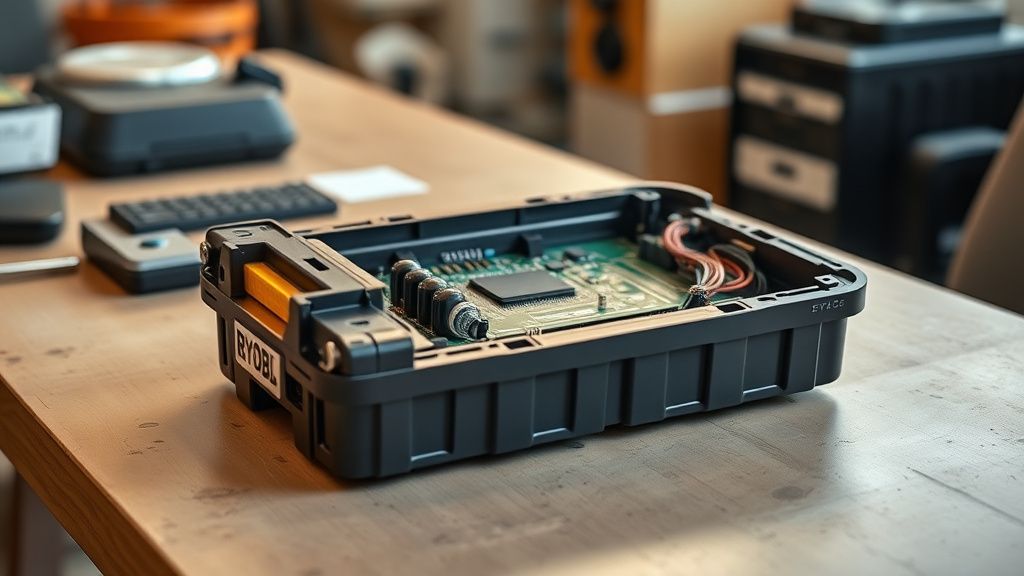
When a Ryobi 40V battery "dies" mid-season, users often reflexively head to the store to drop $150 on a replacement. However, the operational reality of these packs suggests a different narrative. The BMS is designed to kill power output or charging capability if it detects a voltage sag across any of the internal 18650 or 21700 cells that drops below a certain threshold.
In many cases, the battery isn't failing; it’s protecting itself from an imbalance. If one string of cells drifts, the BMS logic dictates a complete shutdown to prevent a thermal runaway event—a safety precaution that feels suspiciously like a product failure to the average homeowner who just wants to finish mowing the lawn.
Why Your Charger Isn't Communicating with Your Battery
The interaction between the Ryobi 40V charger and the pack is rarely a "dumb" power transfer. The charger uses a pulse-width modulation (PWM) logic to interrogate the battery. This "flashing red/green" light cycle is a common indicator of issues across various brands; for instance, if your DeWalt 20V charger is blinking red, similar troubleshooting steps might apply.
This is the system’s way of saying it cannot establish a handshake. Reasons for this include:
- Thermal Fatigue: You just ran the battery until it hit a hard cutoff, and the internal thermistor is reporting a temperature that is "too hot" for safe charging.
- Voltage Sag: The battery has been left on a tool for months, dropping below the "wake-up" voltage threshold required for the charger to recognize it exists.
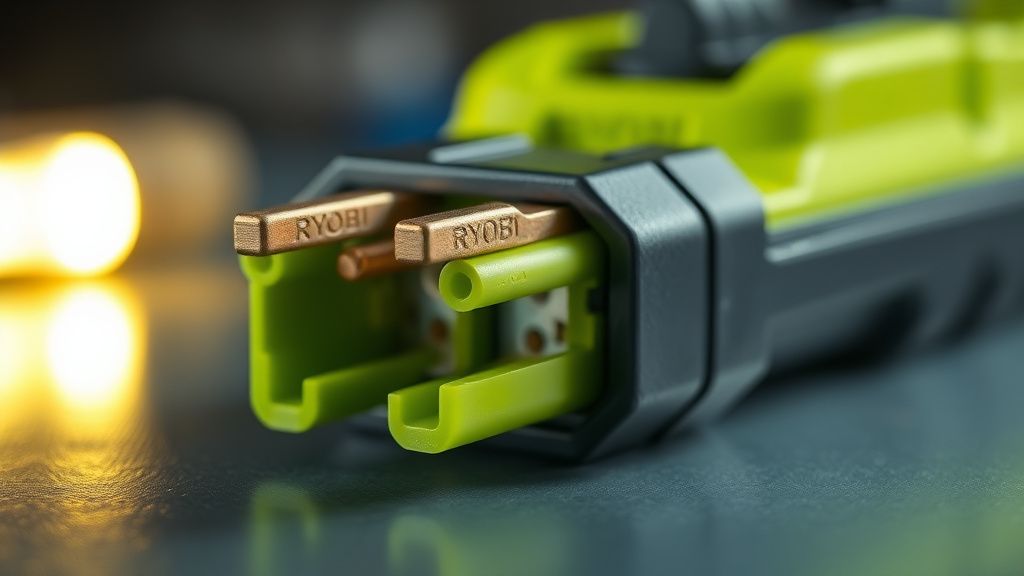
- Terminal Resistance: Debris, pine needles, or oxidation on the blades preventing the high-current pins from making a clean connection.
Step-by-Step Recovery: The "Hard Reset" Protocol
Before declaring the unit dead, perform this sequence. Note that this is not an official "Ryobi-sanctioned" procedure, as manufacturers prefer you to initiate a warranty claim or purchase a new unit, but it is the industry standard for field-repairing lithium-ion tool packs.
- Thermal Equilibrium: Let the battery sit at room temperature for at least 60 minutes. If it was used in 90-degree heat, the internal sensors might be locked in a "high-temp protection" state.
- Contact Debridement: Use a fine-grit electrical contact cleaner or a small wire brush on the battery terminals. If you see white or green corrosion, clean it thoroughly. Even a micro-layer of oxidation can increase resistance enough to trigger a charger error.
- The Manual "Wake-Up" (Workaround): If the charger still refuses to recognize the battery, the voltage might be too low to initiate the protocol. Some users report using a "jump start" technique—connecting the battery to another healthy 40V battery in parallel for a few seconds to "trick" the BMS into seeing a voltage rise, though this carries significant risks of sparking and potential cell damage and is not recommended for those without electrical diagnostic experience.
The Myth of the "Dead Cell" vs. Software Lock
One of the most persistent controversies in the Ryobi user community involves the "planned obsolescence" debate. Critics on platforms like GitHub discussions regarding open-source tool battery management argue that Ryobi’s firmware is overly aggressive.
"It’s not that the battery is end-of-life," writes one frequent contributor on an open-hardware forum. "It’s that the BMS keeps a permanent log of the cell health. Once it decides a cell has lost 20% of its capacity, it triggers a permanent firmware lock. Even if the cells are perfectly usable for light-duty work, the software effectively bricks the hardware."
This creates a massive friction point. While Ryobi maintains that these safeguards prevent fire hazards—an essential concern given the high energy density of 40V platforms—users are left with expensive, heavy plastic bricks that are functionally useless despite the chemical components inside being healthy enough for a leaf blower or a drill.
Scaling Issues and Infrastructure Stress
As Ryobi has expanded its 40V "40V-X" lineup to include demanding tools like snowblowers and chainsaws, the stress on these batteries has increased exponentially. Scaling up the power output requires higher discharge currents. When these batteries fail, it is often due to the "spot welds" between cells failing under vibration stress.
If you hear a rattling sound inside the battery, the reset process will not help. You have an internal mechanical failure. A reset is purely a digital/logical intervention; it cannot heal a severed nickel strip.
Real Field Reports: The "Storage Trap"
Field data suggests that the highest rate of "dead" batteries occurs during the spring, after the first mow of the season. This is the "Storage Trap."
- The Scenario: A user leaves the battery in a cold garage over winter at a 10% charge level.
- The Consequence: The BMS itself consumes a tiny amount of current to monitor the cell voltage. Over three months of winter, that 10% drops to 1% or less—past the point of "deep discharge."
- The Result: When the charger hits it in April, the BMS logic sees a voltage so low it assumes the cell has shorted. It enters a "safe mode" that requires specialized equipment to bypass.
The Conflict Between DIYers and OEM Policy
The manufacturer’s official stance is clear: "Do not attempt to open the battery pack." This is a liability-driven policy. Lithium-ion batteries are hazardous; piercing a cell or accidentally shorting the main positive and negative leads can result in a fire that is impossible to extinguish with conventional means.
However, the "right to repair" movement has pushed back, noting that the proprietary nature of these BMS chips makes it nearly impossible for independent shops to reset them without specialized software or "brute force" methods that require cutting into the shell.
When to Give Up: The Diagnostic Checklist
Before you throw the battery away, perform a final "sanity check." If you check these boxes and it still won't charge, the internal circuitry is likely fried beyond the scope of a software reset:
- Check for "Bloating": Look at the side of the battery casing. If it is warped, bowed, or no longer flat on the workbench, the internal cells have off-gassed. Recycle this immediately. Do not attempt to charge it.
- Listen for Burnt Components: If the battery smells like ozone or burnt plastic, internal electronics have shorted.
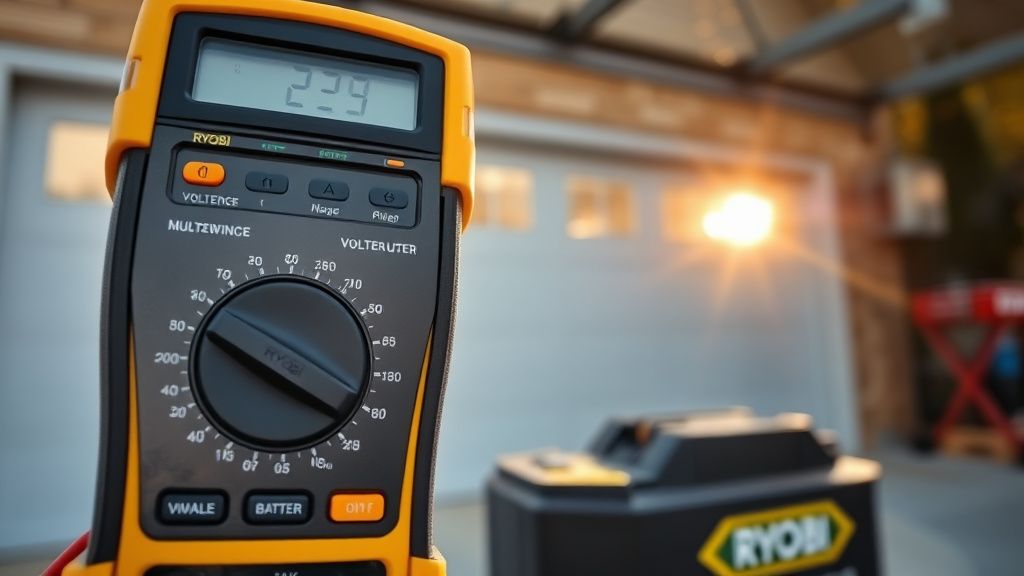
- Voltage Check: Using a multimeter, check the voltage across the main terminals. If it reads absolute zero, the internal fuse (typically a physical link on the BMS board) has blown. This is a non-serviceable failure.
The Future of Tool Battery Monitoring
Industry insiders at companies like The Information have noted that the next generation of battery packs will likely include Bluetooth connectivity or proprietary RFID handshakes. While this allows for better monitoring of cell health via an app, it creates new "DRM-like" scenarios where the battery could theoretically be locked by the manufacturer if it detects a tool from a non-authorized, third-party knock-off brand.
Why does my Ryobi battery flash red and green together?
The red/green flash usually indicates a communication error between the charger and the battery's internal chip, or that the battery is in a "thermal protection" lockout. It is not necessarily a sign of a broken battery; sometimes simply waiting 24 hours to let the BMS reset its logic state is enough to resolve the issue.
Can I leave my Ryobi 40V battery in the charger indefinitely?
While modern chargers are designed with a "trickle" or "maintenance" mode to prevent overcharging, it is a bad practice. The constant current fluctuation can stress the BMS over time. It is better to charge the battery and remove it once the indicator turns green.
Is the "Reset Button" on the charger a real thing?
No. Many users mistakenly believe there is a hidden button on the charger. There is not. The "reset" is a software-driven process that occurs when the charger successfully handshakes with the battery. If you are told to "press the button," you are likely being misinformed by internet forums.
Are off-brand 40V batteries a good alternative?
Third-party replacement batteries are a contentious topic. While they are often 50% cheaper, their BMS quality is rarely as robust as the OEM Ryobi boards. You are essentially trading the "official" safety protocols for a lower price, which can lead to increased risks of rapid degradation or, in rare, extreme cases, thermal instability.
What should I do if the battery is "dead" but under warranty?
Do not attempt to open the case. If you break the seal or tamper with the plastic housing, you will void your warranty immediately. Contact Ryobi customer support, provide your serial number, and initiate an RMA (Return Merchandise Authorization). They will often replace the unit if it falls within the standard 3-year limited warranty window.
Why is my charger getting so hot during the reset attempt?
A charger getting hot is normal to an extent, but if it is physically too hot to touch, the charger itself may be malfunctioning, or it is struggling to push current into a high-resistance (oxidized) battery. Unplug it immediately, let it cool for at least 30 minutes, and try a different outlet to rule out voltage sag at your house wall socket.
Is it normal for the battery to make a faint clicking sound?
If the battery is clicking, that is the sound of the internal relays on the BMS board attempting to engage. This usually happens when the battery is in a low-voltage cutoff state and is trying to re-establish a connection. If it continues for more than a few minutes without the charging light turning solid, the pack is likely suffering from internal cell drift.