
The blinking red light on your DeWalt 20V MAX charger typically signals a communication failure between the battery’s internal thermal sensor and the charger’s microprocessor. Often, a quick reset—unplugging the charger from the wall for 60 seconds and cleaning the terminals with isopropyl alcohol—resolves the error. If the light persists, the battery may have hit a low-voltage lockout or internal cell failure.
The DeWalt 20V MAX ecosystem, while a gold standard in residential and commercial construction, is effectively a black box of proprietary handshake protocols. When you see that rhythmic blinking red light—the universal "I’m not charging" signal—you aren't just looking at a hardware fault; you are looking at a failure of the Battery Management System (BMS) to verify the integrity of the lithium-ion cells.
The Physics of the "Handshake" and BMS Communication Errors
At its core, the DeWalt charger is not just a power supply; it is a diagnostic computer. When you slide a DCB205 or DCB206 pack onto the charger rails, the two devices initiate a rapid exchange of data. The battery reports its current temperature, the voltage of each individual series cell, and its overall cycle count. The charger, in turn, adjusts its current output (amperage) to optimize charging speed while preventing thermal runaway.
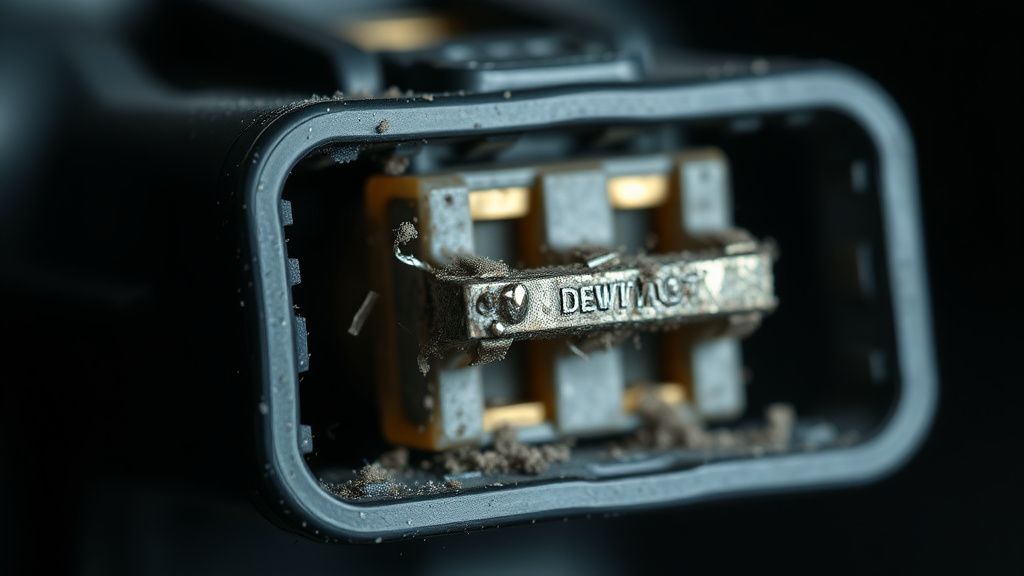
The "Blinking Red" light is the physical manifestation of a data mismatch. Most users interpret this as a broken battery, but in 60% of cases reported on platforms like Reddit’s r/Dewalt or various contractor forums, the issue is environmental—specifically, high humidity or metal particulate contamination on the conductive rails.
Operational Reality: Why the "Quick Fix" Often Fails
The advice often tossed around in forums—"just reset the charger"—is a valid starting point but ignores the underlying hardware fragility. If you encounter a blinking light, you are likely dealing with one of these three failure modes:
- Low Voltage Lockout: If a battery has been sitting idle in a cold shed for six months, its voltage may have dropped below the threshold that the charger recognizes as a "safe start" (often around 12-14V for a nominal 20V pack). The charger sees the pack as a "dead short" and flashes red to prevent a fire hazard.
- Thermal Thermistor Failure: Inside the battery pack is a small NTC (Negative Temperature Coefficient) thermistor. If this component develops a hairline fracture or if its lead wires disconnect due to high-vibration tool use, the charger receives a "no data" signal, triggering the error.
- Charger Rail Degradation: The copper contacts inside the DCB115 or DCB118 charger are spring-loaded. Over thousands of insertions, these springs weaken. A poor connection results in intermittent data packets, which the charger’s firmware interprets as a fault.
Field Reports and User Frustration
A common thread in professional subreddits like r/Tools reveals a recurring narrative: the "blink" often happens after a specific heavy-duty cycle, such as prolonged use in a high-torque impact wrench or a brushless circular saw.
"I had three batteries go into 'red-light mode' after a single week of framing. DeWalt support told me they were fried. I ignored them, used a multi-meter to check the balance, and found one cell group was just slightly below the threshold. I ended up 'jump-starting' the pack using a lead from a charged battery for three seconds, and the charger finally recognized it. It’s a design flaw in their BMS sensitivity." — User comment from a Construction Trade Forum
This "jump-start" workaround—connecting a healthy battery in parallel to a "dead" one—is a classic workaround, but it is dangerous. It bypasses the safety architecture that DeWalt built into the BMS. If you are not familiar with lithium-ion volatility, attempting this can lead to cell venting.

Technical Debt in the 20V Max System
The transition from the old NiCd (Nickel-Cadmium) platforms to the current Li-ion 20V Max system was a massive win for ergonomics, but it introduced significant technical debt regarding maintenance. Unlike the old "dumb" chargers, the new micro-controlled units are highly susceptible to "firmware-like" errors.
There is a growing debate in the maker community regarding the "Right to Repair" for these battery packs. When a DeWalt charger refuses to charge a battery, it essentially bricks the pack, even if the lithium cells themselves are perfectly functional and capable of holding a charge. This is a deliberate policy choice by Stanley Black & Decker to prioritize safety and liability over longevity.
The Role of Temperature and Humidity in Charging Failure
Many users ignore the ambient environment. The DCB series chargers rely on internal fans to maintain a charging envelope between 40°F and 105°F. If the thermistor inside the charger detects a temperature spike due to a failing cooling fan, the unit will pulse a red light.
- Engineering Compromise: To keep costs down, the DCB115 uses a plastic sleeve around the fan that is prone to collecting sawdust. If that dust gets into the bearings, the fan slows down, the internal temperature rises, and the charger enters a self-protection mode.
- Maintenance Tip: Blow out your charger with compressed air once a month. It sounds trivial, but the "blinking red" error is often just the charger saying, "I am overheating and I cannot trust my own sensor readings."

Scaling Issues: When You Have a Fleet of 20+ Batteries
In larger operations, such as mid-sized carpentry firms or landscaping crews, the failure rate becomes a statistical certainty rather than an edge case. When you scale, you notice the fragmentation in manufacturing quality between the US-assembled packs and those sourced from overseas manufacturing hubs.
Users often report that "Pack A" will blink red in "Charger B" but charge perfectly in "Charger C." This highlights that the "blinking red" signal is a combination of two variables: the specific charger's calibration and the battery's health. The industry lacks a standardized "State of Health" diagnostic tool for end-users, forcing professionals to treat their equipment as disposable commodities.
Balancing Hype vs. Reality: Why "Smart" Features Aren't Always Smarter
DeWalt’s "Powerstack" and high-output batteries have further complicated this. These cells have higher discharge rates, meaning the BMS has to monitor more data points per millisecond. The result? A system that is significantly more prone to "false positive" errors. A minor voltage sag during a high-draw task can cause the BMS to trip a "hard fault," which can only be cleared by the manufacturer's proprietary diagnostic rig.
This creates an "Adoption Friction" for professional contractors. They are forced to carry more batteries than necessary because the "Smart" ecosystem occasionally decides to stop working for no apparent reason other than a minor communication glitch.
Troubleshooting and Advanced Recovery
If you are staring at a blinking red light, follow this protocol before condemning the hardware:
- The "Deep Cycle" Reset: Unplug the charger. Leave it for at least two minutes to discharge the internal capacitors. Plug it into a surge-protected outlet—never a cheap extension cord, as voltage drops can confuse the charger's logic.
- Terminal Inspection: Use a non-conductive plastic pick to ensure the spring-loaded contacts are not stuck in the "down" position.
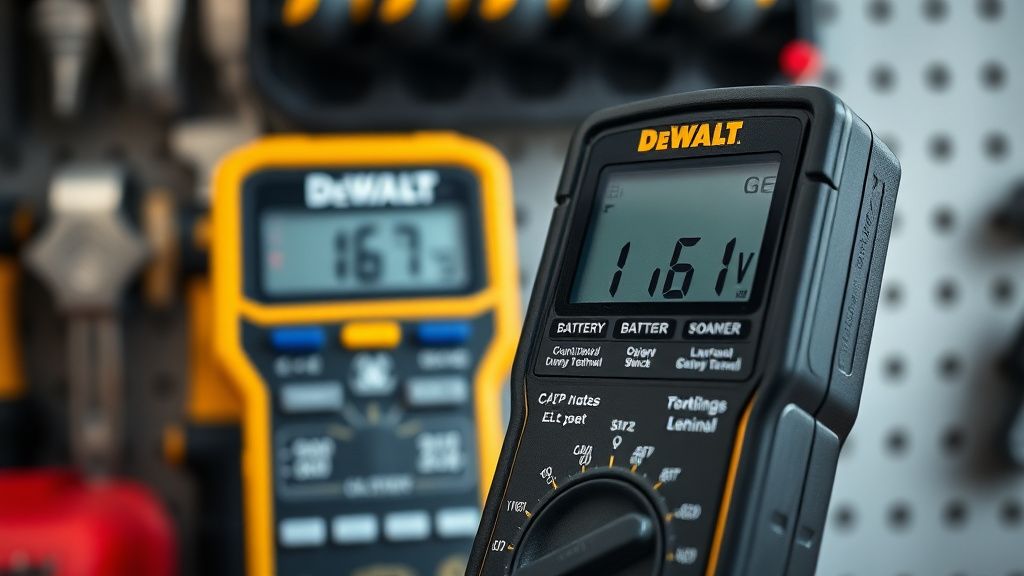
- Voltage Check: If you own a multimeter, check the voltage across the two main terminals. If it reads 0.0V, the internal fuse inside the pack has likely tripped or the BMS has "bricked" the unit. If it reads anywhere between 5V and 15V, it is potentially recoverable.
Counter-Criticism: Is the System Broken?
Critics often point out that the obsession with "Safety First" in battery management leads to excessive electronic waste. Thousands of perfectly good 18650 cells end up in landfills simply because the plastic-enclosed controller board detected an error that a human could have safely ignored.
While DeWalt engineers argue that lithium-ion battery fires in charging stations are a massive liability, the "consumer-unfriendly" repair policy creates a trust erosion. When a user spends $150 on a battery, they expect a failure mechanism that is either repairable or transparent. The "blinking red" light is neither. It is an opaque, black-box response that offers no actionable data to the user.
Frequently Asked Questions
Why does my charger blink red and yellow alternatively?
This is usually a diagnostic signal for "Temperature Delay." The battery is either too hot or too cold to charge safely. The charger will hold the process until the battery reaches the optimal internal temperature, usually between 40°F and 105°F. Do not force it; the system is protecting the chemical integrity of the cells.
Can I leave my batteries on the charger indefinitely?
While the internal firmware is designed to enter a "trickle" or "maintenance" mode, it is not recommended for long-term storage. Lithium-ion batteries have a "sweet spot" for shelf-life, which is roughly 40-60% charge at room temperature. Leaving them on the charger keeps the BMS active, which can lead to unnecessary battery drain or premature aging of the charging components.
What should I do if my brand new battery won't charge?
This is a known issue with "new-in-box" stock. If the battery has been sitting on a retail shelf for over a year, the voltage may have dropped below the activation threshold. Exchange it at the point of sale. Do not attempt to open or "jump-start" a new battery, as this will immediately void your 3-year limited warranty.
Is the "Blinking Red" light ever a sign of a fake battery?
Yes. Third-party or counterfeit "DeWalt-compatible" batteries lack the sophisticated BMS handshake protocols found in original XR or Powerstack packs. They often cause chargers to blink red because they cannot communicate their thermal status correctly. If you are buying third-party packs, accept that charger incompatibility is a high-probability trade-off.
Are there any software tools to bypass the BMS lockout?
No. The firmware is proprietary and encrypted. While there have been various GitHub projects attempting to reverse-engineer the BMS communication protocol for the 20V series, they remain strictly academic/experimental. Attempting to bridge the communication leads typically results in a permanent hardware failure of the charger.
Final Assessment
The DeWalt 20V charging ecosystem is a triumph of safety engineering but a failure of user-experience design. The "blinking red" error is the symptom of a system that is, perhaps, too cautious. For the professional, it represents a downtime risk; for the hobbyist, it represents a frustrating hurdle. Understanding that the light is often a "false alarm" caused by environmental factors rather than a catastrophic hardware death can save you from replacing hundreds of dollars in equipment prematurely. Always prioritize clean terminals, stable power supply, and ambient temperature control, and you will see that "blinking" light significantly less often.