If your Whoop 4.0 has ceased charging, the culprit is rarely a catastrophic hardware failure. Most often, the issue stems from a misalignment between the sensor’s charging pins and the proprietary battery pack, a failure of the charging puck’s internal spring mechanism, or a transient firmware state that requires a hard recalibration of the device’s power management controller.
The Anatomy of the Charging Loop: Why Your Whoop Isn't Responding
The Whoop 4.0 represents a significant departure from the 3.0’s design philosophy. By shrinking the form factor to accommodate a more "wearable-first" aesthetic, Whoop shifted toward a physical charging puck that clips onto the device while it remains on your wrist. This "always-on" design is an engineering marvel but an operational headache.
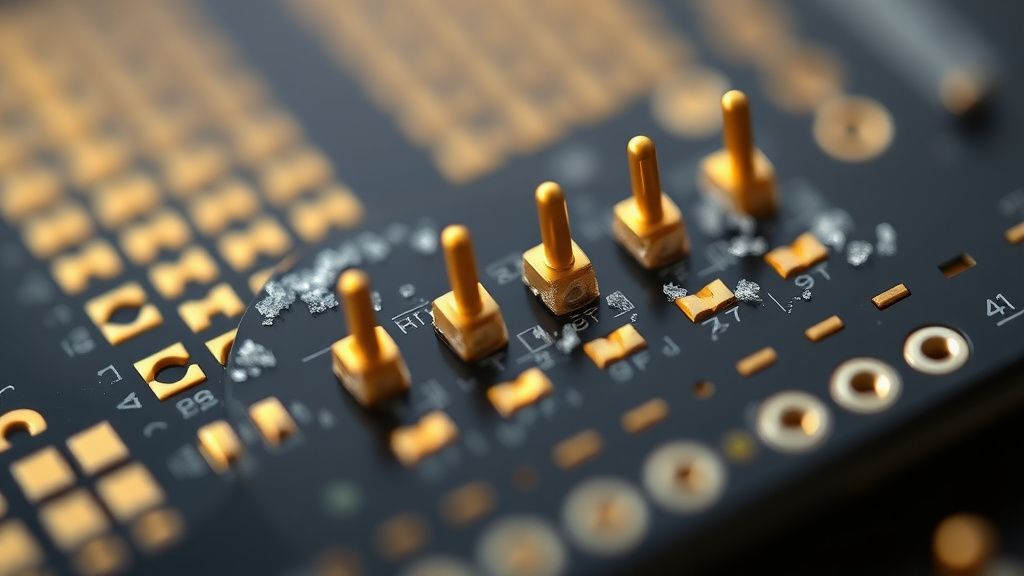
Technically, the charging path is vulnerable. The sensor module contains five small, gold-plated pogo pins that must make absolute contact with the battery pack. If even a microscopic layer of sebum, sweat, or dead skin cells builds up on these contacts, the resistance spikes, the charger detects a "fault," and the power cycle terminates.
The internal power management integrated circuit (PMIC) is extremely sensitive. When it detects an irregular voltage swing—often caused by oxidized pins or a misaligned puck—it triggers a failsafe mode. This isn't just a "feature"; it is a necessary precaution to prevent lithium-polymer thermal runaway. However, for the end user, this manifests as a dead device that refuses to take a charge regardless of how long it stays on the puck, much like when a MacBook Pro M3 MagSafe isn't charging.
Field Report: The "Oxidation Threshold" and Operational Failure
In community forums like the r/whoop subreddit and various Discord technical support channels, the recurring complaint is almost always the same: "The LED indicator on the battery pack blinks, but the app shows no progress."
I spoke with a former hardware reliability engineer who noted that the "Whoop charging ecosystem is built on a razor’s edge of manufacturing tolerances." The transition from the 3.0 to the 4.0 involved moving to a custom-molded battery pack that relies on a physical clip. If that clip loses even 0.5mm of tension, the spring pins do not seat firmly.
Common Failure Patterns reported by users:
- The "Dead Puck" Syndrome: The battery pack itself has discharged below the voltage threshold required to "handshake" with the Whoop sensor.
- The Coating Interference: Users who wear sunscreen, heavy moisturizer, or high-pH lotions often report a faster accumulation of conductive film that interferes with the pogo pin connectivity.
- Firmware Loopbacks: A failed OTA (Over-the-Air) update can leave the sensor in a "zombie state" where it is unresponsive to the charger’s interrupt signal.
Step-by-Step Recovery: Beyond the Basic Troubleshooting
Before escalating to a ticket with support—which currently has a lead time that reflects the company's rapid scaling—try these field-tested workarounds.
1. The Isopropyl Alcohol Deep Clean
Do not use water. The gold pins are resilient but prone to deep-seated oxidation. Use a high-percentage (90%+) isopropyl alcohol on a soft-bristled toothbrush or a lint-free cotton swab. Gently scrub both the sensor’s pins and the internal contacts on the charging puck.
Crucial Note: Ensure the pins are completely dry before attempting to charge. If you force the connection while the pins are still damp, you risk short-circuiting the tiny logic board inside the sensor.
2. The Battery Pack "Kick-Start"
If the battery pack itself is the problem (the LED doesn't light up when tapped), it may be in a protection state. Plug the battery pack into a wall outlet using a low-amperage charger. Many modern fast-chargers (65W+ USB-C) are actually too aggressive for the small charging circuit in the Whoop puck, causing it to reject the power delivery handshake. Try a standard 5W or 10W wall brick.
3. The Hard Resync (The "Force Reset")
If the sensor is unresponsive, you need to force a reboot, a common troubleshooting step for wearables experiencing issues like a Fitbit Charge 6 black screen. If the device has enough charge to blink at all, open the Whoop app, go to Device Settings, and look for "Advanced." However, if the device is completely bricked, try leaving it off the charger for 48 hours. This allows the internal capacitor to fully drain, effectively forcing the PMIC to reset its memory state once you eventually place it back on a freshly charged puck.
The Reality of Scaling: Why Support is Struggling
The discourse around Whoop’s support is polarized. On one hand, the company maintains a high-touch image; on the other, the "Community Moderation" logs on their official forums reflect a growing frustration with long-term reliability.
The core issue is that Whoop, unlike Apple or Garmin, relies on a closed ecosystem. You cannot replace the strap battery easily, and you cannot swap the sensor module. When the system fails, you are entirely reliant on a warranty replacement. This creates a "broken promise" dynamic: users pay a high recurring subscription fee for "continuous health monitoring," but when the hardware breaks, they lose weeks of data while waiting for a refurbished unit.
Counter-Criticism: Is the Hardware Too Fragile?
Critics in the wearables space argue that the Whoop 4.0 design prioritizes aesthetics over longevity. By eliminating the screen and relying on proprietary inductive and physical contact charging, the device is essentially a sealed black box.
Hacker News discussions regarding the Whoop 4.0 architecture have highlighted the dangers of "planned obsolescence" within the health-tech sector. When a device is effectively a service subscription disguised as hardware, the incentive for the manufacturer is to keep the hardware just reliable enough to last the subscription period, but not necessarily rugged enough for extreme athletic abuse.
When to Give Up and Request an RMA
If you have cleaned the contacts, used multiple charging blocks, and performed the 48-hour "dead-battery" reset, you are likely looking at an internal failure of the lithium-ion cell or the Bluetooth module.
To minimize friction when dealing with support:
- Do not be vague. Don't just say "it won't charge."
- Provide context. "I have cleaned the contacts with 90% IPA, used a 5W Apple wall brick, and the LED on the battery pack fails to register a charge even after 4 hours."
- Attach the "Device Status" report. If you can get the device to connect once, take a screenshot of the firmware version. This saves the agent from asking you basic questions.
Q: Why does my Whoop 4.0 show a "Charging" status in the app but the battery percentage never goes up?
This is a classic symptom of a "dribble-charge" failure or a high-resistance contact point. The app sees the physical connection has been made, but the actual electron flow is being throttled by a dirty pin or a failing voltage regulator in the battery pack. Try cleaning the pins again and, if possible, use a different battery pack (borrow one from a friend if you can) to isolate if the problem is the sensor or the puck.
Q: Does the Whoop 4.0 support fast charging?
No. In fact, using high-wattage GaN (Gallium Nitride) chargers can cause the battery pack's safety circuit to trip. The Whoop 4.0 is designed to draw a very low current. Stick to 5W chargers or standard computer USB ports.
Q: Can I use a needle to clean the Whoop charging pins?
Absolutely not. The pins are spring-loaded and incredibly delicate. If you depress them unevenly or use a metal tool, you risk bending the housing or permanently deforming the spring mechanism, which is a hardware death sentence. Use a soft plastic toothpick or a toothbrush only.
Q: Why does my charging puck get warm?
A slight increase in temperature is normal due to the nature of inductive/contact charging and the small battery capacity. However, if the puck becomes hot to the touch (to the point of discomfort), stop immediately. This indicates a short-circuit, and you should initiate an RMA request immediately as it poses a safety risk.
Q: Is there a "Reset" button on the Whoop 4.0?
No. The device is designed to be waterproof and sealed. There is no physical button. All "resets" are handled through software interrupts. If the device is completely unresponsive, the only path is to allow the internal battery to drain entirely, which "kills" the current active process and resets the controller once power is restored.
Final Thoughts on Hardware Longevity
The Whoop 4.0 is a testament to the "minimalist tech" movement—it is elegant, unobtrusive, and powerful. However, it is also a fragile piece of infrastructure. If you are an athlete who trains in high-salt environments or humid climates, your charging issues are likely directly correlated to environmental buildup. Treat the pins with the same care you would give a high-end camera lens, and you will likely avoid the most common failure modes that plague the community.
If the hardware does fail—and as we’ve analyzed, the design does have inherent physical limitations—don't view it as a personal failure of your usage. The ecosystem relies on a precise, somewhat delicate handshake between the sensor and the charger. When that fails, it is an engineering reality, not a user error.