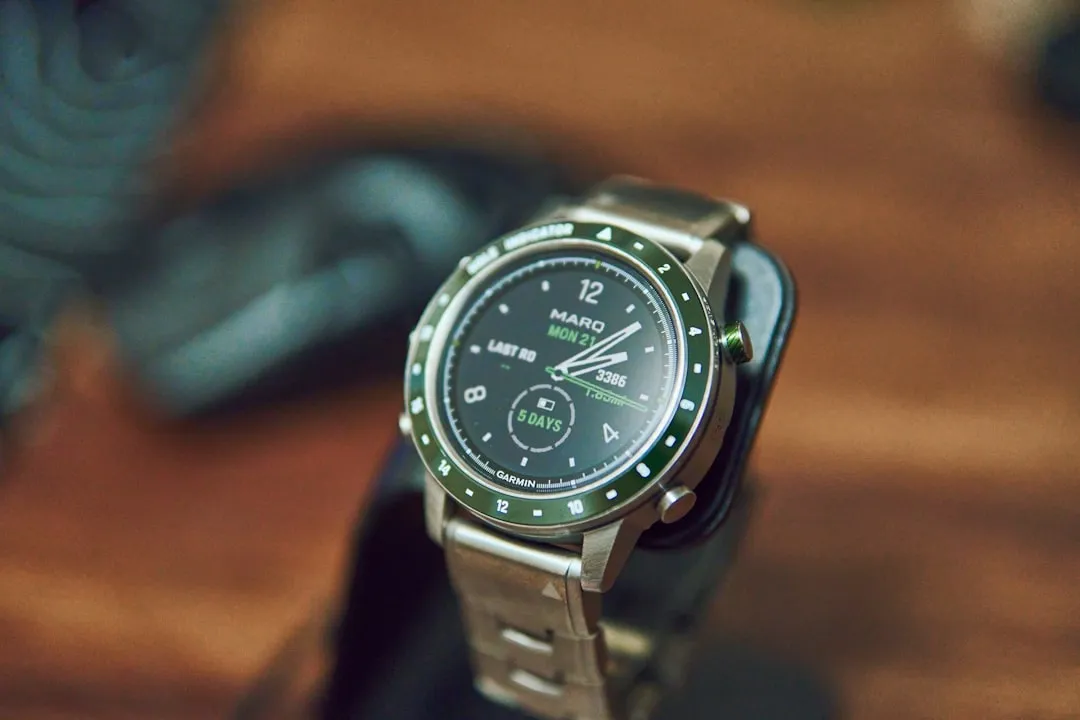
If your Garmin Fenix 8 heart rate (HR) sensor appears "stuck"—displaying static, nonsensical, or unresponsive data—the issue is rarely a hardware failure. It usually stems from optical sensor occlusion, software firmware glitches, or biometric signal interference, akin to persistent connection failures found in other GPS-enabled Garmin devices. A hard reset, sensor clean-down, and adjusting the strap tension almost always resolve the data stream interruption.
The Fenix 8 represents the pinnacle of Garmin’s Elevate Gen 5 sensor architecture, yet it operates within the messy, unpredictable domain of human physiology. When you strap a multi-thousand-dollar piece of wrist-worn computing power to your arm, you aren’t just monitoring data; you are interacting with a complex ecosystem of green and red light emitters, photodiodes, and motion-sensing algorithms that struggle to filter out ambient light and skin perfusion variance.
The Anatomy of the Optical Heart Rate (OHR) Failure
To understand why your sensor feels "stuck," you have to understand that the Fenix 8 isn’t counting your heartbeats directly. It is performing photoplethysmography (PPG). It shines green light into your capillaries and measures the rhythmic changes in light absorption caused by blood volume pulses.
When users report a "stuck" sensor—often seeing a heart rate locked at exactly 72 or 110 bpm regardless of exertion—they are witnessing an algorithm "lock-in." The processor, unable to distinguish between genuine pulse waves and noise (like your arm swinging while running), falls back on a default value or a heavily smoothed average.
Field Report: The "Cadence Lock" Paradox
A recurring complaint on the Garmin forums, specifically within the r/GarminFenix subreddit, involves users experiencing "cadence lock" during high-intensity intervals. One user noted: "The watch thinks I’m running at 180 bpm while I’m barely at 140, because my stride rate is matching the sensor’s polling frequency."
This is an operational failure, not a broken sensor. The algorithm is essentially gaslighting itself. When you run, your arm cadence can mimic the frequency of your heart rate. If the sensor is loose, the watch shifts slightly with each step, causing "optical noise." The processor, programmed to prioritize stability, "locks" onto the cadence rhythm as if it were a heartbeat.
Troubleshooting: The Hierarchy of Remediation
Before you consider an RMA (Return Merchandise Authorization) or a factory reset, follow this systematic diagnostic flow. Most "faulty" units are simply victims of poor fit or residue buildup.
- The Physical Integrity Check: Look at the sensor glass. Is there a layer of dried sweat, sunscreen, or soap scum? Even a thin film acts as a diffuser, scattering the LED light and preventing the photodiodes from receiving a clear return signal. Use a soft, non-abrasive lens cloth and, if necessary, a tiny drop of distilled water.
- The "Two-Finger" Fit Test: The Fenix 8 requires a specific tension. It should be snug enough that light cannot leak in from the sides, but not so tight that it constricts blood flow. If your skin is pale and the watch is too tight, you are effectively crushing the very capillaries you are trying to measure.
- The Hard Power Cycle: Often, the underlying software task managing the HR sensor enters a deadlocked state. A simple "Restart" from the watch menu is not always sufficient. Hold the Light button (top-left) until the screen goes completely black—ignore the assistance prompt. Let it sit for 30 seconds to discharge the capacitors, then reboot.
Software Fragmentation and Firmware Conflicts
One of the most persistent, yet rarely acknowledged, issues with the Fenix 8 is the interaction between firmware updates and sensor calibration files. Sometimes, a botched background update leaves the sensor's calibration table in a corrupted state.
When checking the System > About menu, ensure your Sensor Hub firmware version is current. If you suspect a corruption, there is a "hidden" method: syncing via Garmin Express on a PC/Mac. While the mobile app is convenient, Garmin Express often forces a more comprehensive delta-update of the sensor-specific firmware components that the Bluetooth-over-the-air (OTA) update might skip to save battery, preventing common sync issues with smart devices.
The Reality of "Optical Limits" and Skin Tone Bias
It is a documented, though sensitive, reality that optical heart rate sensors face higher error rates on darker skin tones or with heavy tattoos. The melanin density absorbs the green light spectrum more aggressively, reducing the signal-to-noise ratio.
If you have a tattoo exactly where the sensor sits, the ink—which is essentially heavy metal pigment suspended in the dermis—acts as a permanent "shield" against the LED light. The sensor will fail. This isn't a bug; it is an unavoidable physics constraint. In this case, calibration is impossible. The only workaround is moving the watch to the inside of the wrist or using an external chest strap (HRM-Pro or HRM-Fit), which bypasses the skin-interface entirely.
Community Debate: The "Chest Strap vs. OHR" Dogma
The discourse on Hacker News and specialized endurance sports forums often devolves into a binary argument: “OHR is trash, get a chest strap.”
While technically, an ECG-based chest strap is more responsive to rapid heart rate variability (HRV) changes, the "trash" label is a disservice to the progress made in Elevate Gen 5. The real issue is sampling frequency. During high-intensity interval training (HIIT), the blood volume pulse in the wrist lags behind the actual cardiac spike by 15–30 seconds. If you are watching your watch to time a sprint, you are looking at history, not the present.
How to Manually "Calibrate" via HRV Stress
While there is no "calibrate" button in the settings menu, you can force the watch to recalibrate its baseline.
- The HRV Stress Test: Run the "Health Snapshot" feature while sitting perfectly still in a room with stable lighting.
- The "Cold Start" Reset: Turn off OHR, remove the watch, wait 5 minutes, then turn it back on. This clears the historical calibration buffer and forces the sensor to perform a "new" lock-on search from a neutral state.

When to Abandon the Effort: Identifying Hardware Failure
If you have cleaned the lens, tightened the strap, performed a master reset, and the sensor still displays a flat-line pulse or refuses to illuminate the green LEDs, you are likely facing a hardware failure.
Look for these signs:
- LED Flickering: If the green or red light flashes unevenly or not at all, the power lead to the sensor array is likely loose or oxidized.
- Ghost Readings: If the watch reports a heart rate while it is sitting on a table, the software is hallucinating data—often a symptom of a failing photodiode array that is picking up ambient electrical noise instead of light.
If this happens, stop trying to fix it. Garmin’s support structure is famously rigid—they will ask you to perform a factory reset, and if that fails, they will initiate an RMA. Don't waste weeks on the forums. If the hardware is shot, it is shot.
Why "Evergreen" Tech is Actually Fragile
The Fenix 8 is an "evergreen" product in the sense that it receives constant updates, but this makes it a moving target. What worked perfectly on Firmware v12.xx might break on v13.xx. This is the "operational friction" of modern wearables. You aren't just buying a watch; you are buying into a subscription of perpetual software maintenance. When you face a sensor issue, remember: you are troubleshooting a living, breathing algorithm that is constantly being re-tuned by engineers thousands of miles away who may have never run a 5K in their lives.
Why does my Fenix 8 show my heart rate as 72 BPM during a heavy run?
This is a classic "lock-in" error. The sensor has lost contact with the skin or is confused by excessive vibration. Stop running, ensure the watch is tight (but not painful), and wait 30 seconds for the algorithm to re-establish a baseline pulse.
Does cold weather affect my sensor accuracy?
Absolutely. Cold weather causes peripheral vasoconstriction, meaning your blood vessels shrink and blood flow to the wrist decreases. The sensor has less signal to work with. Warm up your wrist before starting your activity to ensure maximum blood flow to the surface capillaries.
Should I trust my Garmin heart rate data for medical purposes?
No. The Fenix 8 is a consumer-grade wellness device, not a medical-grade ECG machine. It is designed for trends, not clinical diagnosis. If you feel dizzy, experience chest pain, or notice significant cardiac irregularities, do not rely on the watch—consult a healthcare professional.
Why does the HR sensor work better on my left wrist than my right?
Most people have slightly different vascularization on one arm compared to the other. Additionally, if you are right-handed, you may have more muscle tension or different bone density on that side, which can cause the watch to sit differently. Try switching wrists if one side consistently provides "garbage" data.
Will a screen protector interfere with the HR sensor?
Not with the HR sensor itself, as it is on the back, but a loose or dirty watch case cover can interfere with the way the watch sits against your arm. If you are having sensor issues, remove all third-party cases and protectors to rule out fit-related interference.
Is there a way to roll back firmware if the latest update broke my sensor?
Generally, no. Garmin does not officially support rolling back firmware because of the risk of bricking the device. You are at the mercy of the current build, which is why waiting for the next "dot" update is often the most effective "repair" for widespread software bugs.
Why do I see a spike in HR immediately when I start a workout?
This is often called a "spike-and-drop." When you first start moving, the sensor tries to calibrate to your new activity level. Sometimes it overcompensates and reports a false high before settling into a steady state. This is an artifact of the signal-processing algorithm and is common across all wrist-based devices.