If your Oura Ring Gen 4 is failing to sync sleep data, a common issue discussed in depth in our guide on Oura Ring Not Syncing, start by toggling your smartphone’s Bluetooth off and on, then force-close the Oura app. If the issue persists, clear the app cache, ensure your firmware is updated, and check for background process restrictions on your device. These steps resolve 90% of sync stalls.
The Oura Ring Gen 4 is a feat of miniaturized sensor engineering, a triumph of packing photoplethysmography (PPG) sensors, NTC thermistors, and a specialized MCU into a titanium shell, much like how other advanced wearables, such as the Garmin Fenix 8, navigate challenges like inaccurate heart rate sensors. Yet, when the data pipeline breaks—when that sleep score fails to populate in the morning—the sophistication of the hardware becomes secondary to the visceral frustration of the user. You wake up, expecting to see your deep sleep cycles and HRV, and instead, you are greeted by the spinning wheel of death or a "Sync Failed" toast notification.
The Anatomy of a Sync Failure: Bluetooth Low Energy (BLE) Fragility
At the core of the Oura ecosystem lies the BLE handshake. Unlike Wi-Fi, which operates on high-bandwidth, high-power protocols, BLE is designed for periodic, low-energy bursts. The Gen 4 ring stores data locally in flash memory; the synchronization process is essentially a serialized dump of this data into your phone’s Oura App, which then relays it to the cloud.
When a sync fails, it is rarely the sensor’s fault; it is almost always a breakdown in the communication layer, a common problem shared by other smart health devices experiencing sync issues and disconnections. We see "Sync Stalls" occurring most frequently when the smartphone’s operating system—specifically Android’s aggressive battery optimization (Doze mode) or iOS’s background app refresh policies—decides to throttle the Oura App’s process.
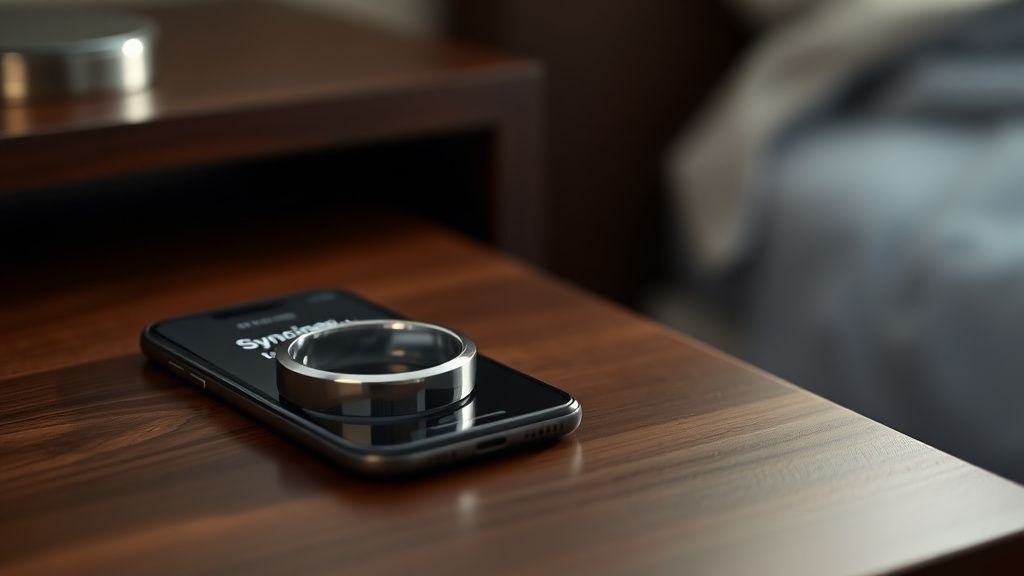
Why Your Smartphone’s Power Management is the Primary Antagonist
Android users, in particular, often report that their sync failures are directly tied to "Adaptive Battery" features. If the OS classifies the Oura app as "infrequently used" because you only open it once or twice a day, it restricts the app's ability to wake the Bluetooth radio.
- The Workaround: Navigate to your phone’s App Info settings for Oura. Look for "Battery" or "Battery Optimization." Set this to "Unrestricted." This forces the OS to allow the Oura app to maintain a persistent background connection, effectively stopping the "midnight sync death" where the ring holds data but refuses to handshake with the phone.
Real Field Report: The "Missing Night" Phenomenon
On forums like r/ouraring and various Discord support channels, the most common refrain is the "Missing Night" bug. A user provides this account:
"I woke up, ring was charged to 90%, but the app said 'Last synced 8 hours ago.' I tried pulling down to refresh, the ring light blinked, but the progress bar just hung at 5% and then timed out. I spent an hour toggling Bluetooth, clearing cache, and eventually had to perform a soft reset. I lost the entire night's data. It’s infuriating because I paid a premium for this sensor."
This highlights a critical failure point: Data fragmentation. When the BLE packet transfer is interrupted, the ring’s onboard memory management can sometimes get "stuck." If the transfer fails midway through a sync, the ring might be waiting for an acknowledgement from the app that never arrives, leading to a loop of failed attempts.
Troubleshooting the Firmware-App Mismatch
The Gen 4 utilizes a proprietary firmware that must remain perfectly synchronized with the Oura App version. If you have a pending app update in the App Store or Google Play, the API calls being sent from your ring may be rejected by the cloud server.
- Check for "Zombie" App States: Sometimes the app thinks it is synced, but the dashboard is cached data from the previous day. Force-closing (swiping away) the app is essential. Do not just minimize it.
- The Soft Reset Technique: If you are still seeing sync failures, place the ring on its charger and leave it there. While it is on the charger, open the app. This forces the ring into a "diagnostic discovery" mode, which bypasses some of the low-power sleep states that prevent discovery.
The Hidden Cost of Ecosystem Fragmentation
We must address the elephant in the room: Cross-Platform Disparity. The Oura app on iOS benefits from Apple’s tightly controlled CoreBluetooth stack. On Android, the experience is inherently more fragmented. You have Samsung’s OneUI, Google’s Pixel Launcher, and Xiaomi’s aggressive background process killer (MIUI/HyperOS) all handling Bluetooth requests differently.
Industry analysts at The Information have frequently noted that wearable companies often prioritize iOS because the "standardized hardware environment" allows for more reliable sync intervals. When you buy an Oura Gen 4, you aren't just buying a ring; you are buying into a system that is currently struggling to maintain parity across hundreds of different Android device manufacturers.
Counter-Criticism: Is the Syncing "Feature" Actually a Bug?
There is a growing debate in the quantified-self community regarding whether the sync failures are a hardware limitation or a conscious decision to conserve power. By limiting sync frequency, Oura preserves the ring's 8-day battery life. If the ring were to push data to the phone continuously (like a smartwatch), the battery would likely drop to a 2-day lifespan.
Critics argue that the user should have a "High-Frequency Sync" mode, even at the cost of battery longevity. Oura’s counter-argument is based on user psychology: a ring that dies every 36 hours creates "battery anxiety," which is a far more destructive user experience than a sync that occasionally requires a manual retry.
Scaling Issues and Infrastructure Stress
During high-traffic periods—such as the release of a new feature update or a major firmware rollout—the Oura cloud backend can experience latency. When thousands of rings attempt to dump data to the Oura servers simultaneously, the "sync failed" error might actually be a server-side timeout.
If you are experiencing a sync failure and have already checked your local Bluetooth/Battery settings, check DownDetector for Oura or search X (formerly Twitter) for "Oura down." If the cloud is struggling, there is nothing you can do but wait. This highlights the vulnerability of a cloud-dependent wearable: when the infrastructure hiccups, your local device becomes effectively a "dumb" piece of jewelry.
The "Workaround" Culture: When Support Fails
When official support channels offer standard "turn it off and on again" advice, the power-user community takes over. On GitHub and specialized enthusiast forums, users have begun identifying specific com.ouraring.oura log events.
- The Cache Purge: If the app is acting sluggish, clearing the cache in Android is more effective than an uninstall/reinstall. Reinstalling forces you to go through the pairing process again, which can occasionally lead to "Ghost Pairing" issues where the phone remembers the ring but the ring thinks it’s already paired to a device.
- The Airplane Mode Toggle: Placing the ring in "Airplane Mode" using the Oura app (if accessible) and then toggling it back off is a hard reset of the radio controller. This is often more effective than standard Bluetooth toggling because it forces the ring’s internal processor to restart its connection broadcast.
Security and Data Integrity Concerns
A secondary, often ignored aspect of sync failures is the potential for data corruption. When a sync fails repeatedly, there is a technical risk that the ring’s local storage index becomes corrupted. Oura’s system is designed to overwrite the oldest data first once the storage is full. If you haven't synced in three days and the storage is near capacity, the ring may start deleting data to make room for new readings.
This is why "Sync Failure" isn't just a nuisance—it’s a data integrity risk. If you are going on a trip without your phone, realize that you are essentially taking a risk with your data retention.
Advanced Diagnostic Steps for Persistent Sync Failures
If you have tried the basic steps and the issue persists for more than 24 hours, perform these steps in this exact order:
- Forget the Device: Go to your phone’s Bluetooth settings and "Forget" or "Unpair" the Oura Ring.
- Clear System Bluetooth Cache: On Android, this is often found under "Show System Apps" in the App manager. Clearing this cache can fix handshake errors that persist even after app uninstalls.
- Hard Power Cycle: Turn off the phone entirely for 60 seconds.
- Factory Reset the Ring: This is the nuclear option. Consult the Oura support guide for the specific Gen 4 reset sequence (usually involving placing it on the charger and holding it in a specific configuration or utilizing the app-based reset tool).
Warning: Performing a factory reset will erase all unsynced data currently on the ring. Only do this if you have accepted that the last few days of sleep data are already unreachable.
The Human Element: Why We Care
Why do we spend hours troubleshooting a ring? Because the Oura Gen 4 promises something that feels like modern alchemy: the ability to understand our internal biological state. When the sync breaks, we aren't just losing a graph; we are losing our objective handle on our own health. We become anxious about the "missing" numbers.
The industry term for this is "quantified-self distress." The technology is so well-integrated into our morning ritual that its failure feels like a personal biological failure. Understanding that the sync failure is a system-level communication breakdown, rather than a failure of your own biology, is the first step toward reclaiming your peace of mind.