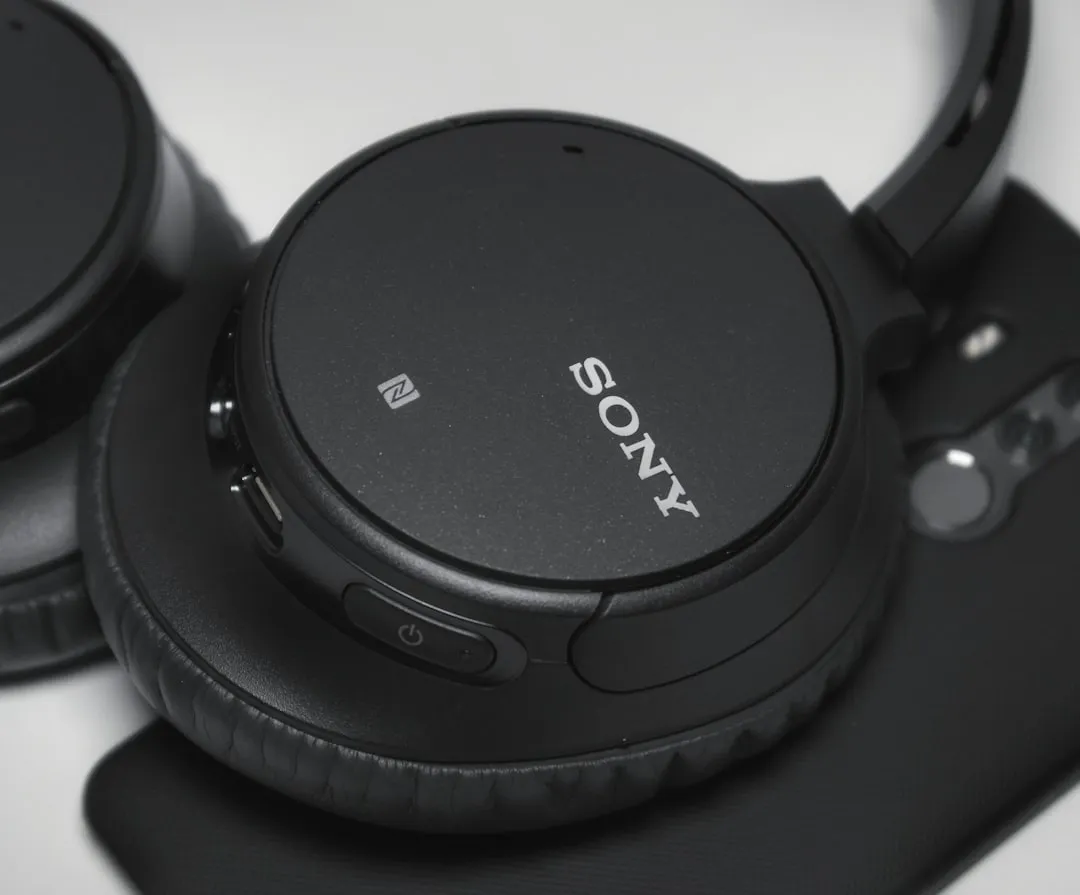
If you are experiencing a persistent buzzing, chirping, or static noise in your Sony WH-1000XM5 headphones, you aren’t alone. Most often, this is caused by an Active Noise Cancellation (ANC) calibration error, software desync, or moisture trapped in the microphone array. A factory reset via the Sony Headphones Connect app usually resolves these firmware-induced artifacts.
The Sony WH-1000XM5 represents the pinnacle of consumer-grade ANC, yet it is currently trapped in a fascinating paradox. It is simultaneously the most sophisticated noise-canceling headset on the market and a lightning rod for "ghost" technical issues. When you invest $350+ into a premium audio peripheral, you expect acoustic purity. When that purity is replaced by a low-frequency oscillation or a high-pitched buzz, the psychological reaction isn’t just annoyance; it’s a total breakdown of brand trust.
The Physics of the Buzz: Why ANC Systems Fail
At its core, the WH-1000XM5 uses a feed-forward and feedback microphone array to sample ambient noise and generate an "anti-noise" signal—an inverted sound wave that theoretically cancels the incoming frequency. The buzzing that users report on platforms like Reddit’s r/SonyHeadphones isn't usually a physical component failure in the driver itself, but rather an algorithmic feedback loop.
When the internal processors fail to correctly map the incoming ambient sound, the "anti-noise" signal becomes malformed. If the microphone housing—which is quite sensitive to internal pressure and moisture—picks up a reflection of the internal speaker output, the system enters a self-oscillation state. This manifests as that dreaded "bee-like" buzz, particularly when the ANC is set to 'On' or 'Ambient' mode.
The "Ghost in the Machine": Firmware and OS Fragmentation
Sony’s update cycle for the WH-1000XM5 has been erratic. Since the 2.0.0 firmware rollout, several threads on the official Sony community forums have tracked a correlation between specific updates and the emergence of "Auto-NC Optimizer" glitches.
The issue often stems from the Adaptive Sound Control feature. This system uses your phone’s accelerometer and GPS to adjust noise-canceling levels based on your activity (walking, sitting, transit). However, if your phone’s GPS signal jitters or the Bluetooth handover between the headphones and the Sony Headphones Connect app is unstable, the headphones attempt to recalibrate the ANC intensity mid-stream. For similar connection problems, learn How to Fix Connection Issues Instantly. This momentary adjustment can sound like a clicking or buzzing sensation—the "digital stutter" that makes users feel like their unit is failing.
Troubleshooting Workflow: Beyond the Basic Reset
If you find yourself frantically toggling buttons, stop. The "turn it off and on again" approach is insufficient for the XM5. You need to reset the communication state between the device and the host OS.
- Hard Initialization: Unpair the headphones from your source device. While the headphones are charging via USB-C, hold the Power button and the NC/Ambient button simultaneously for seven seconds. The indicator will flash blue four times. This doesn't just clear Bluetooth—it wipes the internal calibration buffer that might be holding a "corrupted" noise profile.
- Mic Housing Dehumidification: This is the "hidden" fix. The XM5 features a new synthetic leather and a different internal damping structure compared to the XM4. If you live in a humid climate or use these for commuting in light drizzle, moisture can wick into the external mic port. Use a dry, soft-bristled brush to clear the aperture.
- Disable "Speak-to-Chat": This is a notorious source of digital noise. Because Speak-to-Chat uses high-sensitivity mic polling to detect your voice, it creates a constant background processing state. If this feature is buggy, it can cause the ANC to "pulse" in and out, which the human ear perceives as a buzzing.
Real Field Reports: The Community Sentiment
Looking at the discourse on Hacker News and various audio enthusiast forums, the consensus is split. Some users report that the buzzing is purely software-related and disappears after a factory reset. Others point to a hardware defect in the "beam-forming" microphone array.
One user on a popular tech forum noted:
"I spent three hours with Sony support. They kept insisting I update the app. I did, but the buzz persisted. It wasn't until I manually went into the Bluetooth developer settings on my Android phone and forced the codec to AAC—instead of LDAC—that the buzzing stopped. LDAC, it seems, was putting too much stress on the buffer during heavy ANC processing."
This highlights a critical point: The "buzz" is often an artifact of bandwidth starvation. When you stream high-bitrate LDAC audio while simultaneously running intensive ANC, the internal DAC/DSP unit has to work in overdrive. If your Bluetooth signal is also struggling (e.g., in a crowded office with 20+ Wi-Fi signals), the packet loss causes the ANC processing to jitter.
Counter-Criticism: Is the Hardware Too Fragile?
There is a valid debate regarding the design philosophy of the WH-1000XM5. Unlike the XM4, the XM5 is not foldable and utilizes a more rigid hinge structure. Critics argue that the internal wiring, which is prone to stress-induced micro-fractures, is a design flaw. If the ribbon cable connecting the microphone to the mainboard is slightly loose, the electrical interference can introduce a ground-loop-like hum.
While Sony claims the "Auto-NC Optimizer" is a feature, many audiophiles view it as a liability. By removing the user's ability to manually lock the ANC level (as you could with the "Atmospheric Pressure Optimizer" in older models), Sony has effectively removed the "manual override" that could fix these issues. When the system makes a wrong decision, the user is left helpless, staring at a UI that says "Everything is fine."
Long-Term Sustainability and Repairability
We must address the "elephant in the room": these headphones are not meant to be opened. If the buzzing is, in fact, a loose internal mic connection, your only "official" path is an RMA (Return Merchandise Authorization). This leads to a massive waste of resources, as Sony frequently replaces the entire unit rather than fixing a $0.50 solder joint.
If your warranty has expired, the "workaround culture" dictates that you might need to perform a "percussive maintenance" tap on the side of the ear cup—a highly unscientific but often effective way to reseat a loose internal component. However, this is a dangerous gamble for a $350 device.
When the Software Simply Won't Play Ball
If you have reset, downgraded/upgraded firmware, and cleared the mics, and the buzzing persists, check your environment. Are you near a high-voltage power line? Are you using a third-party USB-C cable that lacks proper shielding?
Many users report that using a low-quality charging brick causes "dirty power" to enter the battery management system, which then introduces an audible hum when the headphones are used while charging. Never use the headphones while they are connected to a laptop that is grounded improperly.
Final Verdict: Is the Buzzing Fatal?
Most cases of "XM5 Buzzing" are transient glitches rather than permanent hardware failures. The system is hyper-sensitive to:
- Bluetooth interference (LDAC vs. AAC).
- Moisture buildup in the mic array.
- Calibration errors during firmware updates.
The path forward is patience. Perform the initialization, clean the exterior thoroughly, and if possible, revert your codec settings to prioritize stability over raw bitrate. If the buzz is persistent and rhythmic, it is likely a hardware failure in the mic array, and no amount of software "tricks" will fix a physically disconnected ground wire.